Last Updated: November 29, 2025
1. Our Accessibility Pledge
OxyZen is dedicated to making our website, mobile application, and physical product accessible to the widest possible audience, regardless of ability or technology. We believe that health monitoring should be available to everyone, and accessibility is central to that mission.
Our goals:
- Ensure our digital platforms conform to WCAG 2.1 Level AA standards
- Make our product usable by people with diverse abilities
- Provide alternative ways to access information and features
- Continuously improve accessibility based on user feedback
- Train our team on accessibility best practices
2. Conformance Status
WCAG 2.1 Target Conformance Level: AA
The Web Content Accessibility Guidelines (WCAG) define requirements for designers and developers to improve accessibility for people with disabilities. WCAG 2.1 Level AA is the internationally recognized standard for web accessibility.
2.1 Current Compliance Status
PlatformWCAG 2.1 LevelStatusNotesWebsite (www.oxyzen.ai)Level AA✓ CompliantFully conformant with minor exceptions noted belowMobile App (iOS)Level AA✓ CompliantSupports VoiceOver and accessibility featuresMobile App (Android)Level AA✓ CompliantSupports TalkBack and accessibility featuresCustomer PortalLevel AAIn ProgressExpected full compliance by Q2 2026
3. Website Accessibility Features
3.1 Navigation & Structure
✓ Keyboard Navigation: Full keyboard accessibility throughout the site
- Keyboard-only navigation: All features accessible via keyboard (Tab, Enter, Arrow keys)
- Skip navigation links: "Skip to main content" and "Skip to navigation" links
- Focus indicators: Clear visual focus indicators for keyboard users
- Logical tab order: Intuitive and logical navigation sequence
- No keyboard traps: Users can always navigate away from any element
- Consistent navigation: Navigation structure remains consistent across pages
3.2 Screen Reader Compatibility
✓ Screen Reader Support: Compatible with major screen readers
- Semantic HTML: Proper use of HTML5 semantic elements
- ARIA labels: Appropriate ARIA attributes for complex interactions
- Alt text: Descriptive alternative text for all images
- Heading hierarchy: Proper H1-H6 structure for easy navigation
- Landmark regions: Proper use of header, nav, main, footer, etc.
- Form labels: All form inputs properly labeled and associated
Tested with:
- JAWS (Windows)
- NVDA (Windows)
- VoiceOver (macOS, iOS)
- TalkBack (Android)
3.3 Visual Accessibility
✓ Visual Design: High contrast and customizable display options
- Color contrast: Minimum 4.5:1 contrast ratio for normal text (WCAG AA)
- Enhanced contrast mode: Optional high-contrast mode available
- Text resizing: Text can be resized up to 200% without loss of functionality
- Responsive design: Content adapts to different screen sizes and zoom levels
- No color-only indicators: Information conveyed through multiple means (not color alone)
- Clear typography: Readable fonts with adequate line spacing
3.4 Multimedia Accessibility
- Video captions: All videos include synchronized captions
- Audio transcripts: Text transcripts available for audio content
- Audio descriptions: Descriptive audio for important visual information in videos
- Auto-play control: No auto-playing audio or video without user control
- Media controls: Accessible play, pause, volume, and caption controls
3.5 Forms & Interaction
- Clear labels: Descriptive labels for all form fields
- Error identification: Clear error messages with suggestions for correction
- Input assistance: Instructions and help text provided where needed
- Success confirmation: Clear feedback when forms are submitted successfully
- Time limits: Adjustable or no time limits on form completion
- Error prevention: Confirmation required for important actions
4. Mobile App Accessibility Features
4.1 iOS Accessibility (VoiceOver)
✓ iOS Native Support: Full integration with iOS accessibility features
- VoiceOver support: Complete screen reader compatibility
- Dynamic Type: Respects iOS text size settings (up to accessibility sizes)
- Voice Control: Compatible with iOS Voice Control feature
- Reduce Motion: Respects reduce motion preference (minimal animations)
- Increase Contrast: Supports iOS increase contrast setting
- Button Shapes: Clear button indicators when Button Shapes is enabled
- Bold Text: Enhanced readability with bold text enabled
- Accessibility labels: Descriptive labels for all interactive elements
- Accessibility hints: Helpful hints for complex interactions
4.2 Android Accessibility (TalkBack)
✓ Android Native Support: Full integration with Android accessibility features
- TalkBack support: Complete screen reader compatibility
- Font scaling: Respects system font size preferences
- Voice Access: Compatible with Android Voice Access
- Switch Access: Support for external switch devices
- High contrast text: Enhanced visibility options
- Remove animations: Respects system animation settings
- Content descriptions: Descriptive text for all UI elements
- Focus order: Logical navigation sequence
4.3 App-Specific Features
- Haptic feedback: Vibration feedback for important actions and notifications
- Audio alerts: Optional audio notifications for health alerts
- Large touch targets: Minimum 44x44pt touch targets (exceeds WCAG 2.1 AA)
- Gesture alternatives: All gestures have button alternatives
- Dark mode: Support for system dark mode preferences
- Simplified mode: Optional simplified interface with larger text and buttons
5. OxyZen Ring Physical Accessibility
5.1 Physical Design Considerations
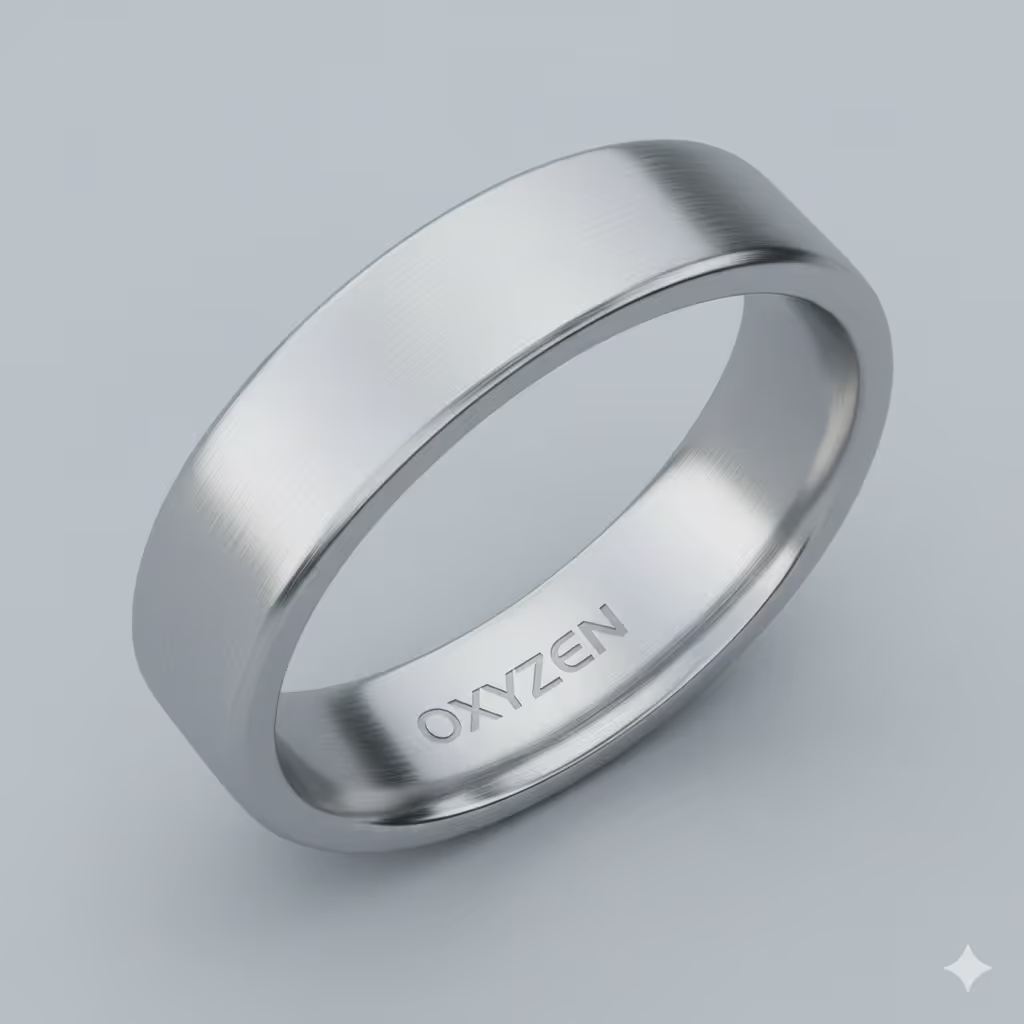
- Multiple sizes: Ring available in 8 sizes to fit various hand sizes
- Comfortable fit: Smooth, lightweight design for extended wear
- Easy to put on/remove: Simple to wear for users with limited dexterity
- Tactile indicators: Subtle physical markers for orientation
- Water-resistant: Can be worn during daily activities including handwashing
5.2 Alternative Wearing Options
We recognize that ring-based designs may not work for everyone. We are exploring:
- Pendant/necklace option (planned 2026)
- Wristband alternative (under development)
- Clip-on sensor (in research phase)
5.3 Haptic & Audio Feedback
- Vibration patterns: Distinct vibration patterns for different alerts
- Customizable intensity: Adjustable vibration strength
- App audio alerts: Audio notifications when paired with mobile device
6. Data & Health Information Accessibility
6.1 Multiple Data Formats
- Visual charts: Graphs and visualizations with descriptive text alternatives
- Data tables: Accessible table format with proper headers and structure
- Summary text: Plain language summaries of health data
- Export options: Download data in CSV, PDF, or Excel formats
- Screen reader support: All health data readable by screen readers
6.2 Customizable Alerts
- Visual alerts: On-screen notifications with high contrast
- Audio alerts: Customizable sound notifications
- Haptic alerts: Vibration patterns for important health events
- Alert frequency: Adjustable notification frequency
- Emergency contacts: Option to notify caregivers or emergency contacts
7. Language & Communication
7.1 Plain Language
- Clear writing: Content written at 8th-grade reading level where possible
- Medical terms explained: Definitions provided for technical health terms
- Abbreviations spelled out: Full terms provided on first use
- Visual aids: Icons and illustrations to support text
7.2 Multi-Language Support
- Current languages: English, Spanish (more planned)
- Interface translation: Full UI translation in supported languages
- Document translation: Key documents available in multiple languages
- Customer support: Multi-language support team
8. Known Limitations & Ongoing Work
8.1 Current Limitations
We acknowledge the following accessibility limitations that we are actively working to address:
- Third-party content: Some embedded third-party content may not meet full WCAG AA standards
- Complex data visualizations: Some advanced charts may have limited screen reader support (alternatives provided)
- PDF documents: Older PDF documents may not be fully accessible (being remediated)
- Live chat: Third-party chat widget has partial accessibility (alternative contact methods available)
8.2 Planned Improvements
We are committed to continuous improvement. Our accessibility roadmap includes:
FeatureTimelineStatusWCAG 2.2 Level AA ComplianceQ2 2026In ProgressAdvanced voice controlQ3 2026PlannedCognitive accessibility improvementsQ4 2026Research PhaseSign language video support2027PlannedAlternative form factors (pendant, band)2026-2027Development
9. Assistive Technology Compatibility
OxyZen is designed to work with a wide range of assistive technologies:
9.1 Screen Readers
- JAWS (Job Access With Speech)
- NVDA (NonVisual Desktop Access)
- VoiceOver (macOS, iOS, iPadOS)
- TalkBack (Android)
- Narrator (Windows)
9.2 Input Devices
- External keyboards
- Switch controls
- Eye-tracking devices
- Voice control systems
- Adaptive pointing devices
9.3 Display Enhancements
- Screen magnification software
- High contrast modes
- Custom color schemes
- Text-to-speech applications
10. Accessibility Testing
10.1 Testing Methods
We regularly test our platforms using:
- Automated testing: Tools like Axe, WAVE, and Lighthouse
- Manual testing: Comprehensive keyboard and screen reader testing
- User testing: Testing with people who have disabilities
- Third-party audits: Annual accessibility audits by certified experts
10.2 Continuous Monitoring
- Accessibility checks integrated into development process
- Quarterly accessibility audits
- User feedback incorporated into improvements
- Regular updates to maintain compliance as standards evolve
11. Training & Awareness
OxyZen is committed to building accessibility awareness throughout our organization:
- Staff training: All employees receive accessibility awareness training
- Developer training: Technical teams trained on WCAG and accessible development
- Design guidelines: Accessibility incorporated into design system
- Quality assurance: Accessibility testing required before launches
- Ongoing education: Regular updates on accessibility best practices
12. Third-Party Content & Services
We strive to ensure that third-party content and services we use are accessible:
- Vendor accessibility requirements in procurement process
- Regular audits of third-party integrations
- Alternative accessible options provided where third-party content falls short
- Ongoing communication with vendors about accessibility improvements
13. Feedback & Contact
We Welcome Your Feedback: Your input helps us improve accessibility for everyone. Please let us know if you encounter any accessibility barriers.
13.1 Report Accessibility Issues
If you experience difficulty accessing any part of our website, app, or product, please contact us:
Accessibility Contact Information:
OxyZen Medical Technology LLC
PA 15238
United States
Accessibility Email: accessibility@oxyzen.ai
General Email: hello@oxyzen.ai
Phone: +1 646 989 3331
TTY: 711 (Relay service available)
Response Time: We aim to respond to accessibility inquiries within 2 business days.
13.2 What to Include in Your Report
To help us address your concern quickly, please provide:
- Description of the accessibility issue
- Where you encountered the issue (URL or app screen)
- The assistive technology you were using (if applicable)
- Your device and operating system
- Any error messages you received
- Screenshots (if helpful)
13.3 Alternative Access
If you need information in an alternative format, we can provide:
- Large print documents
- Plain text versions of content
- Audio recordings
- Accessible PDF formats
- Telephone support for online processes
14. Accessibility Resources
For more information about web accessibility, visit:
15. Formal Complaints & Legal Rights
15.1 Internal Complaint Process
If you are not satisfied with our response to your accessibility concern:
- Submit a written complaint to accessibility@oxyzen.ai
- We will acknowledge receipt within 2 business days
- We will investigate and respond within 10 business days
- If needed, we will schedule a call to discuss resolution
15.2 External Resources
You also have the right to file a complaint with:
- U.S. Department of Justice: For ADA-related concerns
- Federal Trade Commission: For consumer protection issues
- State Attorney General: For state-specific accessibility laws
16. Updates to This Statement
We review and update this Accessibility Statement regularly to reflect:
- Changes to our platforms and features
- Progress on accessibility improvements
- Updates to accessibility standards and regulations
- User feedback and testing results
This statement was last reviewed and updated on November 29, 2025.
Our Commitment Continues: Accessibility is an ongoing journey, not a destination. We are committed to continually improving the accessibility of OxyZen for all users. Thank you for helping us make health monitoring accessible to everyone.