


The Email Management Strategy: Reducing Digital Workplace Stress
Manage deadlines by breaking projects into steps, communicating progress early, and negotiating realistic timelines when possible.
Manage deadlines by breaking projects into steps, communicating progress early, and negotiating realistic timelines when possible.
%402x.svg)
You sit down at your desk, coffee in hand, ready to conquer the day. You take a deep breath, click open your inbox, and instantly feel your shoulders tense. 127 unread messages. Three flagged as “URGENT.” A meeting request for a time slot you know is already booked. A ping from Slack referencing an email you haven’t even seen yet. That morning calm evaporates, replaced by a familiar low-grade panic. Your heart rate ticks up, your focus shatters, and the next hour disappears into a reactive vortex of replies, forwards, and triage.
This isn’t productivity. This is digital distress.
Welcome to the central paradox of modern knowledge work: our primary communication tool, email, has become one of our greatest sources of chronic stress. It’s a constant, low-burn anxiety that fragments our attention, hijacks our priorities, and leaves us feeling perpetually behind. This stress isn’t just mental; it manifests physically. It's the shallow breath you don’t notice you’re taking, the subtle clench in your jaw as you skim another long thread, the sleep disrupted by the phantom buzz of a notification.
But what if your inbox didn’t have to feel like a battlefield? What if you could transform it from a source of stress into a streamlined, predictable tool? This is not about achieving "Inbox Zero" as a fleeting, mythical state. It’s about cultivating an Email Management Strategy—a holistic, sustainable system that protects your cognitive resources, restores your sense of control, and drastically reduces the digital workplace stress that saps our energy and creativity.
The journey to a calmer digital existence begins with understanding the true cost of email chaos and ends with a personalized, proactive system. It integrates mindset, method, and even modern technology—like the nuanced biometric feedback from a smart ring from Oxyzen—to not just manage messages, but to manage your well-being in the digital age.

We’ve all felt it—that jolt of adrenaline when we see a high unread count, the dread of a poorly worded subject line from a difficult colleague, the sinking feeling of an ambiguous request that will take hours to unravel. This isn't mere annoyance. It's a systemic stressor with quantifiable impacts on our health, our work, and our organizations.
The Physiology of a Ping. Every new email notification is a potential interruptive cue. Neuroscientifically, interruptions force our brains to switch contexts, a process that depletes glucose from the prefrontal cortex—the area responsible for focus and executive function. This "switching cost" can result in a 40% loss of productive time according to research from the University of California, Irvine. More alarmingly, the constant, unpredictable nature of email creates a state of "hypervigilance," where our nervous system remains subtly activated, anticipating the next threat (or email). This leads to elevated cortisol levels, the primary stress hormone, which over time is linked to burnout, anxiety, sleep disorders, and decreased immune function.
The Cognitive and Business Toll. Beyond biology, the cost is measured in quality and currency. A study by Carleton University found that knowledge workers check their email every 6 minutes on average. The fractured attention this creates makes deep, meaningful work—the kind that drives innovation and solves complex problems—almost impossible. Economically, this translates to massive productivity loss. The McKinsey Global Institute estimates the average professional spends 28% of their workweek managing email. For a company of 100 employees, that's the equivalent of 28 full-time salaries spent purely on inbox shuffling.
Email stress also erodes psychological safety and clarity. Ambiguous messages breed misunderstanding. Lengthy CC chains create diffusion of responsibility. The pressure to respond immediately often leads to rushed, poorly considered replies, creating more cycles of clarification and correction. It's a self-perpetuating cycle of chaos.
Recognizing email management as a critical component of workplace wellness isn't a luxury; it's an operational and human necessity. The first step to solving a problem is measuring its true scope. For those curious about how digital stress impacts the body in real-time, you can explore our blog for deeper dives on stress physiology. The data is clear: an unmanaged inbox is more than an inconvenience; it's a legitimate health and performance hazard.
Before we touch a single filter or folder, we must address the foundational layer: our mindset. Most of us operate from a reactive email posture. The inbox is the de facto to-do list, dictating our priorities minute-by-minute. We are servants to the "send" button of others. The transformative strategy begins with a conscious shift to a proactive email posture.
This means fundamentally redefining the role of your inbox. It is not a task manager, a filing cabinet, or a source of truth. Your inbox is a processing terminal. Its sole purpose is to receive incoming items so you can efficiently process them into a system you control. This shift in ownership is everything.
Embracing the "Clarity over Completeness" Model. The reactive mindset is obsessed with "clearing the deck"—answering everything immediately to feel a sense of closure. This is a trap. The proactive mindset seeks clarity and control. It asks: "Do I know what needs to be done with this? Have I placed it in the correct system?" You may not have completed the task, but you have eliminated the anxiety of it lurking unseen in the abyss of your inbox. The stress relief comes from trust in your system, not from an empty screen.
Scheduled Attention vs. Constant Surveillance. The most powerful tactical expression of this mindset is email batching. Instead of leaving your inbox open all day as a live feed, you schedule specific, finite times to process it. This could be three times a day (e.g., 10 AM, 1 PM, 4 PM) or a rhythm that suits your workflow. Outside these windows, the email application is closed. This single change:
Adopting this mindset requires an initial leap of faith. The fear of missing something urgent is powerful. But true urgency is extraordinarily rare and is almost always communicated through a channel other than email. By committing to a proactive stance, you stop letting your inbox manage you and start managing it as a tool. This foundational shift is supported by our core mission at Oxyzen, which is to provide individuals with the data and insights needed to take proactive control of their well-being, rather than simply reacting to stress after it occurs.
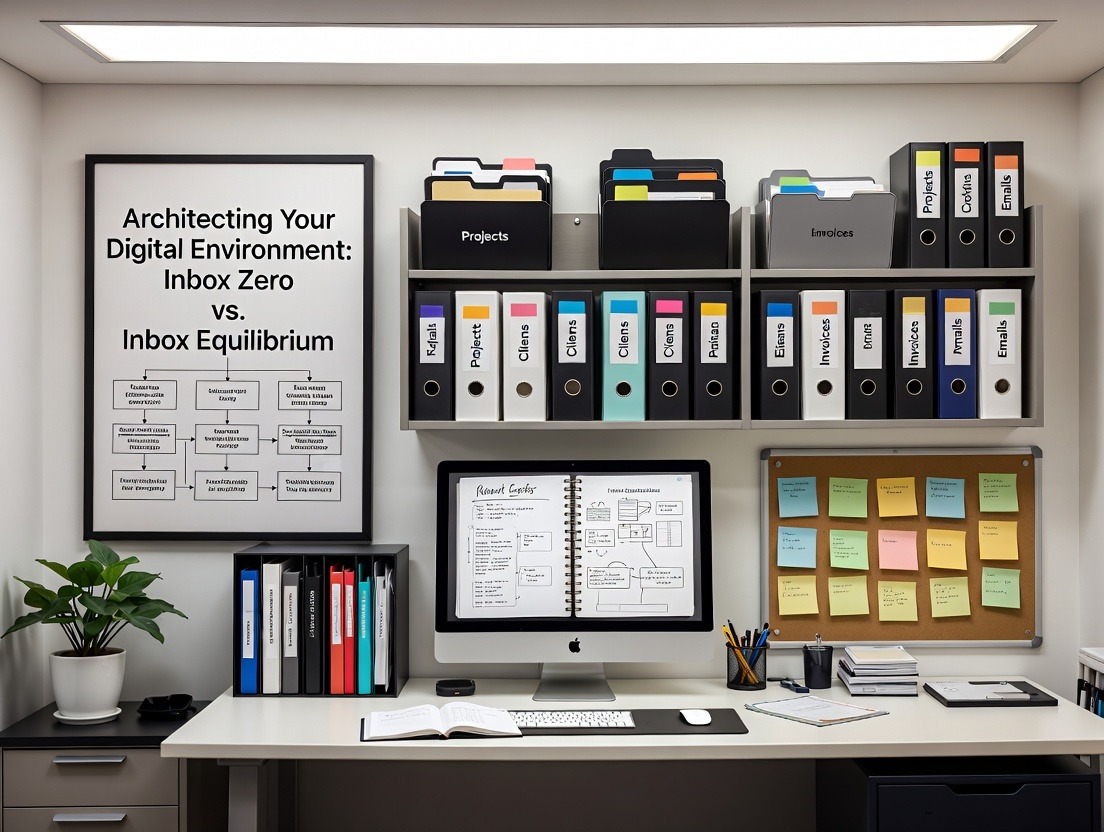
With a proactive mindset in place, we turn to the architecture of your digital workspace. The term "Inbox Zero," popularized by productivity expert Merlin Mann, has been widely misunderstood as a state of having no emails. Its true essence, however, is about processing to zero regularly, not having zero emails. It's a verb, not a noun. The goal is not emptiness, but Inbox Equilibrium—a state where your email system is a calm, predictable part of your workflow, not the chaotic center of it.
Achieving this requires creating a trusted system outside your inbox. Your email client is not designed for task or project management. We must move items out of email and into dedicated systems.
The Four D's of Processing: A Decision Engine. For every email you open during a processing batch, you make one of four decisions:
This simple heuristic turns processing from an overwhelming chore into a rapid, decisive routine.
Building Your External System. Your task manager and calendar are your best friends. When you defer an email, the action item "Prepare Q3 report draft" goes into your task manager, tagged with the appropriate project and due date. The original email is archived. When you need to reference it, you can search for it. Your inbox is no longer a holding pen for "things I might forget."
Leveraging Technology: Filters, Labels, and Snooze. Use your email client's features aggressively.
Inbox Equilibrium is achieved when you trust that nothing will be lost, everything has a designated next action, and your daily processing sessions are predictable and short. It’s the architectural peace that follows the mindset shift. For practical examples of how others have built these systems, you can find inspiration in the real-world stories shared by Oxyzen users.
Communication is a two-way street. While managing inbound email is crucial, we have immense power to reduce other people's email stress—and consequently, the back-and-forth that creates our own—by mastering the craft of sending better emails. This is email citizenship.
Writing Subject Lines That Work. The subject line is a contract. It sets the expectation for content, urgency, and required action. A vague subject line ("Update," "Question," "Checking in") creates immediate anxiety for the recipient because the mental cost of opening it is high. Be specific:
Include the key data type: Is it a PROPOSAL, a REQUEST, an UPDATE, a DECISION NEEDED? This allows the recipient to mentally prepare and prioritize.
Structuring the Two-Minute Reply. The goal of an effective email is to be understood immediately and to minimize follow-up questions. Use a clear, scannable structure:
If an email thread has morphed into a complex topic, change the medium. Write: "This is getting complex. Let's take this to a 15-minute call tomorrow. Are you free at 11?" This prevents 30 emails where 5 minutes of talking would suffice.
The Power of Pre-Written Templates. For frequent email types (status updates, meeting follow-ups, common requests), create text snippets or templates. Tools like TextExpander or your email client's built-in templates can save hours and ensure clarity. This isn't impersonal; it's professional and respectful of everyone's time.
By sending clear, actionable, well-structured emails, you create a virtuous cycle. You reduce the "clarification email" load on yourself, you make life easier for your colleagues, and you contribute to a culture of low-friction communication. This proactive sending strategy is a critical, often overlooked, pillar of comprehensive email management.

Our email stress isn't confined to the inbox tab. It's amplified a hundredfold by notifications—the pings, banners, badges, and sounds that fragment our attention throughout the day. Each one is a micro-interruption, breaking our state of flow and triggering that familiar hit of stress. To achieve true email sanity, we must conduct a Notification Purge.
The Tyranny of the Badge. The unread count badge (that red circle with a number) is a psychological lever designed to create compulsive checking. It exploits our brain's desire for completion. The first step is to turn off all email badges on your phone, desktop, and smartwatch. You will check email during your scheduled processing batches, not when an app tells you to.
Silencing the Ping. Next, disable all email sound and banner/desktop notifications. The only exception might be for a VIP filter containing emails only from your CEO or a key client, and even this should be used sparingly. The default state for email notifications should be "Off."
Closing the Tab. Perhaps the most significant change: quit your email application when you are not in a dedicated processing session. Having it running in the background is like having a colleague tap you on the shoulder randomly every few minutes. It’s impossible to do focused work with the "send/receive" icon flickering in your periphery. Close it. The world will not end.
The Smartwatch and Phone Dilemma. Be especially vigilant with push notifications to wearables. A buzz on your wrist from an unimportant email is a profound intrusion into your physical space and moment. Disable email pushes to these devices entirely. Their purpose is for true communication (calls, messages) and health tracking, not inbox surveillance.
This purge creates the physical and digital space necessary for deep work. It reinforces the proactive mindset by putting you in control of when you engage, rather than being at the mercy of an algorithm. The resulting increase in uninterrupted focus time is not just good for productivity; it’s calming. You’ll experience fewer transitions between tasks, less mental fatigue, and a greater sense of accomplishment at the end of a work block. To understand how uninterrupted focus positively impacts physiological metrics like heart rate variability, a key stress indicator, you can learn more about smart ring technology and its insights.
Mindset and method are powerful, but they address the external system. What about the internal, physiological response? We often aren't fully aware of how profoundly digital stressors affect our bodies in real-time. This is where the marriage of strategy and biometric data creates a profound leap forward.
Modern wearable technology, like advanced smart rings, can provide an objective, non-invasive window into your nervous system's response to your digital environment. By correlating this data with your activities, you can move from a vague feeling of being "stressed by email" to precise, actionable insights.
Identifying Your Personal Stress Signature. Using a device like the Oxyzen smart ring, you can track key biomarkers such as:
Imagine reviewing a daily timeline that shows a sharp dip in your HRV and a spike in RHR precisely at 10:15 AM. You cross-reference this with your activity log and realize that's when you opened your inbox after a morning of focused work and were greeted by 50 new messages and a terse email from a stakeholder. The data validates your subjective feeling and quantifies the impact.
From Insight to Action. This data allows you to experiment and refine your strategy with precision.
This feedback loop transforms email management from a purely logistical exercise into a core component of your holistic well-being. You're not just managing messages; you're managing your nervous system's exposure to digital stressors. It empowers you to create a work rhythm that is not only productive but truly sustainable. For those who have questions about how such technology integrates into daily life, our comprehensive FAQ provides detailed answers.

No system maintains itself. Without regular maintenance, the most beautifully designed email architecture will decay. Filters become outdated, the "Read Later" folder becomes a black hole, and tasks extracted from emails start to slip. The Weekly Review is the non-negotiable ritual that prevents this entropy and sustains your Inbox Equilibrium over the long term.
This is a dedicated 30-60 minute block, ideally on Friday afternoon or Monday morning, where you step back from doing work to reviewing your work systems. Your email strategy is a central part of this.
The Email-Centric Weekly Review Checklist:
This ritual does more than just maintain efficiency. It provides profound psychological closure for the week. You leave knowing that nothing is falling through the cracks, your system is tuned, and you can step away for the weekend truly disconnected. It reinforces trust in your system, which is the ultimate antidote to the anxiety of the unknown that email so often represents. The discipline of the Weekly Review echoes the principles behind Oxyzen's own story of iterative improvement and user-focused design.
Your perfect personal system can be torpedoed by the habits of others. A culture of immediate-reply expectations, after-hours emails, and CC-all threads can exert immense pressure. Therefore, a critical component of your strategy is communicating and managing expectations—both with your team (managing out) and your leadership (managing up).
Leading by Example. The most powerful tool is modeling the behavior you want to see. Send well-structured emails with clear subject lines. Use your calendar's "Do Not Disturb" or "Focus Time" blocks visibly. When you send an email late at night, use the "schedule send" feature to deliver it at 8 AM the next business day, preventing the receiver from feeling an implied pressure to respond.
Proactive Communication. Don't assume people know your system. Have a gentle, professional standard line you can use: *"For optimal focus, I batch-process emails at [10 AM, 1 PM, and 4 PM]. I'll see your message then and respond promptly. For immediate needs, please ping me on Slack/Teams or call."* Include this in your email signature or discuss it in a team meeting as a productivity practice.
Negotiating Norms with Leadership. If your manager expects instant replies, frame the conversation around outcomes, not habits. Explain that designated focus blocks allow you to produce higher-quality work on priority projects (which you can name). Propose a trial period or agree on a true "urgent" channel (a quick call). Most reasonable leaders will support practices that lead to better results and prevent burnout.
Dealing with Email "Dumpers." For colleagues who send vague, sprawling emails, respond with a structured summary to force clarity: "Thanks for this. To make sure I'm on the same page, here are the three action items I'm taking from this: 1)..., 2)..., 3).... Please confirm if that's correct." This trains them to be more precise.
Setting these boundaries isn't about being unresponsive; it's about being strategically responsive. It protects your focus time, reduces your own stress, and often improves the quality of communication for everyone involved. It's a crucial skill for sustaining your email management strategy in a social workplace ecosystem.
Email does not exist in a vacuum. It is one input among many: project management apps (Asana, ClickUp), instant messaging (Slack, Teams), document hubs (Google Drive, Notion), and calendars. Stress arises when these systems are siloed, forcing us to constantly switch contexts and hunt for information. The final architectural step is to integrate email into your total workflow ecosystem.
The Hub-and-Spoke Model. Designate one primary tool as your "hub"—this is your source of truth for tasks and projects. For many, this is a dedicated task manager (Todoist, Things) or a project management tool. Your goal is to make email a "spoke" that feeds into this hub, not a competitor to it.
Automation Bridges. Use tools like Zapier, Make, or native integrations to create bridges.
The Centralized Reference System. When an email contains important reference information (a project brief, contract terms, feedback), don't leave it archived in email. Move the core information to the relevant project page in your hub (Notion, Coda, Confluence) and then archive the email. This means all context for a project lives in one searchable place.
This integration eliminates the "where did I see that?" panic. It ensures that actionable items from email become part of your unified task list, and reference information is where you expect it. It turns email back into what it should be: a communication channel, not a storage or management platform. For more strategies on creating a seamless, low-stress digital environment, our blog is a continual resource for evolving best practices.
Changing a deeply ingrained habit like email behavior is hard. The pull of the notification, the dopamine hit of a cleared badge, the cultural pressure to be always available—these are powerful forces. Success is not about installing a perfect system on Day One; it's about cultivating sustainable habits and having a plan for relapse.
Start Small, Build Momentum. Don't try to implement every strategy in this guide at once. That leads to overwhelm and abandonment. Pick one foundational habit to master for two weeks.
Each small win builds confidence and reinforces the new identity: "I am someone who controls my inbox, not the other way around."
Anticipate and Plan for Relapse. You will have chaotic weeks—a product launch, a family emergency, a vacation. Your system will break down. This is normal. The key is to not view this as a failure but as part of the process. Schedule a "System Reset" hour after the chaos subsides. Go back to the basics: process to zero, review filters, clear the decks. The Weekly Review is your built-in reset button.
Track What Matters. Instead of tracking "unread emails," track metrics that reflect control and well-being:
This long-game perspective turns email management from a rigid set of rules into a flexible practice of self-management. It acknowledges that some days will be better than others, but the overall trajectory is toward greater calm, control, and capacity for meaningful work. The journey to mastering your digital environment is deeply personal, much like the individual journey to wellness that each Oxyzen user embarks upon.
Our relationship with email extends far beyond productivity metrics and organizational systems. At its core, this digital communication medium taps into fundamental psychological patterns that can either support or sabotage our mental health. Understanding these psychological dynamics gives us the power to consciously reshape our email experience from emotionally draining to emotionally sustainable.
The Variable Reward Schedule and Digital Addiction. Email operates on what psychologists call a "variable reward schedule"—the same mechanism that fuels slot machines and social media scrolling. You never know when you'll receive an important message, a piece of good news, or validation from a colleague. This uncertainty triggers dopamine releases in the brain, creating a compulsion to check repeatedly. Unlike predictable systems, the unpredictability of email rewards makes the behavior particularly resistant to extinction. The little red badge becomes a psychological magnet, pulling our attention even when we consciously know better.
The Attention Residue Effect. Research by Sophie Leroy at the University of Minnesota identified a phenomenon called "attention residue" that specifically plagues email habits. When we switch from Task A (say, writing a report) to Task B (checking email), a part of our cognitive resources remains stuck on Task A. The more frequently we switch, the more diluted our focus becomes. The psychological consequence isn't just reduced efficiency—it's the pervasive feeling of being mentally fragmented, never fully present with any task, which contributes significantly to work-related anxiety and dissatisfaction.
The Burden of Unanswered Messages: Zeigarnik Effect in Digital Form. The Zeigarnik effect, a psychological principle named after Russian psychologist Bluma Zeigarnik, states that people remember uncompleted or interrupted tasks better than completed ones. Our brains keep unfinished business active in our working memory, creating cognitive tension until resolution. Every unanswered email in your inbox represents one of these "open loops," creating subtle but persistent cognitive load. Even when you're not consciously thinking about them, part of your mental energy is tracking these unresolved items, contributing to mental fatigue and the inability to truly disengage from work.
Email and the Erosion of Psychological Safety. The ambiguity inherent in text-based communication—lack of tone, facial expressions, immediate feedback—amplifies our natural tendency toward "negativity bias." We're more likely to interpret neutral or ambiguous messages negatively. A simple "We need to talk about your report" can spiral into hours of anxious speculation. This interpretive burden makes email particularly taxing emotionally, as we're constantly decoding subtext that may not exist. This environment can erode psychological safety within teams, as misunderstandings multiply and people become hesitant to communicate directly.
Reclaiming Psychological Sovereignty. The breakthrough comes when we recognize these psychological patterns and intentionally design counter-strategies:
Understanding these psychological dimensions transforms email management from a mere productivity hack into a form of cognitive and emotional self-care. As we become more aware of how digital communication impacts our mental state, we can make more intentional choices about our engagement patterns. For those interested in how digital habits intersect with physiological stress markers, reading about smart ring biometrics provides fascinating insights.
Most of us experience email as a diffuse, constant drain, but few have actually mapped when and how that drain occurs. Conducting an Email Energy Audit is a powerful exercise in self-awareness that reveals your personal patterns of digital depletion and identifies your most vulnerable times for email stress.
The Methodology of Self-Observation. For one typical workweek, keep a simple log alongside your email activity. Track:
Identifying Your Personal Drain Patterns. After a week, patterns emerge with striking clarity. You might discover:
Correlating with Biometric Data. If you're using a device like the Oxyzen smart ring, this qualitative audit becomes even more powerful when correlated with quantitative data. You might see:
Designing Your Energy-Preserving Schedule. Armed with this self-knowledge, you can intentionally design your day around your energy patterns:
The Recovery Factor. The audit also reveals your recovery needs. You might notice that even brief email checks during focus time require 10-15 minutes to regain deep concentration. This "recovery tax" becomes a compelling reason to batch process and protect those boundaries.
By treating your attention and energy as finite resources to be budgeted deliberately—much like financial resources—you transform your relationship with email from reactive to strategic. This mindful approach to digital communication is at the heart of creating sustainable work habits. For practical examples of how others have redesigned their days based on energy patterns, our user testimonials offer real-world inspiration.
Inspired by Cal Newport's philosophy of Digital Minimalism, this section explores taking your email strategy beyond efficiency and into the realm of intentionality. Digital Minimalism with email isn't about using technology less, but about using it better—optimizing your digital tools to maximally support your values and well-being while eliminating everything that doesn't.
The Decluttering Process: A Three-Part Purge.
The Channel Selection Principle. Digital Minimalism asks: "Is email the best tool for this communication?" Often, it's not. Implement a simple decision tree:
By reserving email for what it does best (asynchronous, detailed, archival communication), you reduce its volume and increase its signal-to-noise ratio.
The Single Dashboard Approach. One of the most powerful minimalist practices is creating a single, curated dashboard for all work communication. This might be:
This creates what Newport calls "digital solitude"—periods where you're free from the reactive pull of communication tools, even while having access to the information you need.
The Value Alignment Check. Regularly ask: "How does my current email practice support or undermine my core values?" If you value deep work, but constant email checking fragments your attention, there's misalignment. If you value presence with family, but you're checking email after hours, there's misalignment. Use this misalignment as motivation to refine your systems.
Digital Minimalism transforms email from a default, overwhelming presence into a deliberately chosen tool that serves your priorities. It's the difference between being a passive consumer of digital communication and being an intentional architect of your digital environment. This philosophy of intentional technology use aligns closely with Oxyzen's approach to wellness technology—tools should provide insight without creating dependency, offering data that empowers better decisions about health and focus.
Standard email advice often assumes a neurotypical brain with consistent attention regulation and linear processing preferences. Yet in reality, cognitive diversity means that different thinking styles require different email management approaches. Whether you identify as ADHD, autistic, dyslexic, or simply recognize that your brain doesn't work in "standard" ways, customizing your email strategy can be transformative.
For the ADHD or Distractible Brain: Creating External Captivation.
The ADHD brain thrives on novelty and struggles with object permanence and task initiation. Traditional "check email three times a day" advice might fail because:
Custom Solutions:
For the Autistic or Systemizing Brain: Managing Predictability and Overwhelm.
The autistic brain often excels at systematic thinking but may become overwhelmed by unpredictable social demands and ambiguous communication inherent in email.
Custom Solutions:
For the Dyslexic or Language-Processing Brain: Reducing Reading Burden.
Email is overwhelmingly text-based, which can create fatigue and anxiety if reading is effortful.
Custom Solutions:
The Universal Neurodiverse Principle: Self-Acceptance and Customization.
The key insight is that there is no "correct" way to manage email. The most effective system is the one that works with your brain's unique wiring, not against it. This might mean:
By embracing cognitive diversity in email management, we move away from prescriptive solutions and toward personalized strategies that actually reduce stress rather than adding another layer of "shoulds." This personalized approach to wellness technology is something we deeply understand at Oxyzen, where we recognize that effective tools must adapt to individual patterns, not vice versa.
If individual email stress is challenging, managing a team's email culture multiplies the complexity exponentially. As a manager, your email habits don't exist in isolation—they create ripple effects across your entire team. The "Manager's Dilemma" is balancing necessary communication with the protection of your team's focus and well-being. Solving this requires both systemic thinking and cultural leadership.
Modeling the Behavior You Want to See. Your email habits set the cultural norm. If you send emails at midnight, you implicitly expect responsiveness at odd hours. If you send vague requests, you train your team to seek constant clarification. Begin your leadership here:
Creating Team-Wide Communication Protocols. Don't leave email norms to chance. Create explicit agreements:
Reducing Email Volume Through Better Meetings. Much team email stems from poorly run meetings. Implement:
The "Is This Email Necessary?" Checklist for Managers. Before hitting send on a team email, ask:
Supporting Individual Differences. Recognize that your team members may need different strategies. Some may thrive with Inbox Zero, others may need to keep everything visible. Have one-on-one conversations about what email stress looks like for them and what support they need. This might include approving software purchases for email management tools or providing training on filters and automation.
Measuring What Matters. Instead of valuing responsiveness, measure outcomes. Celebrate when projects are delivered on time with clear communication, not when emails are answered quickly. Shift performance conversations from "You didn't respond to my email for 4 hours" to "How can we set up our communication so you have the focus time needed for your deliverables?"
Leading with email mindfulness creates psychological safety and focus capacity across your team. It reduces the collective cognitive load of miscommunication and constant context-switching. This approach to leadership communication reflects a broader commitment to workplace wellness—a value that extends to how we think about technology's role in team health and productivity.
In our interconnected global workplace, email stress is compounded by invisible cultural differences. What feels efficient and direct in one culture may feel rude and abrasive in another. What constitutes "urgent" varies dramatically. Without cultural awareness, we risk not just miscommunication, but creating persistent low-grade stress for ourselves and our international colleagues.
High-Context vs. Low-Context Communication. Anthropologist Edward T. Hall's framework is essential for email:
Stress Points and Solutions:
Monochronic vs. Polychronic Time. Another critical dimension:
Stress Points and Solutions:
The Formality Spectrum. The appropriate level of email formality varies widely:
Best Practice: When in doubt, start more formal and follow the other person's lead. Observe their signature block for clues.
Practical Toolkit for the Global Inbox:
Managing a cross-cultural inbox requires cognitive flexibility and empathy. The stress reduction comes not from eliminating differences, but from developing the skills to navigate them gracefully. This reduces the anxiety of "Did I offend them?" or "Why aren't they responding?" and replaces it with informed understanding. For teams distributed across cultures and time zones, finding tools that bridge these differences while respecting individual well-being is crucial—a challenge we consider deeply in our approach to creating globally relevant wellness technology.
Perhaps no aspect of email management creates more insidious stress than its invasion of personal time. The smartphone turned the inbox into a 24/7 companion, blurring work-life boundaries and creating what researchers call "anticipatory stress"—the anxiety of what might be waiting in your inbox even when you're not checking it. Establishing and protecting after-hours boundaries isn't just about personal time; it's about long-term sustainability and mental health.
The Science of Unplugging. Research is unequivocal about the costs of constant connectivity:
The Boundary Spectrum: From Absolute to Flexible. There's no one-size-fits-all solution, but rather a spectrum to choose from based on your role and personal needs:
Implementing Boundaries That Stick. Good intentions fail without implementation strategies:
Managing the Anxiety of Disconnection. For many, the hardest part isn't setting the boundary but managing the anxiety of what might be accumulating. Strategies include:
Leading Boundary-Respecting Cultures. Managers have particular responsibility to model and respect boundaries. Never email your team after hours unless truly critical, and if you must, use "Schedule Send." Praise outcomes, not responsiveness. Measure results, not online presence.
The after-hours boundary is ultimately about reclaiming sovereignty over your attention and time. It's the recognition that constant availability doesn't make you more productive—it makes you perpetually distracted and gradually depleted. Protecting personal time isn't a luxury or lack of dedication; it's what enables sustained high performance. This holistic view of performance and recovery is central to understanding how biometric feedback can guide better boundary-setting.
Beneath the text of every email flows an undercurrent of emotion—both the sender's and the receiver's. Our ability to navigate this emotional layer, often called "digital emotional intelligence," dramatically impacts our email stress levels. High email EQ means we can prevent misunderstandings, defuse tensions, and communicate with empathy even in asynchronous text.
Reading Between the Lines (Without Overreading). The ambiguity of text makes us prone to both missing emotional cues and imagining negative ones that aren't there. Develop these skills:
Writing with Emotional Awareness. Your emotional state leaks into your writing. Before sending:
The Repair Email. Despite best efforts, misunderstandings happen. The repair email is a crucial tool:
Managing Trigger Emails. Certain emails trigger disproportionate stress—criticism, ambiguous feedback, requests from difficult people. Develop a trigger response protocol:
The EQ-Enhanced Subject Line. Emotional intelligence begins with the subject line:
Cultivating Digital Empathy. Remember that behind every email is a human with their own stresses, insecurities, and workload. This perspective alone can reduce your stress response. Before getting frustrated with a slow response or unclear email, consider: "They're probably having a demanding day too."
Developing email emotional intelligence transforms your inbox from a minefield of potential conflicts into a space of constructive human connection. It reduces the second-guessing, anxiety, and interpersonal friction that make email so draining. This focus on the human element behind digital communication reflects our broader belief at Oxyzen that technology should enhance human connection, not replace it.
While mindset and habits form the foundation of email management, smart automation serves as the force multiplier. When strategically implemented, automation handles the routine, repetitive aspects of email management, freeing your cognitive resources for the tasks that truly require human judgment and creativity. This isn't about becoming impersonal; it's about intelligently outsourcing mental labor.
Tiered Automation: From Basic to Advanced.
Level 1: Built-In Client Features (Available to Everyone)
Level 2: Browser Extensions & Add-Ons
Level 3: Integration Platforms (Zapier, Make, IFTTT)
Connect your email to other tools in your workflow:
Level 4: AI-Powered Assistants
The Automation Audit: What to Automate and What Not To. Not everything should be automated. Use this decision framework:
AUTOMATE: Repetitive, predictable, rule-based tasks with clear criteria.
DO NOT AUTOMATE (or use extreme caution): Relationship-building, nuanced communication, complex decisions.
Avoiding Automation Pitfalls:
Building Your Personalized Automation Stack. Start small:
Well-designed automation doesn't just save time; it reduces decision fatigue and the constant micro-stressors of manual sorting and remembering. By letting machines handle what they do best (pattern recognition and repetitive tasks), you preserve your human cognitive resources for what you do best (judgment, creativity, and connection). This thoughtful integration of technology into workflow is something we value highly, as reflected in how Oxyzen's technology integrates seamlessly into daily life.
Ultimately, email management isn't about achieving a perfect system for a week or a month. It's about developing sustainable practices that protect you from digital workplace stress over years and decades—a crucial component of burnout prevention. This final section integrates all previous strategies into a holistic, adaptable long-term plan.
The Three-Layer Sustainability Model.
Layer 1: Foundational Habits (Non-Negotiable)
These are the daily and weekly practices that form your baseline protection:
Layer 2: Adaptive Strategies (Flexible Toolkit)
These are the practices you adjust based on workload, projects, and energy:
Layer 3: Renewal Practices (Recovery & Prevention)
These are the practices that prevent cumulative stress:
The Burnout Early Warning System. Integrate email patterns into your self-monitoring:
Biometric Feedback for Long-Term Trends. Using a device like Oxyzen over months and years provides invaluable longitudinal data:
The Career-Phase Adaptation. Your email strategy should evolve with your career:
Creating Your Personal Email Charter. Document your approach in a living document that includes:
Share this with close colleagues and managers to set clear expectations.
The Resilience Mindset. Ultimately, sustainable email management requires accepting imperfection. Some days the system will break. Emergencies happen. The goal isn't perfection, but resilience—the ability to return to effective practices after disruption. This self-compassion is itself a stress-reducer.
By viewing email mastery as a long-term practice rather than a quick fix, you transform it from another task on your to-do list into an integral part of your professional resilience and well-being. This long-term perspective on wellness and performance is at the heart of what we believe at Oxyzen—that true health comes from sustainable practices informed by consistent, personalized data.
Your Trusted Sleep Advocate: Sleep Foundation — https://www.sleepfoundation.org
Discover a digital archive of scholarly articles: NIH — https://www.ncbi.nlm.nih.gov/
39 million citations for biomedical literature :PubMed — https://pubmed.ncbi.nlm.nih.gov/
Experts at Harvard Health Publishing covering a variety of health topics — https://www.health.harvard.edu/blog/
Every life deserves world class care :Cleveland Clinic - https://my.clevelandclinic.org/health
Wearable technology and the future of predictive health monitoring :MIT Technology Review — https://www.technologyreview.com/
Dedicated to the well-being of all people and guided by science :World Health Organization — https://www.who.int/news-room/
Psychological science and knowledge to benefit society and improve lives. :APA — https://www.apa.org/monitor/
Cutting-edge insights on human longevity and peak performance:
Lifespan Research — https://www.lifespan.io/
Global authority on exercise physiology, sports performance, and human recovery:
American College of Sports Medicine — https://www.acsm.org/
Neuroscience-driven guidance for better focus, sleep, and mental clarity:
Stanford Human Performance Lab — https://humanperformance.stanford.edu/
Evidence-based psychology and mind–body wellness resources:
Mayo Clinic — https://www.mayoclinic.org/healthy-lifestyle/
Data-backed research on emotional wellbeing, stress biology, and resilience:
American Institute of Stress — https://www.stress.org/