Wearable Health Tech Guide: App Ecosystems and Compatibility
A guide to the apps and software that work with wearable devices.
Wearable Health Tech Guide: App Ecosystems and Compatibility
For years, the narrative of wearable health technology has centered on the device itself: the sleek design of a smartwatch, the minimalist form of a ring, the sensor-packed band. We’ve marveled at shrinking hardware and increasingly sophisticated biometric tracking. But we’ve now reached an inflection point. The true power, personality, and potential of any wearable are no longer forged solely in its silicon and steel, but in the intangible, interconnected world it unlocks: the app ecosystem.
Choosing a wearable today is less about picking a gadget and more about choosing a digital health philosophy. It’s a decision that places you at the center of a complex web of data streams, partner integrations, and software experiences. Will your data live in a walled garden, beautifully presented but isolated? Or will it flow freely into a personalized nexus of your favorite health, fitness, and wellness apps, becoming part of a larger, more actionable story about you? This question of ecosystem and compatibility is the single most critical, yet most frequently overlooked, factor in determining whether your wearable becomes a transformative health companion or an expensive step-counter doomed to a drawer.
The right ecosystem acts as a force multiplier. A ring that tracks your sleep is useful. That same ring, seamlessly sharing data with a meditation app that adjusts your sessions based on sleep quality, a nutrition app that suggests meal timing based on recovery metrics, and a clinical platform your doctor can review, becomes revolutionary. It transforms raw data into wisdom and isolated metrics into a holistic health strategy.
Conversely, incompatibility is the silent killer of utility. The frustration of discovering your new, advanced wearable doesn’t “talk” to the app where you’ve logged five years of workouts, or can’t share vital health trends with your family doctor, quickly leads to abandonment. You’re left with fragments of insight, unable to see the complete picture.
This guide is your map to this invisible landscape. We will move beyond specs and sensor counts to delve into the software soul of modern wearables. We’ll explore the dominant platform philosophies, decode the language of APIs and data privacy, and provide a practical framework for choosing a device whose ecosystem aligns with your personal health journey. Whether you’re a quantified-self enthusiast building a custom data dashboard, someone managing a chronic condition in partnership with a care team, or simply seeking a more mindful, connected approach to wellbeing, the ecosystem you choose will define your experience.
Let’s begin by understanding the fundamental forces shaping this digital terrain.
The Invisible Backbone: Why Your Wearable’s Ecosystem Matters More Than Hardware
Imagine purchasing a state-of-the-art television, only to find it can only play content from one single, proprietary streaming service. The hardware is brilliant—4K resolution, perfect sound—but its value is catastrophically limited by the wall built around it. This is the stark reality for many wearable users who don’t prioritize ecosystem compatibility during their purchase.
The ecosystem is the invisible backbone of your wearable experience. It comprises the primary companion app, the cloud infrastructure that stores and processes your data, the third-party apps and services it connects with (like Apple Health, Google Fit, Strava, or MyFitnessPal), and the developer tools that allow for new integrations. While the hardware collects data points, the ecosystem interprets, contextualizes, and activates them.
Why does this matter so profoundly?
First, context is king in health data. A resting heart rate of 65 bpm is just a number. But when your wearable’s ecosystem cross-references that with sleep data showing you spent 20 minutes in deep sleep, workout data indicating a intense session yesterday, and stress metrics showing a elevated sympathetic nervous system load, a story emerges: you’re not fully recovered. The ecosystem can then prompt a personalized action—perhaps a notification from your meditation app suggesting a recovery breathwork session, or your fitness app dynamically adjusting today’s planned workout to be less strenuous. This interconnected intelligence is impossible for any single, siloed app to achieve.
Second, ecosystems future-proof your investment. Hardware evolves, but often at a slower pace than software innovation. A wearable with a robust, open ecosystem can gain new features and capabilities through software updates and new third-party integrations long after its physical sensors are considered “standard.” Your device becomes a platform for health, continually evolving. For instance, if a new, groundbreaking cognitive behavioral therapy app launches, a wearable with strong compatibility can integrate with it, adding mental wellness tools you never envisioned at purchase.
Third, it’s about sovereignty over your own data. A closed ecosystem strictly controls where your data goes and how it’s used. An open or interoperable one often provides tools for you to export your raw data or grant specific access to other platforms you trust. This allows you to build a centralized health hub, perhaps within a broader platform like Apple Health, where you can see data from your ring, scale, blood glucose monitor, and electronic health record in one unified dashboard. As discussed in our resources on comparing wellness tracking devices, this holistic view is the holy grail of personalized health.
Finally, the ecosystem directly impacts user adherence and long-term value. A study published in the JMIR mHealth and uHealth journal highlighted that engagement with a wearable’s companion app is a stronger predictor of long-term use than the device’s features alone. An engaging, insightful, and well-connected app experience provides the ongoing “why” that motivates you to keep wearing the device. It turns a novelty into a habit and a gadget into a genuine partner.
In essence, the hardware asks, “What is happening?” The ecosystem asks, “Why is it happening, and what should you do about it?” Ignoring the latter question at the point of purchase is the fastest way to ensure your wearable remains a shallow piece of technology, rather than deepening into a transformative tool for wellbeing.
Walled Gardens vs. Open Fields: Understanding Ecosystem Philosophies
The digital health landscape is shaped by two competing, and often blending, philosophies: the Walled Garden and the Open Field. Understanding this dichotomy is crucial to aligning your wearable choice with your personal values and technological preferences. Neither is inherently “better,” but each serves different needs and mindsets.
The All-Encompassing Walled Garden
The walled garden is a controlled, curated, and deeply integrated environment. Think of Apple’s ecosystem: the iPhone, Apple Watch, Health app, and Fitness+ service. In this model, the hardware, operating system, and primary health services are designed in lockstep by a single company. The walls are high, and moving data out can be deliberately challenging, but the experience inside the garden is often seamless, polished, and cohesive.
Characteristics:
Deep Vertical Integration: The wearable, phone OS, and health apps are built for each other. Features like automatic workout detection, ECG on-wrist, and tight synchronization are often flawless.
Curated, Limited Third-Party Access: While these platforms may have APIs (Application Programming Interfaces) for developers, access is strictly governed. Integrations are vetted for quality, security, and alignment with the platform’s philosophy, leading to a more controlled but potentially limited selection.
Premium, Cohesive User Experience (UX): From unboxing to daily use, the journey feels uniform. Notifications, data visualizations, and settings flow naturally within the brand’s design language.
Data Primacy: The ecosystem’s own apps are the “source of truth.” Data is presented in its proprietary format, encouraging you to stay within its environment for analysis and insight.
The Trade-off: The strength of the walled garden—its seamless control—is also its limitation. Your autonomy is reduced. If the garden doesn’t offer a specific integration you need (say, with a niche medical device or a particular fitness platform popular in your country), you may be out of luck. Your data’s destiny is largely tied to the platform’s decisions.
The Interoperable Open Field
The open field philosophy prioritizes interoperability, user choice, and data portability. Here, the wearable company sees its device as one player in your broader health tech toolkit. Its goal is to collect accurate data and make it as easy as possible for you to send that data wherever it’s most useful to you. Brands like Garmin (with its Connect IQ platform) and many dedicated health sensor companies operate here, and it’s a core principle for platforms like Oxyzen’s approach to smart ring technology.
Characteristics:
API-First Mindset: The company provides robust, well-documented APIs, encouraging developers of all kinds—from large fitness platforms to individual data scientists—to build integrations.
Support for Universal Standards: Heavy use of platforms like Google Fit and especially Apple Health (on iOS) as central data hubs. The wearable writes comprehensive data to these hubs, and you decide which other apps can read it.
User as the Integrator: You have the power and responsibility to connect your data flows. You might pull sleep data from your ring into Apple Health, which then shares it with a sleep coaching app, a mindfulness platform, and a personal data spreadsheet.
Focus on Data Export: Tools to export your raw data (CSV, JSON files) are commonly provided, empowering advanced users for deep personal analysis or to share with a healthcare provider in a format they can use.
The Trade-off: The open field can feel less polished. You may need to toggle permissions across multiple apps, and the user experience can be fragmented. Not every integration will have the pixel-perfect design of a native feature. It requires a more proactive, tech-comfortable user to set up and maintain.
The Blended Landscape: Permeable Walls
Today, most successful ecosystems exist on a spectrum, not at the extremes. Even Apple’s walled garden has “gates”—its HealthKit API allows health and fitness apps to write data to and read data from the central Apple Health repository, with user permission. Similarly, an open-field player will still have a beautifully designed, feature-rich native app to provide core value.
Your decision hinges on a simple question: Do you prioritize turn-key simplicity and deep design harmony, or do you prioritize maximum flexibility and control over your data’s destiny? For a holistic, long-term health strategy that can adapt as your needs and the tech landscape change, the flexibility of an open or blended ecosystem is often the most powerful choice. It ensures your wearable can grow and connect with the next generation of health tools, a vision central to the Oxyzen brand journey and vision.
The Central Hubs: Apple Health & Google Fit Explained
In the quest for a unified health picture, few tools are as pivotal as the central hubs: Apple Health on iOS and Google Fit on Android. These are not merely apps; they are operating system-level frameworks designed to be the secure, centralized repositories for all your health and fitness data. For any wearable, its relationship with these hubs is a primary indicator of its compatibility philosophy.
Apple Health: The Fortified Data Vault
Apple Health (powered by the HealthKit framework) is arguably the most robust and privacy-centric personal health data platform available to consumers. It’s structured as a secure database on your iPhone.
How it Works:
Data Sources: Your wearable’s app (with your explicit permission) can write data to specific “categories” in Apple Health, such as “Sleep Analysis,” “Heart Rate,” “Resting Energy,” or “Mindful Minutes.”
Data Aggregation: Apple Health automatically aggregates this data. You can see heart rate from your Oxyzen ring, steps from your phone, and mindfulness from a meditation app all in one timeline.
Data Sharing: You can then grant other apps (Data “Readers”) permission to read specific data types from Health. For example, you could allow a nutrition app to read your active energy burn to improve its calorie adjustments.
Key Strengths:
Granular Privacy Control: You approve every data type for every app, for both reading and writing. Permissions can be revoked at any time.
Clinical Health Records (US): A groundbreaking feature that allows you to securely connect and import records from participating hospitals and clinics, bringing clinical data into the same environment as your wearable data.
Rich Data Types: It supports a vast array of data categories, from standard metrics to more specialized ones like blood glucose, inhaler usage, and even fall detection events.
Trends & Highlights: The app provides automated insights, showing long-term trends (e.g., “Your walking steadiness has improved over the last 6 months”) and correlating data (e.g., “On days you mindfully exercise, you sleep longer”).
For an iOS user, a wearable’s ability to write comprehensive, high-frequency data to Apple Health is non-negotiable. It’s the foundation of a truly open ecosystem.
Google Fit: The Activity-Centric Platform
Google Fit, while similar in concept, has historically had a different emphasis. It was initially more focused on activity and movement, powered by the concept of “Heart Points” and “Move Minutes” (goals based on WHO activity recommendations). Recent iterations have broadened its scope significantly.
How it Works:
Sensors API: Wearables and apps use the Sensors API to contribute raw data like step count, heart rate, and GPS tracks.
Recording API: For tracking structured activities like runs or gym sessions.
Goals and Insights: Data is synthesized into the Heart Points/Move Minutes system and user-friendly dashboards. Google’s AI can also generate personal insights and coaching tips.
Key Strengths:
Cross-Platform: Works seamlessly across Android phones, Wear OS watches, and even has an iOS app, making it a potential hub for multi-platform households.
Simplified Motivation: The Heart Points system provides an accessible, goal-oriented motivation layer for general fitness.
Integration with Google Ecosystem: Can surface health data in other Google services and works well with Android’s digital wellbeing features.
Openness: Generally has a lower barrier for developer integration compared to Apple’s more curated approach.
The Critical Consideration: Not all wearable integrations with these hubs are created equal. A basic integration might only write daily step count and sleep duration. A high-quality, dedicated integration will write detailed datasets—like per-minute heart rate, heart rate variability (HRV), sleep stages, blood oxygen levels, and body temperature. When evaluating a wearable, don’t just ask if it syncs with Apple Health/Google Fit, but what data it syncs and at what granularity. This depth of integration is what turns a central hub from a simple log into a powerful analytical engine, a principle we explore in depth when you discover how Oxyzen works.
Beyond the Giants: Niche Platforms, EHRs, and the Promise of FHIR
While Apple Health and Google Fit are the consumer-facing titans, the true frontier of wearable compatibility lies in two other directions: specialized niche platforms and the holy grail of clinical integration via Electronic Health Records (EHRs). This is where wearables transition from lifestyle gadgets to potentially significant health tools.
The Power of Niche and Vertical Platforms
Many users have deep investments in platforms that cater to specific aspects of their lives. A wearable’s ability to connect here is a direct test of its ecosystem strength.
Fitness & Training: Platforms like Strava, TrainingPeaks, and Zwift are ecosystems unto themselves for cyclists, runners, and triathletes. Direct sync means your wearable’s heart rate, GPS, and physiological data can feed into sophisticated training load, performance condition, and recovery metrics these platforms offer. It allows a running watch or a smart ring to act as a biometric sensor for a much more powerful analytical engine.
Wellness & Mindfulness: Apps like Headspace, Calm, and Whoop’s own journal benefit massively from wearable data. Imagine your meditation app knowing your pre-session stress level (via HRV) and adjusting the guidance, or a recovery platform correlating your self-reported mood with objective sleep quality data.
Chronic Condition Management: Emerging platforms for diabetes (like SugarMD), hypertension, or women’s health (Clue, Flo) are beginning to integrate wearable data. For instance, seeing glucose trends alongside sleep and activity data can reveal powerful patterns for a diabetic user.
A wearable with a rich API or pre-built integrations for these verticals demonstrates a commitment to serving dedicated communities, not just the general market.
The Clinical Frontier: EHRs and FHIR
The most transformative compatibility is with the professional healthcare system. The ability for your wearable data to be securely reviewed by a care team could revolutionize preventive care and chronic disease management.
The barrier has been technological and regulatory. EHR systems (like Epic, Cerner) are complex, secure, and not built for consumer gadget data. The bridge is FHIR (Fast Healthcare Interoperability Resources, pronounced “fire”).
What is FHIR? It’s a modern, standards-based framework for exchanging healthcare information electronically. Think of it as a common language that allows different health IT systems (apps, wearables, hospital databases) to talk to each other securely.
The Apple Model: Apple has pioneered this for consumers. Its “Health Records on iPhone” feature uses FHIR standards to allow users to pull data from connected hospital systems into their Apple Health app. The next step—pushing curated wearable data back to the clinician—is actively being developed in pilot programs.
The Wearable’s Role: For a wearable to participate, it must not only collect clinically relevant data (with appropriate validation) but also structure and transmit it via secure, standard APIs that can interface with FHIR-based systems. This is not about sending a raw heart rate stream, but about generating summarized, actionable reports—like a weekly summary of resting heart rate trends, sleep consistency, or activity levels—that a doctor can quickly interpret.
This level of compatibility is nascent but represents the future. It shifts the wearable’s value proposition from self-knowledge to shared knowledge, facilitating a more collaborative, data-informed patient-provider relationship. For those interested in this profound intersection of personal tech and professional care, our FAQ section on data and privacy addresses common questions about security in these advanced use cases.
The App Itself: Evaluating Your Wearable’s Native Companion
Before your wearable’s data travels anywhere, it lives and is first presented in its native companion app. This app is your primary touchpoint, the lens through which you’ll interpret every heartbeat, sleep cycle, and step. Its design, intelligence, and usability will make or break your daily engagement. Evaluating this app is as important as evaluating the hardware specs.
A best-in-class companion app excels in three key areas: Clarity, Context, and Coaching.
1. Clarity in Data Presentation
Raw data is overwhelming. The app’s first job is to distill it into clear, intuitive, and actionable visualizations.
Clean Dashboards: Can you see your key daily stats (sleep score, recovery index, activity) at a glance? Is the design uncluttered and easy to navigate?
Intelligent Graphs: Are trends shown over meaningful timeframes (day, week, month, year)? Can you easily correlate different metrics? For example, tapping on a day of poor sleep to see what your stress levels looked like the prior afternoon.
At-A-Glance Insights: Does the app use widgets or a homepage summary to highlight the one or two most important takeaways for you today, without requiring deep diving?
2. Context Through Data Synthesis
This is where basic apps separate from advanced ones. A step counter shows steps. A health platform explains what those steps mean.
Recovery & Readiness Scores: Does the app synthesize heart rate variability (HRV), resting heart rate (RHR), sleep, and activity data into a single, easy-to-understand “Readiness” or “Recovery” score? This is a powerful tool for deciding whether to train hard or focus on rest.
Physiological Signatures: Does it learn your personal baselines and highlight meaningful deviations? Notifying you that your nightly respiratory rate is elevated or your skin temperature trend is up can be an early signal of illness or overtraining.
Tagging and Correlation: Can you easily log subjective factors (caffeine, alcohol, stress, menstrual cycle) and later see how they correlate with your objective metrics? This self-experimentation feature is key to personal discovery.
3. Coaching and Actionable Guidance
Data without guidance is a dead end. The best apps close the loop by suggesting what to do.
Personalized Recommendations: Based on your recovery score, does it suggest an optimal workout duration or intensity? Does it recommend a wind-down time if your data indicates high pre-sleep stress?
Educational Content: Does the app teach you about the metrics it’s showing? Understanding why HRV matters or how sleep stages work builds health literacy and long-term engagement.
Behavioral Nudges: Are notifications smart and helpful? A reminder to move if you’ve been inactive is standard. A notification suggesting a breathing exercise because it detects an acute stress spike is advanced.
A weak companion app will feel like a spreadsheet—a passive repository of numbers. A strong one feels like a personal health dashboard and co-pilot. It should not just inform you, but empower and guide you. The depth of insight provided here often reflects the brand’s core philosophy, much like the commitment to user-centric design you can see in Oxyzen’s approach to user experience. This native app experience is the heart of the ecosystem; all third-party integrations flow from its core competency in collecting and interpreting your unique biometric story.
The API Advantage: How Openness Fuels Customization and Innovation
For the user who wants to go beyond pre-packaged apps and dashboards, the most technical—and most empowering—aspect of a wearable’s ecosystem is its Application Programming Interface (API). An API is a set of rules and tools that allows different software applications to communicate with each other. In simpler terms, it’s the pipeline through which your wearable’s data can flow to destinations the original developers never imagined.
A wearable with a robust, well-documented public API isn’t just selling you a product; it’s providing you with a platform for personal health innovation.
What Can You Do with an Open API?
The possibilities range from simple automation to complex, personalized health systems:
Build Custom Dashboards: Use data visualization tools like Google Data Studio, Tableau, or code-based libraries (Python’s Matplotlib/Plotly) to pull your raw data and create bespoke charts and correlations that matter specifically to you. You could overlay your sleep data with your work calendar to visualize the impact of meeting-heavy days on your recovery.
Automate Your Life with IFTTT/Zapier: While many wearables offer direct app integrations, an API supercharges this through “if this, then that” services. Examples:
IF my wearable detects I’ve entered deep sleep, THEN turn my Philips Hue lights to a very dim red (for a child’s room or a non-smart bed lamp).
IF my stress score exceeds a threshold for 30 minutes during work hours, THEN automatically block social media apps on my phone for the next hour.
IF my recovery score is below 50%, THEN add a “Recovery Day” tag to my Google Calendar.
Integrate with Smart Home Ecosystems: Push data to platforms like Home Assistant or Apple HomeKit (via shortcuts) to create health-responsive environments. Your home could automatically set a calming scene, adjust the thermostat for optimal sleep, or play a specific playlist when it detects you are in a state of high stress.
Personal Data Science: For those with coding skills, you can download your raw data (often in CSV or JSON format via the API) and run your own analyses. You could build a machine learning model to predict your next-day energy levels based on a combination of wearable metrics and self-logged food intake.
Developer-Led Innovation: Open APIs allow third-party developers, researchers, and startups to build entirely new applications on top of the wearable’s data. This is how niche apps for specific sports, novel health interventions, or research studies are born. It ensures the community, not just the parent company, can expand the device’s utility.
Evaluating a Wearable’s API Commitment
Not all APIs are created equal. When researching, look for:
Public Documentation: Is there a dedicated developer portal with clear guides, code samples, and API reference manuals?
Data Accessibility: Does the API provide access to high-resolution, raw data (e.g., minute-by-minute heart rate), or only daily aggregates?
Authentication & Security: Does it use modern, secure standards like OAuth 2.0?
Rate Limits: Are the limits (how many data requests you can make per hour) reasonable for personal or development use?
Community: Is there an active community of developers building with it? Check GitHub or developer forums.
A closed API means your wearable’s potential is permanently limited to the vision and resources of its manufacturer. An open API is an invitation to build, explore, and truly own your health data journey. It represents a belief that the user, given the right tools, can create solutions perfectly tailored to their life—a philosophy of empowerment that resonates with the stories of discovery shared in our customer testimonials.
Data Privacy and Security: The Non-Negotiable Foundation of Trust
As we entrust our most intimate physiological details—our sleep patterns, heart rhythms, stress states, and location—to these devices and their sprawling ecosystems, the questions of data privacy and security move from fine-print concerns to the absolute foundation of trust. Your wearable’s ecosystem isn’t just a utility; it’s a custodian of your biological blueprint. Understanding its policies and protections is not optional.
This scrutiny must be applied in three key areas: the wearable company itself, the third-party apps you connect to, and the central hubs (Apple Health/Google Fit) that act as intermediaries.
1. The Wearable Manufacturer’s Responsibility
The buck starts here. A reputable company will be transparent about its data practices.
Privacy Policy & Data Handling: Read it. Key questions:
Data Ownership: Does the policy clearly state that you own your data?
Data Use: What does the company do with your aggregated, anonymized data? Is it used only to improve the service, or is it sold or licensed to third parties (like advertisers or data brokers)?
Anonymization: Is data truly anonymized (stripped of all personally identifiable information) before any aggregation, or is it merely “de-identified” (which can sometimes be reversed)?
Data Location: Where are the servers that store your data located, and what jurisdiction’s laws apply (e.g., GDPR in the EU, CCPA in California)?
Security Posture: Look for information on:
Encryption: Is data encrypted both in transit (between your phone and their servers) and at rest (on their servers)? Look for mentions of TLS/SSL and AES-256 encryption.
Security Certifications: Do they have independent audits or certifications like SOC 2 Type II, ISO 27001, or comply with HIPAA (especially important if marketing to clinical use cases)?
Breach Response: Do they have a clear, published protocol for notifying users in the event of a data breach?
2. The Third-Party App Risk
When you grant a fun new fitness app access to your wearable data via Apple Health, you are extending your trust to that app’s developers. This is a critical permission.
Principle of Least Privilege: Only grant access to the specific data types the app needs. Does a simple hydration tracker really need your sleep data? Probably not.
Vet the App: Check the app’s own privacy policy. Small, unknown developers may have less rigorous data practices than established brands. Be extra cautious with free apps that may monetize through data.
Audit and Revoke: Periodically review which apps have access to your health data (via Apple Health or Google Fit permissions screens) and revoke access for apps you no longer use.
3. The Role of Central Hubs
Apple Health and Google Fit are designed as privacy gatekeepers.
Apple Health: Its model is particularly strong. Data is encrypted on your device, and if you use iCloud backup, it’s encrypted end-to-end. Apple cannot read your health data. You are the gatekeeper for all app permissions.
Google Fit: Google’s model relies on the privacy controls in your Google account. Data in Google Fit is not used for advertising. You manage app access within the Fit permissions.
The “Why” Behind the Policy
A company’s stance on privacy is a direct reflection of its values. A company that views data as a product to be monetized will design its ecosystem accordingly. A company that views itself as a steward of your personal health journey will prioritize security, transparency, and user control, ensuring you can reach out with questions and get clear answers. In the world of health tech, a strong privacy policy is not a compliance hurdle; it is the most important feature of all. It’s the bedrock upon which all other insights and innovations must be built.
Smart Rings vs. Smartwatches: A Compatibility Showdown
The wearable form factor debate often centers on style and comfort: a discreet ring versus a multifunction wrist computer. But the choice between a smart ring and a smartwatch has profound implications for ecosystem strategy and compatibility. Their different hardware capabilities and use cases naturally lead them down divergent software paths.
The Smartwatch: The Swiss Army Knife Ecosystem
A modern smartwatch (Apple Watch, Wear OS watches, high-end Garmins) is a general-purpose computer for your wrist. This shapes its ecosystem approach:
Native App Dominance: The watch itself runs apps. Its ecosystem includes a dedicated app store (WatchOS App Store, Google Play for Wear OS, Garmin Connect IQ) where developers create “on-device” experiences. Much of the value is created and consumed on the wrist: replying to messages, controlling music, using a standalone GPS for a run, or making payments.
Phone as a Partner, Not a Gatekeeper: While a companion phone app is essential for setup and deep analysis, the watch is designed to function independently for many tasks. Its data streams are rich and varied (GPS, microphone, touchscreen input, often an ECG sensor), leading to complex, self-contained apps.
Ecosystem Lock-in Potential: This is strongest with Apple. The Apple Watch’s deepest health and connectivity features (ECG, Fall Detection, seamless unlocking) are fully realized only within the Apple ecosystem (iPhone). The watch is the pinnacle of Apple’s walled garden approach, offering unparalleled integration at the cost of cross-platform flexibility.
Fitness as a Core, Not the Whole Story: While fitness is huge, the smartwatch ecosystem is equally about communication, productivity, and entertainment. Its compatibility needs are broader but shallower in any single vertical.
The Smart Ring: The Specialized Biometric Sentinel
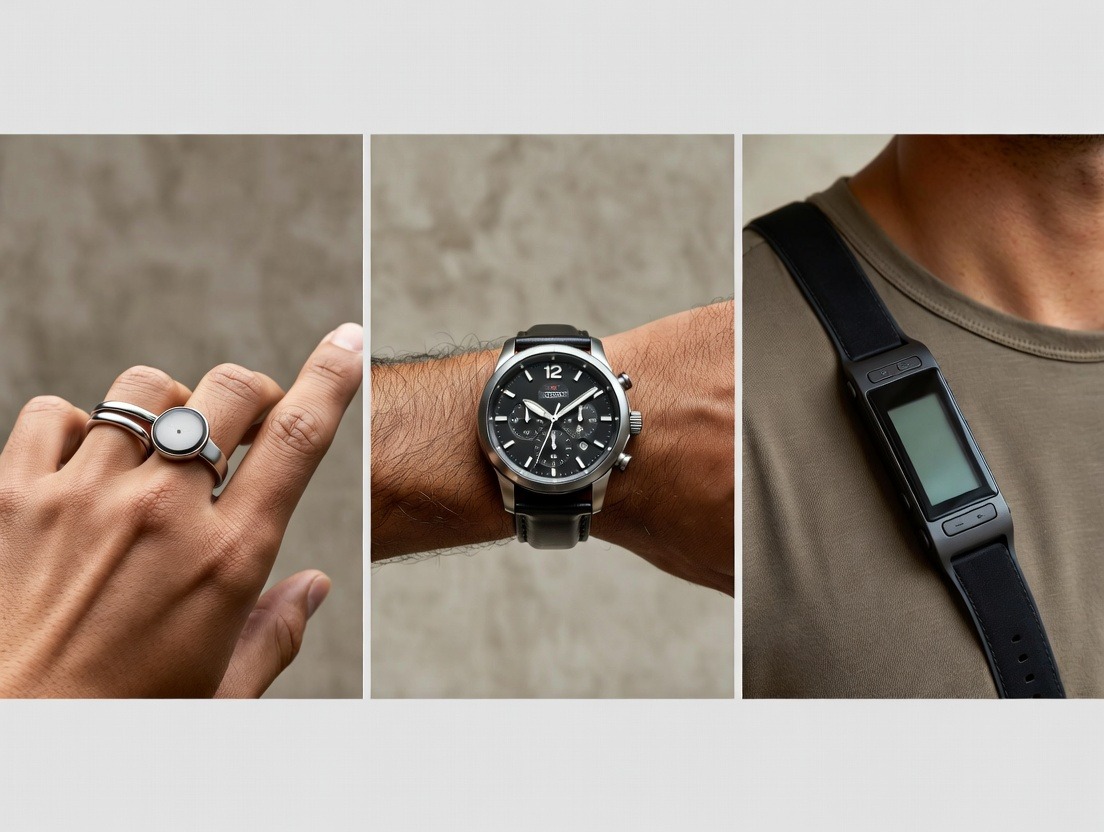
A smart ring like Oura, Ultrahuman, or Oxyzen has a singular, focused hardware mandate: to be an unobtrusive, 24/7 collector of core physiological signals (heart rate, HRV, temperature, movement). This focus dictates a very different ecosystem philosophy.
Phone-Centric Intelligence: The ring is a sensor pod. It has minimal or no screen, and no ability to run third-party apps on-device. All its data is transmitted to your smartphone, where the companion app and connected ecosystem perform the heavy lifting of analysis, insight, and integration. The ring’s value is almost entirely unlocked through software and cloud intelligence.
Ecosystem as its Raison d'Être: Because the ring itself does very little “computing,” the quality, depth, and openness of its app and API ecosystem are its primary features. Its success hinges on taking its superior biometric data (advantaged by 24/7 wear and the optimal vascular location of the finger) and making it meaningfully available wherever the user needs it.
Inherently Platform-Agnostic: A ring has no inherent tie to a phone’s operating system. It connects via Bluetooth. This forces ring manufacturers to build robust, cross-platform companion apps and prioritize deep integration with both Apple Health and Google Fit to serve all users. They are naturally pushed toward the open field or blended model.
Depth in Health & Wellness Verticals: The ring’s ecosystem doesn’t need to support games or messaging apps. It can go incredibly deep on health, recovery, and sleep. Its third-party integrations are more likely to be with specialized platforms like training software (TrainingPeaks), meditation apps (Headspace), or clinical tools, rather than general-purpose ones.
The Verdict: If you seek a multi-tool that integrates deeply into a single tech platform (especially Apple’s) for a blend of health, connectivity, and productivity, a smartwatch’s ecosystem is compelling. If your priority is maximizing the actionable health intelligence from physiological data and having the freedom to port that data to a customized set of apps and services across any phone platform, a smart ring’s ecosystem is architecturally superior. The ring’ entire purpose is to feed a smarter, more connected digital health ecosystem beyond itself.
Case Study: Building a Personalized Health Stack with a Smart Ring
Theory is helpful, but a concrete example illuminates the power of a well-integrated ecosystem. Let’s follow “Alex,” a health-conscious professional managing stress, optimizing fitness, and prioritizing sleep. Alex uses a smart ring with a strong open ecosystem as the central biometric sensor for a customized “health stack.”
Alex’s Core Goal: To understand the interplay between work stress, training, and recovery, and to automate actions that support wellbeing.
The Components of Alex’s Stack:
The Biometric Foundation: A smart ring (like Oura or Ultrahuman) worn 24/7, collecting HRV, RHR, sleep stages, body temperature, and activity.
The Central Hub: Apple Health (on iPhone). Alex’s ring is configured to write all high-resolution data here.
The Specialized Apps:
For Training: TrainingPeaks for structured workout plans from a coach.
For Mindfulness: Headspace for daily meditation and sleep casts.
For Nutrition: MyFitnessPal for food logging (less frequent, used for periodic checks).
For Automation: Apple Shortcuts and IFTTT.
For Visualization: A custom Google Sheets dashboard fed by the ring’s API.
The Ecosystem in Action: A Week in Alex’s Life
Monday Morning: Alex wakes up. The ring’s native app shows a Recovery Score of 72%—decent, but not great. The app notes a slightly elevated resting heart rate and reduced HRV, correlating with a late Sunday work email session Alex logged. Apple Health now contains this updated sleep and readiness data.
Action: Alex opens TrainingPeaks. Because TrainingPeaks has read access to Apple Health, it can see the lower recovery score. Alex’s coach has set up a rule that suggests a 10% intensity reduction on endurance workouts if recovery is below 75%. TrainingPeaks automatically adjusts today’s scheduled run.
Wednesday Afternoon: A tense, prolonged work meeting triggers a stress response. The ring detects a sustained spike in heart rate and a dip in HRV. Via IFTTT (connected to the ring’s API), a rule is triggered.
Action: IFTTT sends a web request to Alex’s smart home hub, which gradually brightens the desk’s circadian lighting to a cool, focus-enhancing tone, helping to counter the stress fog.
Friday Night: The ring’s temperature sensor and sleep predictions in the native app suggest optimal conditions for deep sleep recovery.
Action: An Apple Shortcut, triggered by a “Sleep Focus” mode that itself is scheduled based on the ring’s sleep time predictions, runs. It sets the bedroom thermostat to 65°F, closes the smart blinds, and starts a “Wind Down” playlist on Spotify.
Saturday Review: Alex spends 15 minutes on the custom Google Sheet dashboard. By pulling weekly data via the ring’s API, the sheet creates a correlation matrix. This week, it clearly shows that on days when Alex logged “Work Stress > 7/10” in the ring’s journal, the following night’s deep sleep was consistently 20% lower.
Insight & Action: This objective data confirms a subjective feeling. Alex decides to implement a strict “no work communication after 7 PM” rule and schedules a recurring 5 PM Headspace session via calendar, granting Headscape access to stress data from Apple Health for post-session insights.
The Outcome:
Alex is no longer passively consuming data. The ring’s ecosystem—its native insights, its write-to-Apple-Health compatibility, its open API—has allowed Alex to build an interactive, responsive health environment. Data flows seamlessly between specialized tools, each adding its own layer of intelligence (coaching, mindfulness, automation, personal analysis), all centered on the continuous biometric signal from the ring. This is the promise of a truly compatible wearable: it becomes the silent, insightful core of a deeply personalized health operating system. For more ideas on building such a system, you can always explore our blog for more wellness tips.
The Future of Compatibility: AI, Unified Standards, and the "Health Avatar"
We stand at the cusp of a seismic shift in wearable ecosystems. The next five years will be defined not by new sensors, but by the intelligence and connectivity that binds them together. The future of compatibility points toward three converging trends: AI Personalization, Unified Data Standards, and the rise of the “Health Avatar.”
1. The AI Health Coach: From Dashboard to Dialogue
Today’s apps present data; tomorrow’s will conduct a dialogue. Generative AI and large language models (LLMs) will be integrated into wearable ecosystems to act as personalized health interpreters and coaches.
Contextual Q&A: Instead of staring at a graph, you’ll ask your app, “Why did I feel so tired during my run today?” The AI will synthesize your last 48 hours of ring data (poor sleep continuity), calendar (back-to-back meetings), weather (unusually high humidity), and past performance to give a narrative answer: “Your recovery score was low due to fragmented sleep, likely compounded by work stress. Your heart rate was also elevated due to the humidity, making the same pace feel harder. Consider a hydration focus tomorrow and an earlier wind-down routine.”
Proactive, Predictive Insights: AI will move from describing the past to predicting the future. By learning your unique patterns, it could notify you: “Based on your rising skin temperature and resting heart rate trend, there’s a 75% probability you’re fighting off a virus. Consider increasing sleep time and vitamin C intake for the next two days.”
Automated Ecosystem Orchestration: Your AI coach won’t just give advice; it will, with your permission, execute. It could automatically reschedule a high-intensity workout on your calendar, order a replenishment of electrolytes from your grocery delivery app, or book a meditation session in your mindfulness app based on predicted stress triggers.
2. The Drive Toward Truly Unified Standards
The current landscape, even with Apple Health and Google Fit, is still fragmented. The future requires standards that go beyond data storage to data meaning.
Continued FHIR Expansion: FHIR will become the mandatory bridge not just for pulling EHR data, but for pushing structured wearable summaries into clinical workflows. Your doctor’s dashboard may one day have a FHIR-based widget showing your last 30 days of patient-generated health data (PGHD) from your wearable, with AI-highlighted trends.
Project Gemini & The “Sleeping Giant” of Unified AI: Initiatives like Google’s Project Gemini (aiming to unify AI models across data types) hint at a future where your wearable’s physiological data, your smartphone’s contextual data, and your personal health history could be synthesized by a single, powerful, privacy-preserving AI agent that serves you across all devices and apps. This would be the ultimate ecosystem unification.
3. The Rise of Your "Health Avatar"
This is the culmination point. Your Health Avatar will be a persistent, digital twin—a sophisticated model of your unique physiology, built from a lifetime of wearable, genomic, and clinical data, living in a secure personal data vault you control.
The Ultimate Compatibility Test: Every new wearable, app, or health service you encounter would “interrogate” your avatar via secure APIs. A new fitness app would ask your avatar, “What is this user’s typical cardio capacity and injury risk profile?” to build a perfectly personalized plan. A new nutrition supplement company could (with your explicit, one-time permission) run a simulation on your avatar to model potential benefits and interactions before you ever buy a bottle.
Your Wearable as the Avatar’s Sensory System: Your smart ring or watch becomes the primary, real-time data stream that keeps your avatar current and “alive.” It is the constant feedback loop between your physical self and its digital representation.
A Platform for Discovery and Innovation: Researchers could, with your anonymized consent, run simulations on thousands of health avatars to discover new correlations between lifestyle and disease, accelerating medical research without compromising individual privacy.
This future moves us from asking “Is my wearable compatible with this app?” to a more profound statement: “My Health Avatar is compatible with the services I choose.” The wearable ecosystem evolves from a series of point-to-point connections into a living, learning, and secure digital entity that represents you in the world of health and wellness technology. It’s a future where technology doesn’t just track your health—it understands and advocates for it. This visionary path is aligned with the long-term mission and values behind forward-thinking health tech brands.
A Decision Framework: Choosing Your Wearable Based on Ecosystem Needs
With the landscape mapped, the philosophies understood, and the future glimpsed, we arrive at the most practical question: How do you choose? The dizzying array of features and marketing claims can obscure the core issue: which ecosystem best serves your unique health journey? This decision framework shifts the focus from "What does it track?" to "How will this data live and work for me?"
Step 1: Diagnose Your User Archetype
Begin by identifying which of the following profiles most closely aligns with your goals and tech comfort level.
The Seamless Integrator: "I want it to just work with my existing phone and apps without fuss." Your priority is convenience and a polished, low-maintenance experience. You likely live deeply within one major tech ecosystem (Apple or Google).
Ecosystem Priority: Strong native app with excellent automatic insights. Flawless, deep integration with your chosen central hub (Apple Health/Google Fit). Curated, high-quality direct partnerships with major apps you already use (e.g., Strava, Headspace).
Key Question: Does this device offer a turn-key experience that requires minimal setup and automatically enriches the health platforms I already rely on?
The Data Explorer & DIY Enthusiast: "I want to download my raw data, build custom dashboards, and connect my wearable to my smart home." You are tech-savvy, curious, and want maximum control and flexibility.
Ecosystem Priority: A robust, well-documented public API. Comprehensive raw data export (CSV/JSON). Strong support for automation platforms (IFTTT, Zapier, Apple Shortcuts). High-resolution data writing to central hubs.
Key Question: How open and accessible is the data pipeline? Can I truly own and manipulate my data outside the company's walls?
The Health-Optimizer in Training: "I follow a structured training plan and need my wearable to inform my daily workout intensity and recovery." Your primary focus is athletic performance, guided by a plan or coach.
Ecosystem Priority: Direct, two-way sync with major training platforms (TrainingPeaks, Final Surge, Today's Plan). The ability for those platforms to read recovery metrics and write completed workouts back to the wearable's app. Advanced physiological metrics like Training Load, VO2 Max estimates, and Recovery Time.
Key Question: Does this ecosystem speak the language of serious training, allowing my coaching software to make automated, data-informed adjustments to my plan?
The Holistic Wellness Seeker: "I'm focused on the balance of sleep, stress, and mindfulness, and want insights that connect the dots." Your journey is about understanding the interplay between mind and body.
Ecosystem Priority: Deep integrations with mindfulness and meditation apps (Calm, Headspace, etc.). A native app that excels at correlating subjective mood/journal entries with objective biometrics. Strong sleep staging and stress metric accuracy.
Key Question: Does the ecosystem provide actionable, holistic guidance that bridges physiological data and mental/emotional well-being?
The Clinically-Engaged User: "I need to share meaningful trends with my healthcare provider." You may be managing a condition or simply believe in proactive, collaborative care.
Ecosystem Priority: EHR/FHIR compatibility or clear roadmaps toward it. The ability to generate clean, clinician-friendly PDF reports summarizing trends. Highest standards of data validation and security (HIPAA compliance if in the US). A focus on clinically relevant metrics (e.g., Afib detection, SpO2 trends, resting heart rate variability).
Key Question: Can this data be structured and shared in a format that is trustworthy and useful in a clinical conversation?
Step 2: Conduct the "Ecosystem Audit" Before You Buy
Once you have your archetype, investigate potential wearables with these specific actions:
Visit the App Store/Google Play Store. Don't just look at the star rating. Read recent reviews, specifically mentioning the app experience and syncing issues. Search for the app name plus "API" or "data export" in forums like Reddit to see what the enthusiast community is saying.
Scour the Official Website for Developer Sections. Look for a "Developers," "API," or "For Partners" link. The presence of clear, public documentation is a strong positive signal for openness.
Examine the "Compatible Apps" List. Go beyond the list's existence. Click through. Are the integrations deep (sharing rich data, enabling two-way communication) or shallow (just sharing step count)? Are the apps on the list relevant to your archetype?
Test the Privacy Policy with Key Searches. Use Ctrl+F (Cmd+F on Mac) on the company's privacy policy page. Search for: "sell," "third-party," "aggregate," "anonymize," "HIPAA," "GDPR," "data export," "delete." The language around these terms is telling.
Contact Support with a Specific Question. Ask a pre-sales question like, "Can I export minute-by-minute heart rate data via an API?" or "Do you have a timeline for Google Fit integration?" The speed and clarity of the response reveal a lot about the company's customer and developer focus.
Step 3: Prioritize Your "Must-Have" Integration
Finally, identify the one non-negotiable connection. For your wearable to be indispensable, what single link is most critical?
Is it Apple Health, because it's your central health record?
Is it Strava, because your entire social fitness life is there?
Is it Your Therapist's recommended CBT app?
Is it Your Glucose Monitor's companion app?
Ensure this "must-have" is not just listed as compatible, but is confirmed by user reviews to work reliably and with depth. A wearable that fails at your single most important connection point will fail entirely, regardless of its other features.
By following this framework, you move from being marketed to to strategically evaluating. You choose not just a device, but a digital health partner configured for your life. For those seeking a device built with this ethos of user-centric flexibility, exploring the Oxyzen approach to smart ring technology can provide a clear example of these principles in action.
Deep Dive: Maximizing Apple Health as Your Central Hub (iOS)
For iPhone users, Apple Health is not just an app; it's the strategic command center for your health data. A wearable that leverages it fully can disappear into the background, becoming a seamless data source for a unified health intelligence system. Here’s how to transform Apple Health from a passive repository into an active health hub using your wearable.
The Setup: Granting Strategic Permissions
The initial setup is where most users go wrong, either by granting too much access out of excitement or too little out of caution. A strategic approach is key.
Install Your Wearable’s App & Pair: Follow the standard process.
Navigate to Health App > Profile Picture > Privacy > Apps. Find your wearable’s app.
The "Allow [App] to Write Data" Screen: This is your most important configuration. Turn ON every data category your wearable offers. The power of Apple Health is in aggregation. If your ring writes "Sleep Analysis" but you disable "Heart Rate" during sleep, you lose the ability for Apple Health or other apps to correlate sleep stages with nighttime heart rate. Enable: Heart Rate, Resting Heart Rate, Heart Rate Variability (HRV), Sleep Analysis (in Bed, Asleep, Core, Deep, REM, Awake), Respiratory Rate, Blood Oxygen, Body Temperature, Mindful Session, etc.
The "Allow [App] to Read Data" Screen: Be conservative. Ask: "Does my wearable's app need to read data from other sources to function?" Often, the answer is no for a primary sensor. You might allow it to read "Workouts" so it can see your manually logged gym sessions, but you likely don't need it reading your nutrition or mindfulness data. Limiting read access here protects your privacy without harming the core function.
Advanced Apple Health Features Powered by Your Wearable
With rich data flowing in, these features come alive:
Trends: Go to the Summary tab and scroll to "Trends." Apple Health automatically identifies meaningful, long-term changes in your key metrics. With consistent wearable data, you’ll see trends like: "Walking Steadiness," "Resting Heart Rate," "Sleep Duration," and "Cardio Fitness (VO2 Max)." These are pure gold for tracking overall health trajectory.
Highlights: On the Summary page, "Highlights" automatically surfaces interesting correlations and milestones. "You’ve been getting more consistent sleep over the past week," or "On days you record a Mindful Session, your sleep tends to be longer."
Creating a "Favorites" Dashboard: Tap "Browse" at the bottom, find a metric (e.g., Heart Rate), tap "Add to Favorites." Do this for your 6-10 most important metrics from your wearable. They now appear prominently on your Summary tab, creating a personalized, at-a-glance dashboard that mixes data from all your connected sources.
Sharing and Privacy: You can share specific data categories with family members or a caregiver (Health > Profile > Sharing). More powerfully, under "Profile > Privacy > Research Studies," you can opt-in to contribute your anonymized health data to approved medical research projects—a way to turn your wearable’s data into a force for collective good.
Building an iOS Health Automation Ecosystem
This is where the magic happens. Using Apple Shortcuts, you can build automations triggered by Apple Health data, which is fed by your wearable.
Example Shortcuts to Create:
"If Sleep Analysis is less than 6 hours" → Send a notification: "Prioritize recovery today. Consider a lighter workout." (This uses the Sleep Analysis data your ring wrote).
"When Do Not Disturb is turned on at night" (which can be auto-scheduled based on your wearable's sleep prediction) → Set Hue lights to dim red, set thermostat to 65°F.
"When a Mindful Session is logged" (from your meditation app, which also writes to Health) → Log a "Mindfulness" tag in your wearable's native journal app via its API (if supported) or append a note to a health log.
The "Health" Widget: Your Daily Glance
Add the Apple Health widget to your iPhone's home screen or Today View. Configure it to show the metrics most important to you—like Recovery Score (if your wearable writes a custom data type), Resting Heart Rate, and Sleep. This turns your lock screen into a personalized health dashboard, ensuring your wearable's insights are always visible without even opening an app.
By strategically setting up and actively using Apple Health, your wearable transcends its own app. It becomes the primary sensor for a deeply intelligent, privacy-focused, and automated health operating system native to your iPhone. This level of integration exemplifies the power of choosing devices designed for seamless ecosystem compatibility.
Deep Dive: Maximizing Google Fit and the Android Ecosystem
The Android ecosystem, by its nature, is more diverse and fragmented than iOS. This presents both a challenge and an opportunity. While there isn't a single, dominant health platform with the universal depth of Apple Health, Google Fit serves as a capable central hub, and the openness of Android allows for powerful, customized workflows. Here’s how to build a cohesive health stack around your wearable on Android.
Mastering Google Fit as Your Data Aggregator
Google Fit’s philosophy has evolved from activity-centric (Move Minutes, Heart Points) to a broader health data repository.
Optimizing Data Flow from Your Wearable:
Ensure your wearable’s app has the necessary permissions to write to Google Fit. This is usually found within the wearable app's settings under "Connections," "Apps," or "Google Fit."
Similar to Apple Health, grant permission for all relevant data types: Heart Rate, Sleep, Weight, Nutrition (if tracked elsewhere), Oxygen Saturation, etc. The more complete the data, the more useful Google Fit becomes.
Leveraging Google Fit's Insights: The "Home" tab in the Google Fit app provides a daily snapshot. The "Journal" tab aggregates activities and health data. While its automated insights may not be as rich as Apple Health's Trends, it does a good job of visualizing activity goals and providing weekly summaries.
Using Google Fit as a Bridge: Its true power is as a universal translator. Many niche health and fitness apps on Android that don't have direct integration with your wearable do connect to Google Fit. Your wearable writes data to Fit, and those niche apps can read it from there, creating an indirect integration.
The Power of Third-Party Hubs and Automation on Android
Android's openness shines here. You are not limited to Google Fit.
Health Connect by Android: This is Google's modern, privacy-centric API for sharing health and fitness data between apps. It is designed to replace the older Google Fit API for app-to-app communication. Increasingly, wearables and health apps are adding Health Connect support. It allows for granular, permission-based data sharing similar to Apple HealthKit. Check if your wearable supports it; if so, use it as your primary data routing layer for greater control.
Automation with Tasker and IFTTT: Android has Tasker, a legendary automation app with near-limitless capabilities. With plugins or HTTP Request actions, you can have Tasker poll your wearable's API (if open) or monitor Google Fit data to trigger actions.
Example: Use Tasker to detect when your Google Fit "sleep" data shows you've woken up (via a Wearable's write). Tasker can then turn on your smart lights gradually, start your morning playlist, and read out your daily recovery score from a notification.
Custom Dashboards with Wear Logger: For data enthusiasts, apps like Wear Logger can collect sensor data from various sources and export it to Google Sheets in real-time, enabling powerful custom dashboards without needing to directly access an API.
Navigating the Samsung Ecosystem
A significant portion of Android users are on Samsung Galaxy phones and watches. Samsung has its own robust, walled-garden-style ecosystem with Samsung Health.
The Dilemma: Samsung Health is a fantastic platform with great insights, but it can be restrictive. Some wearables have direct Samsung Health integration, but many do not.
The Solution – Sync Solutions: Third-party apps like Health Sync (available on the Play Store) are lifesavers. They can synchronize data between Google Fit, Samsung Health, and other platforms. So, your ring syncs to Google Fit, and Health Sync can automatically copy that sleep and heart rate data into Samsung Health, allowing you to enjoy Samsung's insights without being locked into their hardware.
The Verdict: If you live in the Samsung world, prioritize wearables with direct Samsung Health sync. If your chosen wearable doesn't have it, factor in the need for a reliable sync app like Health Sync as part of your ecosystem setup.
The Android Advantage: True Customization
The Android ecosystem rewards the proactive user. You can:
Set default apps for every function.
Use different apps for different purposes (e.g., Strava for cycling, your wearable's app for sleep, a separate meditation app).
Use automation to weave them all together into a cohesive experience that you design.
The key is to accept that you may need to be the "system integrator." Your wearable's compatibility on Android is less about a single, perfect hub and more about its ability to plug into the flexible, open pipelines that Android provides—Google Fit, Health Connect, and third-party sync tools. This flexibility is perfect for the user who values control, a value that resonates with the vision behind adaptable health tech.
The Connected Life: Wearables, Smart Home, and IoT Integration
The ultimate expression of a wearable's ecosystem is when it stops being a device you check and starts being a device that acts—on your environment, your schedule, and your other tools. This is the realm of Internet of Things (IoT) and smart home integration, where your physiological data becomes a real-time input for your living space, creating a truly responsive and health-optimizing environment.
The Philosophy: From Monitoring to Environmental Modulation
Your wearable knows your state: asleep, stressed, active, recovering. Your smart home controls your environment: light, temperature, sound, and security. Bridging these creates a bio-responsive habitat.
Core Use Cases:
Sleep Optimization: The most powerful and logical integration.
Wind-Down: Your wearable detects rising HRV and dropping body temperature, signaling the onset of sleep readiness. This triggers your smart lights to shift to warm, dim amber, your smart speaker to start playing a calming playlist or white noise, and your thermostat to lower to your ideal sleeping temperature.
Sleep Protection: When your wearable confirms you're in deep sleep (via motionlessness and heart rate patterns), it can trigger a "Do Not Disturb" rule that silences non-critical phone notifications and ensures no smart lights turn on accidentally.
Gentle Wake-Up: Instead of a jarring alarm, your wearable can signal a smart light to begin a 30-minute simulated sunrise glow during your lightest sleep stage near your target wake time, promoting natural cortisol awakening.
Stress Mitigation & Focus:
Real-Time Stress Intervention: A wearable that detects an acute stress spike (via HRV and heart rate) can trigger a subtle but effective response: your smart desk lamp could slowly pulse a calming blue, or your speaker could play a 2-minute guided breathing exercise automatically.
Focus Mode: Entering a scheduled "Deep Work" block on your calendar could be enhanced by your wearable. If it detects you are physiologically calm and recovered, it turns on focus lighting and plays concentration music. If it detects you're already stressed, it might suggest a 5-minute mindfulness break first.
Recovery and Wellness:
Post-Workout Recovery: After a workout is logged, your wearable's low recovery score could trigger your smart bath to draw a lukewarm (not hot) Epsom salt bath, or your massage gun to be placed out on charge for your later use.
Illness Response: A sustained elevation in nighttime skin temperature and resting heart rate (potential illness onset) could trigger your air purifier to a higher setting and your humidifier to turn on.
The "How-To": Bridges and Platforms
Making this happen requires a bridge between your wearable's data and your smart home's controls.
IFTTT / Zapier: The most accessible tools. Search your wearable in IFTTT. Common applets might be "If [Wearable] detects sleep, turn off Philips Hue lights" or "If stress is high, send a notification." You can often create your own with webhooks if the wearable has an API.
Native Integrations: Some high-end wearables (like Whoop) are building direct partnerships with smart home brands. Check your wearable's "Connected Apps" list for smart home names like Google Home, Amazon Alexa, or Philips Hue.
The Advanced Path: Home Assistant + API: For maximum control, the open-source home automation platform Home Assistant is king. If your wearable has an API, a dedicated community developer has likely already created an "integration" for it. This allows your wearable's data (sleep status, recovery score, heart rate) to appear as sensors in Home Assistant. You can then create complex, conditional automations using that sensor data, mixing it with data from thousands of other devices.
Apple HomeKit (for iOS): Using Apple Shortcuts, you can create personal automations based on health data (e.g., "When Sleep Focus ends, set the scene 'Good Morning'"). This is a very clean solution within the Apple ecosystem.
A Note on Privacy and Security
Integrating your intimate health data with your home network escalates privacy stakes.
Use Local Execution Where Possible: Platforms like Home Assistant can run automations locally on your home network, meaning your health data never leaves your house to trigger a light bulb.
Review Cloud Permissions: When connecting services via IFTTT or native cloud integrations, understand what data is being shared between the two company servers.
Segment Your Network: Consider placing IoT devices on a separate Wi-Fi network segment from your personal computers and phones for added security.
This level of integration represents the frontier of wearable ecosystems. It moves the value proposition from "insight" to "ambient action." Your environment begins to care for you proactively, guided by the continuous, intelligent stream of data from your wearable. It’s a powerful step towards a future where technology doesn't demand our attention, but quietly supports our wellbeing, a future aligned with the principles of thoughtful innovation you can read about in our brand's founding story.
Navigating Multi-Device Ecosystems: When You Wear More Than One
The quest for perfect data often leads enthusiasts down a path of multiple wearables: a smartwatch for notifications and GPS runs, a smart ring for continuous recovery and sleep, a chest strap for high-intensity interval training accuracy, and perhaps a continuous glucose monitor (CGM) for metabolic insight. This "multi-device" approach is powerful but introduces a critical ecosystem challenge: data reconciliation and overload. How do you manage competing data streams without losing your mind?
The Golden Rule: Designate a "Source of Truth"
Avoid confusion by assigning primary responsibility for each metric to one device. The goal is not to have two devices report the same thing, but to have each play to its strengths.
24/7 Physiological Baseline (Recovery, Readiness, Sleep): This is the domain of the smart ring or a 24/7 wearable like Whoop. Its constant wear and optimal vascular position (finger) make it the best candidate for resting heart rate (RHR), heart rate variability (HRV), skin temperature, and sleep staging. Designate it as your "Recovery Source of Truth."
Activity & GPS Tracking: The smartwatch or dedicated fitness watch (Garmin, Coros) excels here. Its wrist-based optical heart rate is good for steady-state cardio, and its built-in GPS is precise. It is your "Activity Source of Truth" for workout duration, pace, distance, and active calorie burn.
High-Intensity & Maximum Accuracy: For HIIT, weightlifting, or any activity with rapid heart rate changes, a chest strap (ECG) or armband (like Polar Verity Sense) is superior. Designate it as your "Workout HR Source of Truth." You can often pair it directly to your smartwatch for the activity.
Specialized Biomarkers: Devices like CGMs or smart scales are your singular source for glucose trends or body composition.
The Strategy: Unification via a Central Hub
You don't want to check four different apps. The solution is to funnel all "Source of Truth" data into one central hub.
Configure Write Permissions: Set each device's app to write its designated data to your chosen hub (Apple Health or Google Fit).
Ring App: Writes Sleep, HRV, RHR, Respiratory Rate.
Watch App: Writes Workouts, Active Energy, Step Count (optional).
Scale App: Writes Weight, Body Fat %.
CGM App: Writes Blood Glucose.
Manage Duplicate/Conflicting Data: This is where strategy matters. For metrics like heart rate, you will have multiple sources. That's okay. In Apple Health, you can set Data Sources & Access. You can prioritize which device's heart rate data is used by default for different contexts. You might prioritize your chest strap during workouts, your ring for sleep, and your watch for the rest of the day. The hub will intelligently merge the best data.
Use a "Manager" App: The central hub's native app (Apple Health, Google Fit) now becomes your unified dashboard. Here, you can see your ring's sleep data, your watch's morning run, and your post-breakfast glucose spike all on one timeline, revealing profound correlations.
Advanced Workflow: The TrainingPeaks Example
For athletes, this multi-device setup shines. Here’s a sample flow:
Overnight: Your ring collects recovery data, writing HRV and sleep to Apple Health.
Morning: Your coaching platform (TrainingPeaks), which reads from Apple Health, sees a low recovery score. It automatically adjusts your afternoon interval workout from "Hard" to "Moderate."
Workout: You start a workout on your Garmin watch, paired to a chest strap. You execute the moderated intervals.
Post-Workout: Garmin writes the detailed workout file (with accurate chest-strap HR) to Apple Health. Your ring continues to monitor your physiological stress and recovery from the session.
Analysis: Both you and your coach see a complete picture in TrainingPeaks: the pre-workout readiness, the executed workout with perfect HR data, and the subsequent recovery trajectory.
Avoiding "Data Discord" and Analysis Paralysis
The danger of multiple devices is conflicting numbers. Your ring says you burned 420 calories, your watch says 380. This is normal. Different algorithms, sensor locations, and metabolic models yield different estimates.
Solution: Pick one metric from one device and track the trend, not the absolute number. Use your watch's calorie estimate consistently for nutrition logging. Use your ring's recovery score consistently for training decisions. Comparing absolute values across devices is a futile exercise; comparing trends within one device's ecosystem is powerfully insightful.
Managing a multi-device stack is the ultimate test of your ecosystem strategy. It requires initial setup discipline but rewards you with a depth and accuracy of insight no single wearable can provide. It turns your health tracking from a single instrument into a symphonic orchestra, with each device playing its part in harmony, conducted by your central hub. For those navigating this complexity, our FAQ section on data and sync offers helpful guidance on troubleshooting common multi-device issues.
The Developer's Perspective: How Apps Choose Which Wearables to Integrate With
We've examined ecosystems from the user's side. But what drives the other half of the equation? Why does your favorite meditation app support Oura Ring but not Ultrahuman? Why does Strava connect to Garmin and Apple Watch but might be slow to support a new ring? Understanding the developer's perspective reveals the economic and technical forces that shape the compatibility landscape you navigate.
The Developer's Calculus: Cost vs. Benefit
For an app company, adding a wearable integration is a business decision with real costs:
Development Cost: Engineers must study the wearable's API, build and test the integration, and maintain it through updates. A poorly documented or unstable API increases this cost significantly.
Support Cost: Every new integration generates user support tickets: "Why isn't my data syncing?" This burdens customer service teams.
Strategic Value: Does this integration attract a significant number of new users or dramatically increase engagement for existing ones? A niche wearable with 10,000 users may not be worth the cost for a large app like MyFitnessPal. However, it might be extremely valuable for a niche "Biohacking" app targeting that exact audience.
What Developers Look For in a Wearable Partner
A Large, Engaged User Base: This is the top factor. More users = greater strategic value. This is why Apple Health and Google Fit integrations are almost mandatory—they provide access to the aggregated user bases of all devices that write to them.
A High-Quality, Stable API: Developers love clear documentation, consistent data formats, and reliable uptime. An API that frequently changes or goes down costs them money and hurts their user experience. A wearable company that runs a "Developer Portal" with forums, changelogs, and SDKs is signaling it's a serious partner.
Data Uniqueness and Accuracy: Does the wearable provide data that is both valuable and difficult to get elsewhere? A ring providing continuous nocturnal HRV and temperature offers unique value for sleep and recovery apps. A step counter does not. Accuracy is critical; if a wearable's stress score is unreliable, an app built on it will also be unreliable, damaging the app's reputation.
Alignment of Brand and User Demographics: A mindfulness app will prioritize wearables focused on recovery and stress (like rings) over hardcore triathlon watches. A women's health app will seek wearables with strong cycle tracking features.
Business Development Initiatives: Sometimes, integrations are forged through direct partnership deals. The wearable company might pay for development or engage in co-marketing. This is common for making a new wearable "launch" with a slate of key app partners.
The Two Integration Models: Direct vs. Hub-Based
Direct Integration (Point-to-Point): The app connects directly to the wearable's API. (e.g., Headspace <-> Oura API). This allows for deep, two-way, branded experiences but has high per-wearable cost.
Hub-Based Integration (Via Apple Health/Google Fit): The app simply connects to Apple Health or Google Fit. It then gets access to data from any wearable that writes to the hub. This is far more efficient for the developer. They get one integration that works with hundreds of devices. This is why it's so critical for your wearable to write rich data to these hubs—it automatically makes it compatible with every app that reads from them.
The Message to Wearable Companies
For a wearable to build a rich ecosystem, it must make itself easy and valuable for developers to integrate with. This means:
Investing in a best-in-class, public API.
Aggressively growing a dedicated user base.
Ensuring data is both accurate and uniquely insightful.
Proactively building relationships with key app developers in target verticals.
As a user, you can assess a wearable's future ecosystem potential by seeing how it treats developers today. A company that actively courts and supports third-party developers is building for an expansive future. This commitment to partnership and open development is a hallmark of companies focused on long-term value, a trait evident in Oxyzen's collaborative approach.
The Long Game: Upgrading Your Wearable Without Losing Your Data History
The wearable market evolves rapidly. New sensors, better batteries, and sleeker designs tempt us to upgrade every 2-3 years. But your health data's greatest power is in its longitudinal history. A year of trends is interesting; five years is transformative. It allows you to see aging effects, measure the multi-year impact of lifestyle changes, and provide invaluable context to healthcare providers. Therefore, a critical, yet often overlooked, aspect of an ecosystem is its data portability and continuity across device generations.
The Pitfall of the "Data Silo Reset"
The worst-case scenario is buying a new wearable from the same brand, only to find your historical data is trapped in the old device's app or, worse, cannot be migrated to the new device's profile. You are forced to start from zero, losing all your personal baselines and trend lines. This is a catastrophic failure of ecosystem design.
Evaluating a Brand's Data Continuity Strategy
Before you commit to a wearable brand, investigate their track record and policies:
Check Their Upgrade History: Research online. When Brand X released their "Ring 2," did existing "Ring 1" users get to keep their data in the same app, or were they forced to start a new account? User forums and Reddit are filled with this information.
Look for a Unified Account/Cloud Model: The best practice is a cloud-based account model. You create an account with the company (e.g., Oura, Whoop, Fitbit). Your data is stored in your account in the cloud, not on the physical device. When you get a new device, you simply pair it to your existing account. All your history remains intact, and the new device's data appends seamlessly to your existing timeline. The app doesn't care which hardware version you're using.
Examine Data Export Capabilities: Even with a good cloud model, you want an escape hatch. Can you export all your raw historical data (CSV/JSON) from the company's web dashboard or via its API? This ensures true ownership. If you ever leave the brand, you can take your history with you to analyze or potentially import into another system.
Read the Support Documentation: Search the company's help site for "upgrade" or "replace device." Clear, reassuring instructions on data continuity are a positive sign.
The Cross-Brand Challenge: Switching Ecosystems
What if you want to switch from Brand A's ring to Brand B's ring? This is harder, as there is no universal standard for migrating historical health data. However, a strategic approach can preserve much of your trend history.
Leverage Your Central Hub (The Lifesaver): If both Brand A and Brand B write comprehensive data to Apple Health or Google Fit, your hub becomes your permanent health database. When you stop wearing Brand A and start wearing Brand B, both devices write to the same central timeline. In your hub's app, you'll see a continuous stream of, say, "Sleep Data," seamlessly switching its source from Device A to Device B. Your hub maintains the longitudinal view, even if the individual brand apps do not.
The Manual "Overlap" Period: When you get your new device, wear both for at least 2-4 weeks. This allows you to:
Compare the metrics from both devices to understand any biases or offsets (e.g., "Brand B's HRV readings are consistently 5ms lower than Brand A's").
Let the new device establish a personal baseline while you still have your old baseline for reference.
Ensure all your key data types are flowing correctly to your central hub from the new device.
Archive Your Old Data: Use the data export function from your old brand to download your full history. Store it securely. You may not view it daily, but you have it for future reference or analysis.
The Proactive User's Data Legacy Plan
Choose Brands with Cloud Accounts: Prioritize companies that use a cloud account model, not a device-local model.
Routinely Export Your Data: Make a quarterly or bi-annual habit of downloading your raw data archives. This is your health diary.
Anchor Your History in a Central Hub: Configure every wearable you ever use to write to Apple Health/Google Fit. This hub becomes your lifelong, platform-agnostic health record.
By thinking about the long game, you choose wearables not just for what they are today, but for how they will respect and preserve your health narrative tomorrow. Your data is a narrative of you; the ecosystem should be its faithful librarian, not a gatekeeper that burns the archives. For users who view their health data as a lifelong asset, understanding a brand's commitment to this continuity is paramount, a topic we're always open to discuss in our support channels.



%402x.svg)