


Wearable Health Tech Guide: Battery Life and Maintenance Tips
Tips on battery life and maintaining your wearable device.
Tips on battery life and maintaining your wearable device.
%402x.svg)
The promise of wearable health technology is profound: a seamless, 24/7 window into your body’s most intimate rhythms, nestled discreetly on your wrist or finger. These devices—from sophisticated smart rings like those pioneered by Oxyzen to advanced fitness trackers—whisper insights about our sleep, stress, recovery, and activity. They empower us with data that was once confined to clinical labs. Yet, this constant, intelligent companionship hinges on a single, humble, and often frustrating component: the battery.
There’s a unique irony in charging a device that monitors our natural energy. That frantic search for a charger, the disappointment of a “low battery” alert mid-workout, and the gradual, inevitable decline in daily uptime—these are the universal pain points of the connected wellness experience. Battery anxiety can undermine the very convenience and continuity that make wearables transformative. It’s not just about the inconvenience; a poorly maintained battery can lead to diminished sensor accuracy, data gaps in your health timeline, and ultimately, a shortened lifespan for your prized device.
This comprehensive guide is your definitive resource for moving beyond battery anxiety. We will demystify the science powering your wearable, translate manufacturer specifications into real-world expectations, and provide a masterclass in proactive maintenance. Whether you’re a new owner of an Oxyzen ring or a long-time wearable enthusiast, the insights ahead will help you maximize every charge cycle, protect your investment, and ensure your device remains a reliable partner in your health journey for years to come. Let’s shift the focus from power management to personal empowerment.

To master battery life and maintenance, we must first understand what we’re working with. The compact form factor of wearables, especially smart rings, represents a monumental engineering challenge: packing powerful sensors, a processor, and wireless connectivity into a tiny space, all powered by a battery that must be equally minuscule, safe, and long-lasting. Unlike the sprawling batteries in smartphones, wearable cells are marvels of miniaturization.
The undisputed champion in this arena is the Lithium-ion (Li-ion) battery, and its newer, more robust cousin, the Lithium Polymer (Li-Po) battery. You’ll find these in nearly every modern health wearable. Their dominance is due to a superior combination of high energy density (they store a lot of power for their size), relatively low self-discharge (they hold a charge when idle), and lack of “memory effect” (you don’t need to fully drain them before recharging). Li-Po batteries offer additional advantages, as they can be fabricated in slim, flexible pouches that conform to the unique contours of a wearable device, making them ideal for the curved interior of a smart ring.
But how does this tiny powerhouse actually work? At its core, it’s an electrochemical reaction. During discharge (when your device is on your finger), lithium ions flow from the negative electrode (anode) to the positive electrode (cathode) through an electrolyte, generating a flow of electrons—electricity—that powers the sensors and circuitry. Charging reverses this process, pushing the ions back to the anode. This cycle is not infinite. With every charge and discharge, tiny, irreversible physical changes occur within the battery’s materials. The anode and cathode degrade slightly, and the electrolyte breaks down. This is known as battery aging, and it manifests as a reduction in total capacity.
Think of a new battery as a brand-new, empty water bottle with a one-liter capacity. Every full charge fills it to the brim. Over hundreds of cycles, mineral deposits build up on the inside, slowly reducing the actual volume it can hold. After two years, that bottle might only hold 800 milliliters. Your device still shows “100%” when charged, but that 100% is now relative to the reduced capacity—a concept known as State of Health (SoH). This intrinsic aging is why a two-year-old wearable rarely lasts as long on a charge as it did on day one.
Several key factors inside your device dramatically impact how quickly this aging occurs and how efficiently the stored energy is used. The system-on-a-chip (SoC) is the brain, managing all processes; a more efficient SoC does more with less power. The suite of sensors—optical heart rate, blood oxygen (SpO2), skin temperature, accelerometers—are major power draws, especially when active. Finally, the wireless radios for Bluetooth and, in some cases, NFC, are power-hungry. Transmitting data to your phone requires bursts of significant energy.
Understanding this delicate ecosystem is the first step toward intelligent use. It’s not magic; it’s electrochemistry and clever engineering with inherent physical limitations. By respecting these limits, we can craft habits that support, rather than stress, the heart of our device. For a deeper look at the technology inside modern wearables, you can always explore our blog for more insights on sensor innovation.
“Up to 7 days of battery life.” It’s the most prominent spec on any wearable product page, a beacon of promise for hassle-free tracking. Yet, for many users, the reality falls short. You might get five days, or three, or less. This isn’t necessarily false advertising; it’s a critical lesson in the gap between laboratory conditions and real life. Understanding this gap is essential to setting accurate expectations for your device.
Manufacturers determine these figures under highly specific, optimal conditions designed to showcase the maximum possible endurance. This typically involves a standardized testing profile: Bluetooth connectivity might be minimized, notifications disabled, and sensor readings (like continuous heart rate or SpO2) set to the longest possible intervals. The device might be placed on a static, inanimate object, not a warm, moving human wrist or finger. It’s a “best-case scenario” benchmark, useful for comparing devices but not a personal guarantee.
Your real-world battery life is a dynamic equation, a sum of your personal settings and usage patterns. Let’s break down the primary variables that drain the battery, moving from the biggest draws to the more moderate ones:
The Major Drainers:
The Moderate Drainers:
The Subtle Influencers:
Therefore, your personal “spec” is unique. An athlete who uses continuous HR and GPS for daily runs will have a vastly different experience from someone who uses their Oxyzen ring primarily for sleep and recovery tracking with periodic heart rate sampling. Both are valid uses, but they command different energy budgets.
To truly understand your device’s potential, look beyond the headline “days” number. Investigate the fine print or support pages that explain how that number is achieved. Better yet, treat your first week as a calibration period. Use it normally, note your drain, and then you can make informed decisions about which features are worth the power trade-off for your personal wellness goals. For precise guidance on feature settings for your specific device, our FAQ section provides detailed, model-specific advice.
Armed with knowledge of the technology and the variables at play, we now turn to action. Proactive battery maintenance isn’t about complex rituals; it’s about establishing a few simple, consistent habits that shield the battery from its greatest adversaries. By following these golden rules, you can directly influence the long-term health and capacity of your wearable’s power source, extending its useful life by years.
Rule 1: Avoid Extreme Temperatures (The #1 Enemy)
Heat is the accelerator of battery chemistry. Leaving your device on a car dashboard in the sun, wearing it in a hot tub or sauna, or even charging it while buried under a pillow can cause extreme, irreversible damage. High temperatures speed up the degradation of the electrolyte and electrodes, permanently reducing capacity. Conversely, extreme cold temporarily reduces the battery’s ability to deliver current, which can cause your device to shut down unexpectedly, though this often reverses in warmer conditions. The rule is simple: keep your wearable as close to room temperature as possible. Remove it before hot showers, saunas, or intense tanning sessions.
Rule 2: Mind the Charge Cycle (The 20-80% Sweet Spot)
While modern Li-ion batteries don’t suffer from memory effect, they experience the most stress at the extreme ends of their capacity. Consistently draining to 0% (deep discharge) or charging to 100% and leaving it plugged in (trickle charging at full capacity) puts strain on the battery’s internal structure. The ideal practice for long-term storage of the battery’s health is to keep it between 20% and 80% charge for daily use. You don’t need to obsess over this daily, but making it a general habit—plugging in when you see it dip near 30% and unplugging once it’s in the 80-90% range—can significantly reduce wear over time. Think of it as keeping your battery in its comfort zone.
Rule 3: Use the Right Charger & Cable
Always, without exception, use the charger and cable provided by the manufacturer or a certified replacement. Wearable chargers are designed to deliver a very specific, low-amperage current tailored to the small battery. Using a fast charger from your smartphone or tablet can pump too much current into the tiny cell, generating excess heat and damaging the charging circuitry. The cable, especially for proprietary magnetic or inductive chargers, is engineered for a precise connection. Third-party knock-offs may not align correctly, leading to inefficient charging, heat buildup, or physical damage to the pins.
Rule 4: Practice Smart Long-Term Storage
If you plan to store your wearable unused for a month or more (say, switching to a different device for a season), proper preparation is key. Do not store it fully charged or fully depleted. A long-term storage charge of around 50% is ideal, as it puts the battery in a stable, low-stress state. Power the device down completely to eliminate any background drain. Store it in a cool, dry place, away from direct sunlight. Before using it again, give it a full top-up with the original charger.
Rule 5: Keep it Clean and Dry
While many wearables are water-resistant, this refers to fresh water and sweat. Chlorine, saltwater, soap, lotions, and sweat can corrode the metal charging contacts over time, leading to poor connection and charging issues. Regularly clean the device, especially the contact points, with a soft, slightly damp lint-free cloth. Ensure it is completely dry before placing it on the charger, as moisture can cause a short circuit.
These five rules form the non-negotiable foundation of battery stewardship. They require minimal effort but yield maximum returns in longevity and reliability. This philosophy of thoughtful care is central to our approach at Oxyzen, as detailed in our story of creating durable, user-centric health technology.

Now that we’ve established how to care for the battery’s long-term health, let’s focus on extracting the most from every single charge. This is the art of optimization: strategically adjusting your device’s settings to align with your personal health priorities, thereby minimizing unnecessary power drain without sacrificing the data you value most. It’s about making your wearable work smarter, not harder, for you.
The first and most impactful area to review is sensor frequency. This is the primary lever for controlling battery life.
Next, manage your connectivity and notifications.
Finally, consider workout and activity tracking modes. If your device has a dedicated workout mode that increases sensor frequency, use it judiciously. Remember to end the workout session when you’re done. Letting it run for hours afterwards will continue to burn power at an elevated rate.
Creating Personal Power Profiles:
The most advanced approach is to think in terms of “power profiles.” You might create:
By taking 10 minutes to customize these settings, you transform your device from a one-size-fits-all gadget into a finely tuned instrument for your life. For more specific tutorials on adjusting these settings within the Oxyzen ecosystem, our comprehensive FAQ is an excellent support resource.
How you charge your device is just as important as when you charge it. Turning this daily or weekly task into a mindful ritual can prevent damage, ensure safety, and contribute to the battery’s long-term vitality. Let’s walk through the optimal charging process, step by step.
Step 1: The Preparation (Before the Plug)
Always start with a clean, dry device. Gently wipe the charging contacts on both the ring and the charger with a dry, soft cloth to remove any oil, sweat, or lint. Ensure the wearable itself is dry, especially if you’ve just finished a workout or been in humid conditions. Moisture trapped against the charger can lead to corrosion or electrical shorts.
Step 2: The Connection (A Secure Marriage)
Use only the manufacturer-provided or certified charging cable and a standard USB power adapter (a computer USB port or a low-output wall adapter is ideal). Connect the cable to the adapter before plugging it into the wall outlet. Then, carefully align your device with its charging dock. For magnetic chargers, listen or feel for a secure click or snap. A loose connection leads to intermittent charging, heat generation, and frustration. Place the charger on a stable, hard, non-flammable surface—never on a bed, sofa, or under pillows where heat can build up.
Step 3: The Charging Environment (Patience is a Virtue)
Charge your device in a cool, well-ventilated area, away from direct sunlight or other heat sources like radiators. Avoid the temptation to use it intensively while it’s charging, as this combines the heat from charging with the heat from processor/sensor use, creating a high-stress thermal environment for the battery. It’s best to charge during a time of low activity, such as while you’re showering, during a meal, or while working at your desk.
Step 4: The Duration & The “Full” Charge
While the 20-80% rule is great for daily maintenance, it is perfectly fine and sometimes beneficial to perform a full, 100% charge approximately once a month. This allows the device’s battery management system to recalibrate its charge-level reporting for greater accuracy. However, once the device reaches 100%, unplug it in a timely manner. Modern devices have circuits to prevent dangerous overcharging, but maintaining a battery at 100% voltage for extended periods (like days on a charger) is a form of stress. Overnight charging is common and generally safe due to these protections, but if your device charges quickly (in 1-2 hours), consider charging during a waking activity instead.
Step 5: The Disconnection & Restart
Once charging is complete, disconnect the device from the cable. Give it a moment before putting it on, especially if the case feels slightly warm. This allows temperatures to normalize. If you had powered the device down for charging (not necessary, but some prefer it), power it back on. You’re now set with a device that’s been charged in the kindest way possible, ready for another long stint of tracking.
Adopting this ritual transforms charging from a mindless task into a conscious act of care, directly contributing to the resilience and reliability of your health tech companion. Seeing these practices in action often reinforces their value; you can read testimonials from users who have extended their device’s life through simple habit changes.
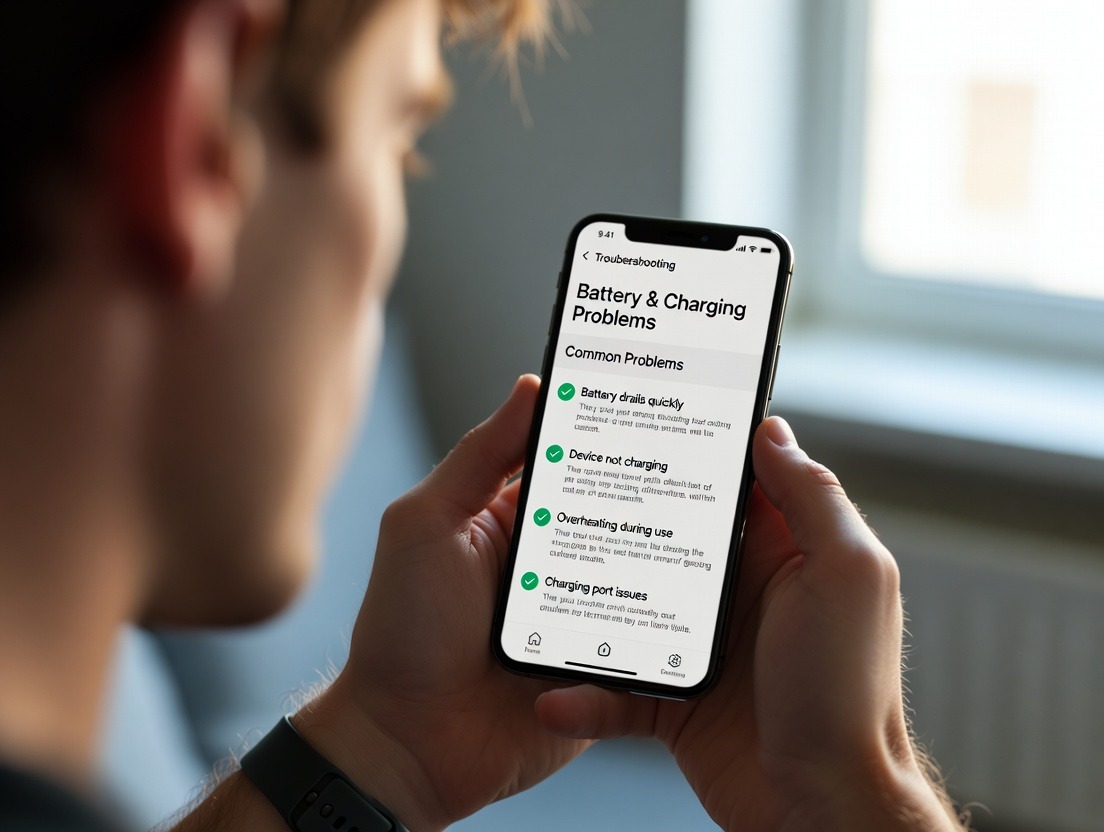
Even with perfect care, you may occasionally encounter battery-related problems. Before assuming the worst or contacting support, systematic troubleshooting can often resolve the issue. Here’s a guide to diagnosing and solving the most common battery and charging headaches.
Problem 1: Rapid Battery Drain (Device dies in hours or 1-2 days)
Problem 2: Device Won’t Charge or Charges Intermittently
Problem 3: Device Shows Incorrect Battery Percentage
Problem 4: Battery Gets Excessively Hot During Use or Charging
When troubleshooting, always document what you tried. This information is invaluable if you need to escalate the issue. For device-specific troubleshooting guides and direct support channels, visiting the manufacturer’s FAQ page is always the recommended first step.
While hardware and user habits are critical, there’s a silent partner in your wearable’s battery performance: its software. The firmware embedded in the device and the companion app on your phone are not static; they are dynamic tools that can be refined over time. Understanding their role is key to maintaining peak efficiency.
Firmware Updates: Your Secret Weapon for Efficiency
Firmware is the low-level software that controls every operation of your wearable—how often sensors sample data, how the Bluetooth radio communicates, and how the processor manages tasks. Manufacturers like Oxyzen regularly release firmware updates that do more than just add new features; they often include crucial power optimization improvements.
An update might introduce a more intelligent heart rate sampling algorithm that uses less power for the same accuracy, or fix a bug that was causing a sensor to stay active when it should have been idle. Ignoring these updates means missing out on these behind-the-scenes enhancements that can directly extend your battery life. The update process is usually simple: a notification in the companion app will prompt you to install the update while the device is on its charger. Always ensure your device is fully charged (or at least above 50%) before initiating a firmware update to prevent a mid-update failure.
Companion App: The Central Command
The companion app on your smartphone is the interface for your wearable’s power management. Its primary role is to serve as a settings dashboard, where you control all the sensor frequencies and notification preferences we discussed earlier. But its secondary, vital role is data management and syncing strategy.
A well-designed app uses an intelligent sync protocol. Instead of transmitting every byte of data the moment it’s collected, it may batch data and sync it in efficient packets when the Bluetooth connection is strong and stable, minimizing the number of power-hungry transmission bursts. Furthermore, the app handles the storage and processing of historical data, ensuring your wearable doesn’t waste energy trying to store vast amounts of information locally.
Diagnostics and Battery Health Reporting
Modern companion apps are beginning to offer more transparency. Some may provide a basic battery health percentage (the State of Health metric), giving you a clear view of your battery’s capacity relative to its original state. Others might include diagnostic tools that log power consumption by process, helping you identify if a particular function is misbehaving and causing unexpected drain.
To get the most from this invisible hand:
Staying current with software is a effortless way to ensure your hardware is performing at its best. For insights into how we continuously refine the Oxyzen experience through software, you can learn more about our product development philosophy on our about page.

Your wearable doesn’t exist in a laboratory bubble; it lives on your body, through your day, exposed to your environment. Several external and lifestyle factors exert a powerful, often overlooked, influence on battery performance. Acknowledging and adapting to these can explain perplexing battery behavior and help you plan around it.
Temperature: The Unseen Throttle
We’ve touched on this, but it bears repeating due to its profound impact. Cold weather slows down the chemical reactions inside the battery, reducing its ability to deliver current. You might see your battery percentage drop rapidly during a winter run, only to “recover” some percentage once you’re back indoors and the battery warms up. This is a temporary capacity suppression, not permanent loss. Hot weather (or localized heat), on the other hand, increases the internal reaction rate and self-discharge, causing faster drain and accelerating long-term degradation. The takeaway: in extreme cold, expect shorter runtimes. In extreme heat, protect your device by keeping it shaded and off hot surfaces.
Altitude and Atmospheric Pressure
While not a major drain itself, engaging features like SpO2 sensors at high altitude often means you’re using them more frequently or continuously to monitor acclimatization, which indirectly leads to faster battery consumption.
User Physiology and Device Fit
This is a subtle but real factor. Optical heart rate and SpO2 sensors work by shining light into the skin and measuring what’s reflected back. Factors like skin tone, tattoos, wrist/finger hair, and fit can affect this process. A loose fit or obstructing tattoo may cause the sensor to increase its LED brightness or sampling rate to get a reliable reading, using more power. Ensuring a snug, proper fit (tight enough for good contact but not restrictive) isn’t just about data accuracy; it’s also about power efficiency.
Activity Type: The Motion Equation
High-motion activities can impact battery in two ways. First, they often trigger dedicated workout modes with increased sensor frequency. Second, the constant movement itself can cause the device to wake from a low-power idle state more frequently to check if an activity has started. A day filled with many short, intense bursts of movement may use more battery than a day with a single, long, steady workout, due to these constant state transitions.
The “New Device” Honeymoon Phase
When you first get a wearable, you interact with it constantly—checking the app, testing features, syncing data, showing it off. This hyper-engagement is a significant drain! It’s normal for battery life to seem shorter in the first week. As the novelty wears off and usage normalizes, you’ll settle into the device’s true, steady-state battery rhythm.
Understanding these contextual factors removes the mystery from battery performance fluctuations. It allows you to diagnose a sudden drain not as a device fault, but as a consequence of a hike in the mountains, a loose fit during a workout, or simply a week of bitter cold. This holistic view is part of a mature relationship with your technology. For real-world examples of how these factors play out, our community testimonials often share personal stories of device use in varied conditions.
A critical distinction must be made: battery longevity and overall device lifespan are related but separate concepts. The battery is a consumable component, like the tires on a car. Even with impeccable care, it will degrade over 2-4 years of regular use. The device itself—the sensors, casing, processor—is built to last much longer. Planning for this reality is key to a sustainable and satisfying wearable experience.
The Inevitability of Battery Aging
Accept that from the moment you start using your wearable, its battery’s maximum capacity is on a slow, irreversible decline. High-quality batteries in well-designed devices typically retain about 80% of their original capacity after 300-500 full charge cycles. For a device charged every 3 days, that’s roughly 2.5 to 4 years. This doesn’t mean the device is dead; it means your “full charge” now provides 80% of the original runtime. You may need to charge it every 2 days instead of every 3.
Signs It’s the Battery, Not the Device:
The Replacement Question: Can You? Should You?
This depends entirely on the device’s design philosophy.
When the Battery Fades: Your Options
The Non-Negotiable: Responsible End-of-Life Recycling
Lithium-ion batteries are a fire hazard if crushed or damaged in landfill. All reputable electronics retailers and many municipalities have e-waste recycling programs that accept wearables. Often, the manufacturer will provide a prepaid recycling mailer. Proper recycling recovers valuable metals and keeps harmful substances out of the environment. This final act of responsibility closes the loop on your device’s lifecycle. For information on our commitment to sustainability and product lifecycle services, you can read about our values and practices as a company.
Maximizing your wearable’s life is about more than just battery stewardship. The physical device—its sensors, casing, and seals—requires care to ensure it continues to function accurately and comfortably. Integrating these holistic care practices into your routine protects your entire investment.
Sensor Accuracy Maintenance:
The optical sensors on the underside are the eyes of your device. Keep them clear.
Physical Durability and Scratch Prevention:
While many wearables use durable materials like titanium or coated glass, they are not indestructible.
Water Resistance Integrity:
A high water resistance rating (e.g., 5 ATM, IP68) is not a permanent guarantee. It can be compromised over time.
Band/Strap and Ring Size Care:
For devices with removable bands or adjustable rings, the physical connection point is critical.
This holistic approach—caring for the battery, the sensors, the body, and the seals—ensures every component of your wearable ages gracefully. It’s the difference between a device that simply survives and one that continues to perform reliably as a cornerstone of your health practice. For more tips and community-shared care routines, our blog is a growing repository of user-centric advice.
All the knowledge you’ve gained culminates here: empowering your future purchase decisions. When evaluating a new smart ring, fitness tracker, or smartwatch, battery specifications should be a primary filter, but they must be interrogated intelligently. Here’s how to read between the lines and choose a device that will power your wellness journey without constant anxiety.
Look Beyond the "Days" Number: The Feature Trade-Off
When you see “Up to 7 days,” immediately ask: “With what settings?” Visit the manufacturer’s detailed spec sheet or support page. A reputable brand will often clarify, e.g., “7-day battery life based on standard use with heart rate monitoring every 10 minutes and nightly sleep tracking.” Compare this baseline across devices. A device claiming 14 days with minimal features might be less useful to you than one claiming 5 days with the feature set you actually want always active.
Consider the Charging Ecosystem: Convenience is Key
Evaluate the Brand’s Support & Sustainability Posture
Your relationship with the device lasts years. Research the company’s reputation for post-purchase support.
The "Sweet Spot" for Different Users:
Ultimately, the best battery is the one you don’t have to think about. It seamlessly supports your desired feature set within a charging rhythm that fits your lifestyle. By applying this critical lens, you invest not just in a product, but in a years-long, frustration-free partnership. To see how these principles are applied in a real product ecosystem, you can discover the design philosophy behind Oxyzen smart rings.
Knowledge is powerless without action. The most critical step in your journey from battery anxiety to battery mastery is translating all this information into a simple, sustainable personal routine. A haphazard approach to charging—plugging in only when panic strikes—leads to stressed batteries and interrupted data. A deliberate ritual, however, integrates seamlessly into your life, ensuring your device is always ready when you are and aging as gracefully as possible.
The Philosophy of "Topping Up" vs. "Deep Cycling"
Forget the old notion of draining your battery to 0% before charging. For modern Li-ion batteries, shallow discharge cycles are far healthier. The goal is to avoid the two stress extremes: full depletion and prolonged maximum charge. Strategic topping up is the golden habit. This could mean placing your device on its charger while you shower and get ready in the morning, or while you’re winding down with a book in the evening. Adding 20-40% in these short bursts can perpetually keep you in the 30-80% “happy zone,” dramatically reducing long-term wear compared to weekly 0-100% deep cycles.
Designing Your Personal Charging Rhythm
Your rhythm should be dictated by your life, not the other way around. Analyze your weekly pattern to find natural charging opportunities.
The key is consistency and linkage to an existing habit. Tie your charging to something you already do without fail.
Leveraging Technology: Alarms and Smart Features
Use your technology to support your new habit.
The Travel and Anomaly Protocol
Life isn’t always routine. Have a plan for disruptions.
By creating a personalized, sustainable charging routine, you transform maintenance from a chore into an automatic, background process. This is the ultimate goal: a wearable so reliably powered that you forget about the battery entirely, freeing you to focus solely on the health insights it provides. For inspiration on how others have seamlessly integrated wearables into their lifestyles, our testimonials page showcases a variety of real-user routines and stories.
Here lies a fascinating, often unexplored frontier: your wearable’s battery data isn’t just about the device; it can be a passive mirror reflecting your own physical and mental state. While the primary sensors track heart rate variability, sleep, and activity, the power consumption patterns of the device itself can sometimes tell a secondary story about your body’s environment and your behavior.
Body Temperature as a Driver of Battery Discharge
This is a direct physical principle. A battery’s chemical reaction rate is temperature-dependent. Your body is the primary thermal mass in contact with the wearable. Therefore, significant and sustained changes in your peripheral body temperature (which the device itself may be tracking) can influence the rate of battery discharge.
Activity and Stress’s Indirect Power Signature
Your behavior dictates the device’s workload, which is clearly reflected in battery usage.
Using Battery Data as a Consistency Metric
Perhaps the most practical advanced use is as a meta-measurement of your own routine.
A Word of Caution: Correlation, Not Causation
It is vital to frame this correctly. Battery data is a noisy, secondary signal. It should never be used to diagnose a health condition. Its value is in prompting curiosity and cross-referencing. If you notice unusual battery behavior, look at your primary health metrics (temperature, resting heart rate, sleep data) and your activity log for that day. The battery trend might simply confirm the story your other data is already telling: that your body, and therefore your device, had an unusually demanding day. This holistic view embodies the true spirit of biomonitoring: connecting disparate data streams for a richer understanding of your personal baseline. To learn more about the interconnectivity of different health metrics, our blog dives deep into data interpretation and wellness correlations.
The quest for the perfect wearable battery—one that is tiny, long-lasting, safe, and eternal—is one of the most intense areas of research in material science and consumer electronics. While today we optimize around lithium-ion, tomorrow’s devices may be powered by fundamentally different principles. Understanding these horizons helps us appreciate current limitations and anticipate a future free from charging constraints altogether.
Solid-State Batteries: The Heir Apparent
This is the most direct evolution of current technology and promises a revolutionary leap. Solid-state batteries replace the flammable liquid electrolyte in Li-ion cells with a solid ceramic or glass electrolyte.
Energy Harvesting: The Dream of Self-Power
The holy grail is a device that never needs deliberate charging because it harvests energy from its environment—and from you.
Software & Hardware Symbiosis: Smarter Power Gating
While we wait for battery breakthroughs, the near-term gains will come from radical improvements in efficiency.
The Form Factor Evolution
The battery’s shape and integration will also evolve. We may see flexible batteries that curve perfectly inside a ring band, maximizing space. Distributed power systems could see tiny cells placed around the device’s circumference, integrated with the antenna or sensors, rather than one central pack.
For companies like Oxyzen, staying at the forefront of these developments is critical to delivering on the promise of seamless, unobtrusive health monitoring. The future is not just about a better battery; it’s about an integrated system so efficient that the concept of “battery life” fades into the background of the user experience. To see how we think about integrating future technologies, you can explore our vision for the next generation of health wearables.
Your wearable does not operate in a vacuum. Its battery life is inextricably linked to the health and habits of your broader digital ecosystem—primarily your smartphone, but also your Wi-Fi networks and even your geographic location. Optimizing this external environment is a powerful, often overlooked strategy for conserving your ring or watch’s precious charge.
The Smartphone: The Power-Hungry Partner
The Bluetooth connection between your wearable and phone is a constant two-way street. Problems on the phone’s side directly affect the wearable’s energy expenditure.
Network Interference and "Radio Noise"
Bluetooth operates in the crowded 2.4 GHz spectrum, alongside Wi-Fi, microwave ovens, and other wireless devices. Dense radio frequency (RF) environments force your wearable’s Bluetooth radio to work harder.
Geographic Data and GPS-Assisted Time
Many wearables sync time and location data from your phone. If your phone’s location services are unstable or constantly searching (e.g., in a building with poor GPS signal), the process of sharing this data with your wearable can become inefficient. Ensuring your phone has a good location lock before syncing can create a smoother, faster data transfer.
Optimizing Your Ecosystem: A Checklist
By viewing your wearable as the central node in a small, connected network, you can eliminate external drains that masquerade as device problems. A stable, healthy phone ecosystem is the bedrock of a long-lasting wearable battery. For support on optimal phone settings for your device, our FAQ section provides platform-specific guidance.
The physical construction of your wearable is not just about aesthetics and durability; it’s a fundamental determinant of thermal performance, which, as we’ve established, is the cardinal factor in battery longevity and efficiency. The choice of materials for the casing, the interior layout, and the overall design philosophy directly influence how heat is managed.
The Thermal Management Challenge
Every electronic device generates heat during operation (processing data, charging) and is subject to external heat (your body, ambient temperature). The battery is both a heat source and the component most vulnerable to heat. Effective design must:
Casing Materials: A Thermal Analysis
Internal Design: The Layout is Everything
The placement of components inside the tiny shell is a masterpiece of engineering.
The "Skin-Facing" Dilemma in Smart Rings
This is a unique challenge for ring form factors. The underside of the ring, where the optical sensors sit, must be in intimate contact with the skin for accurate readings. This surface is often made of a dark, smooth material like medical-grade resin or coated glass. However, this is also where body heat is most directly transferred into the device. Clever design often uses this underside as a controlled thermal conduit, with the sensor assembly acting as a buffer between the skin and the battery, which is typically housed in the thicker, upper part of the ring shank.
What This Means for You, the User
In essence, premium wearables are not just wearing jewelry with tech inside; they are meticulously engineered micro-environments. The design choices made by companies like Oxyzen directly combat the primary enemy of batteries: heat. By understanding this, you can better appreciate why certain usage guidelines exist and follow them with greater confidence. To understand the thought process behind these material and design decisions, you can read about our engineering philosophy and design journey.
Our relationship with our devices is not purely logical; it’s emotional. The flicker of a low-battery warning can trigger disproportionate stress—a modern phenomenon often called "battery anxiety" or "low-power anxiety." This feeling of vulnerability, of being disconnected from our data and our quantified self, undermines the wellness benefits wearables are meant to provide. Overcoming it requires both technical knowledge and a psychological shift.
Understanding the Roots of Battery Anxiety
Reframing the Relationship: From Master to Partner
The first mental shift is to stop seeing the battery as a tyrannical countdown to be mastered, and to start seeing your wearable as a collaborative partner with certain needs.
Building Habit Stacking for Battery Health
"Habit stacking," a concept popularized by James Clear, involves linking a new habit to an existing one. This is perfect for battery maintenance.
Cognitive Strategies for Low-Battery Events
When you do see the 10% warning:
By addressing the psychology, you disarm the anxiety. The technical practices—the 20-80% rule, the optimized settings—then become effortless expressions of a healthy partnership with your technology. This human-centric approach is core to our mission; you can see how we design for holistic user well-being, not just data collection, in our company story.
While many battery principles are universal, the smart ring form factor—epitomized by devices like the Oxyzen ring—presents a distinct set of engineering challenges and user considerations. The extreme miniaturization, the constant wear location, and the unique usage patterns demand specialized solutions. Understanding these nuances is key to getting the most from your ring.
The Space Constraint: The Ultimate Limitation
Every cubic millimeter inside a ring shank is contested territory.
The Thermal Challenge of a Closed Loop
A ring is a continuous band that fully encircles the finger, creating a more enclosed microclimate than a watch on the wrist.
The "Always-On" Advantage and Disadvantage
A key benefit of a ring is its passivity; you never take it off except to charge. This is a double-edged sword for the battery.
Fit and Function: The Power Draw Connection
The accuracy of optical sensors is highly dependent on perfect skin contact. A poorly fitted ring has direct battery consequences:
Charging Design Innovation
Due to the small size and need for water resistance, most smart rings use proprietary magnetic contact chargers or inductive pucks.
Usage Pattern Adjustments for Ring Users
Your optimization strategy differs slightly:
Owning a smart ring is embracing a specific philosophy of health tracking: continuous, subtle, and biomedically focused. Respecting its unique battery dynamics ensures it remains the effortless, insightful companion it’s designed to be. For a detailed look at how one company navigates these challenges, explore the technology and design behind Oxyzen smart rings.
To make truly informed decisions, one must understand the battery trade-offs inherent to different wearable form factors. Each design—smart ring, fitness band, smartwatch, and even smart clothing—makes distinct compromises between size, functionality, sensor suite, and power endurance. There is no "best" option, only the best fit for your personal priorities.
Smart Rings (e.g., Oura, Oxyzen, Ultrahuman)
Fitness Bands (e.g., Fitbit Charge, Xiaomi Mi Band)
Full-Featured Smartwatches (e.g., Apple Watch, Samsung Galaxy Watch, Garmin Venu)
Specialist Fitness Watches (e.g., Garmin Fenix/Forerunner, Coros Pace)
The Takeaway: The Efficiency Spectrum
When you plot these on a spectrum, you see a clear inverse relationship between feature density/interactivity and days of battery life.
Your choice fundamentally dictates your charging rhythm and your relationship with the device. Do you want a tool you charge nightly like your phone, or a biomonitor you tend to weekly like a cherished instrument? This framework helps align your expectations with reality. To compare how different form factors approach core wellness tracking, our blog features analyses and comparisons of various health tech.
In our pursuit of personal health optimization, we must not neglect the health of our planet. The wearable on your finger or wrist is part of a global electronics ecosystem with a significant environmental footprint, from mining rare earth elements to the challenge of electronic waste (e-waste). Responsible battery ownership is an ethical obligation that extends the principles of care and longevity beyond our own convenience.
The Lifecycle Impact of a Tiny Battery
The journey of a lithium-ion cell is resource-intensive.
Extending Lifespan is the Greenest Act
The most powerful environmental action you can take is to use your device for as many years as possible. Every year you delay an upgrade by maintaining your battery:
The Right to Repair and Serviceability
Support companies that design for longevity and offer repair pathways. When evaluating a new wearable, consider:
The Non-Negotiable: Proper Recycling
When your wearable finally reaches its true end of life, recycling is mandatory.
Advocacy and Informed Consumerism
Your purchasing power is a vote. Support companies that are transparent about their supply chains, invest in recycled materials, offer long-term software support, and provide clear end-of-life recycling instructions. Ask these questions before you buy.
By adopting a mindset of stewardship, we ensure that the technology designed to improve our personal well-being does not come at the expense of our collective planetary health. It is the final, and perhaps most important, principle of true wellness tech ownership. To understand one company's commitment to this responsibility, you can read about our values and environmental principles.
Your Trusted Sleep Advocate: Sleep Foundation — https://www.sleepfoundation.org
Discover a digital archive of scholarly articles: NIH — https://www.ncbi.nlm.nih.gov/
39 million citations for biomedical literature :PubMed — https://pubmed.ncbi.nlm.nih.gov/
Experts at Harvard Health Publishing covering a variety of health topics — https://www.health.harvard.edu/blog/
Every life deserves world class care :Cleveland Clinic - https://my.clevelandclinic.org/health
Wearable technology and the future of predictive health monitoring :MIT Technology Review — https://www.technologyreview.com/
Dedicated to the well-being of all people and guided by science :World Health Organization — https://www.who.int/news-room/
Psychological science and knowledge to benefit society and improve lives. :APA — https://www.apa.org/monitor/
Cutting-edge insights on human longevity and peak performance:
Lifespan Research — https://www.lifespan.io/
Global authority on exercise physiology, sports performance, and human recovery:
American College of Sports Medicine — https://www.acsm.org/
Neuroscience-driven guidance for better focus, sleep, and mental clarity:
Stanford Human Performance Lab — https://humanperformance.stanford.edu/
Evidence-based psychology and mind–body wellness resources:
Mayo Clinic — https://www.mayoclinic.org/healthy-lifestyle/
Data-backed research on emotional wellbeing, stress biology, and resilience:
American Institute of Stress — https://www.stress.org/