


Wearable Health Tech Guide: Troubleshooting Common Issues
How to solve common problems with wearable devices.
How to solve common problems with wearable devices.
%402x.svg)
In the quiet hum of the modern wellness revolution, a silent guardian rests on your finger. Your smart ring—a sleek, unassuming band of titanium or ceramic—holds the intimate blueprint of your health: the rhythm of your heart, the patterns of your sleep, the silent whispers of your stress. It promises a future of proactive care, a window into the unseen. Yet, what happens when that window fogs up? When the heart rate data goes haywire, the sleep score plummets without reason, or the device simply refuses to sync, the promise can quickly curdle into frustration.
You are not alone. The journey with wearable health tech is one of partnership between human and machine, biology and algorithm. Glitches are not failures; they are the inevitable conversation points in this complex relationship. This comprehensive guide is your masterclass in that dialogue. We move beyond the basic "turn it off and on again" to delve into the why behind the most common issues, offering you not just fixes, but understanding.
Consider this: a 2023 study in the Journal of Medical Internet Research found that inconsistent data and technical hurdles are among the top three reasons users abandon their wearable devices. We’re here to ensure your investment in your health doesn’t end up in a drawer. This guide is crafted for the savvy user of advanced wellness tech, like that from Oxyzen, who demands accuracy and reliability. We’ll equip you with the knowledge to diagnose, troubleshoot, and optimize your device’s performance, transforming you from a passive user into an empowered expert. Your data is your story. Let’s ensure it’s being told correctly.
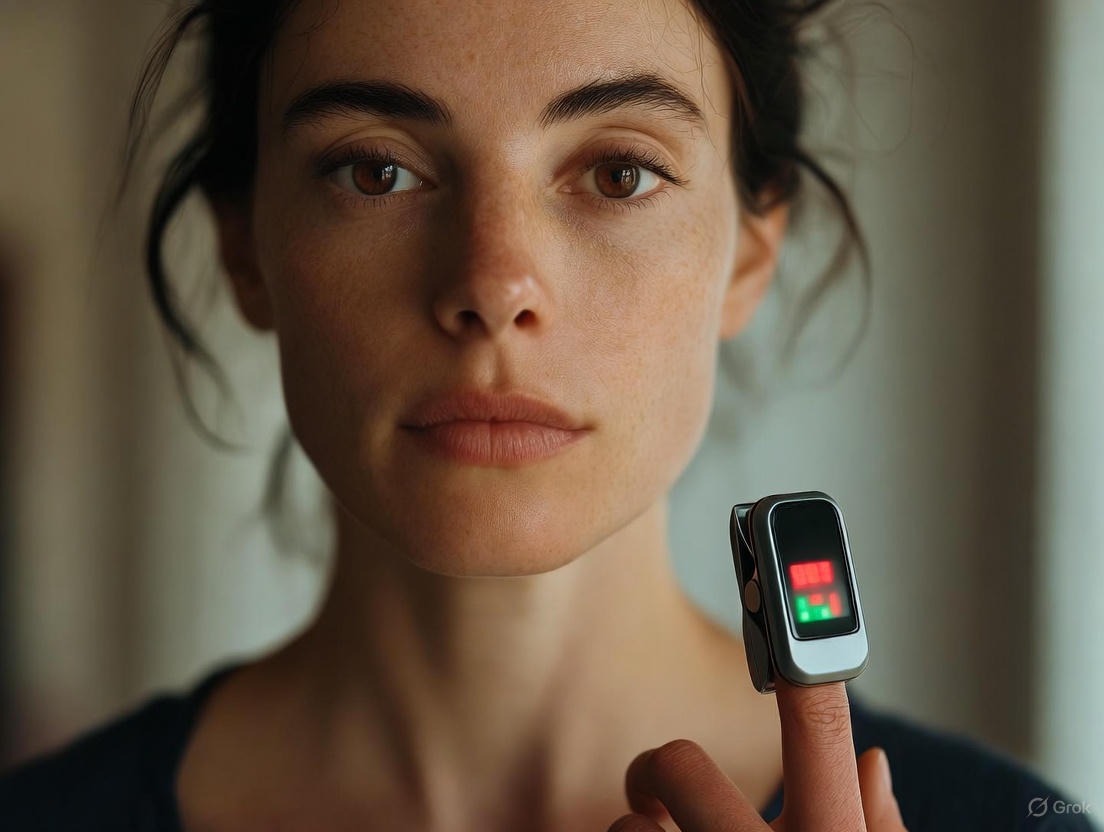
Before you can troubleshoot, you must understand what you’re troubleshooting. A modern smart ring is a masterpiece of miniaturization, a concert hall where multiple sensors perform in unison to create the symphony of your health data. When one instrument is out of tune, the entire piece suffers.
At its core, your ring typically employs a suite of sensors:
The magic—and the potential for mishap—happens in the fusion of this data by the ring’s onboard algorithms and its companion app. A common misconception is that the ring "measures" sleep or stress directly. It doesn’t. It measures physiological signals—movement, heart rate, temperature—and the algorithm infers your sleep stage or stress level. Any factor that corrupts the primary signal (a loose fit, cold fingers, a restless partner) will distort the final analysis.
Think of it like a GPS. If the satellite signal (the raw sensor data) is weak or blocked, the map app (the algorithm) will make wrong turns in its interpretation. Our troubleshooting journey begins at this foundational level: ensuring every sensor has the best possible chance to capture a clean, strong signal. For a deeper dive into how this technology translates into actionable wellness insights, our blog features ongoing analysis of the latest research and methodologies.
Your heart rate and its variability are the foundational vital signs for almost every metric your ring provides, from calorie burn to sleep score to stress. When these readings seem off—showing a resting heart rate of 100 while you’re reading a book, or an impossibly low HRV—it undermines trust in the entire system.
1. The Fit is King (or Queen): This is the number one cause. PPG sensors require consistent, gentle contact with the skin. A ring that spins freely, is too tight and constricts blood flow, or is worn over a knuckle will fail.
2. The Cold Finger Phenomenon: Cold temperatures cause vasoconstriction—your blood vessels narrow to conserve heat. This significantly reduces the blood flow signal that the PPG sensor is trying to read.
3. Motion Artifact: This is noise caused by movement. Intense, repetitive motions (like typing, hammering, or even vigorous hand gestures while talking) can introduce false signals that the algorithm misinterprets as heartbeats.
4. The Tattoo and Skin Tone Consideration: While modern sensors have improved, very dark tattoos (with dense ink) or certain skin tones can, in rare cases, absorb the LED light differently, challenging the sensor.
When to Worry: If you’ve corrected for fit and environment and you’re seeing consistently erratic readings compared to your own perceived exertion, perform a manual check. Count your pulse at your wrist for 30 seconds and multiply by two. If there’s a dramatic, persistent discrepancy, it may be time to consult the FAQ and support resources for potential calibration or hardware checks.

Waking up to a “Poor” sleep score or seeing that your ring “missed” the first two hours of your sleep can be disheartening. Sleep tracking is arguably the most complex task for a wearable, as it relies on the subtle interplay of movement, heart rate drop, HRV rise, and temperature change.
1. The Wind-Down Lag: Your ring’s algorithm is looking for a sustained period of immobility combined with a discernible drop in heart rate. If you lie perfectly still in bed reading for an hour, the ring may see immobility but not the physiological signature of sleep onset.
2. Tossing, Turning, and Partner Disturbance: Excessive movement throughout the night can fragment the sleep stage analysis. This includes being jostled by a partner or getting up frequently.
3. “Missing” Deep or REM Sleep: These stages are inferred from very specific patterns. Deep sleep is characterized by the lowest heart rate, highest HRV, and minimal movement. REM sleep involves a heart rate close to waking levels, elevated HRV, and, crucially, a paralyzed body (atonia) with occasional tiny muscle twitches. If your physiology doesn’t follow the textbook pattern perfectly, the algorithm may mislabel.
4. Daytime Naps and Irregular Schedules: Algorithms are typically trained on primary nighttime sleep blocks. Short naps or highly irregular sleep schedules can confuse them.
A device that needs a daily charge defeats the purpose of effortless, continuous monitoring. Battery life is a delicate balance between performance and longevity.
1. The Connectivity Vampire: The single biggest drain for any wearable is its wireless radio. Constant, frantic searching for a Bluetooth connection to a phone that’s in another room uses disproportionate power.
2. Sensor Overload: Frequent manual SpO₂ checks or continuous temperature monitoring (if configurable) require the high-power LEDs and sensors to run constantly.
3. The Charging Ritual: Wireless charging through a case is elegant but sensitive. Dirt, lint, or misalignment can prevent a proper connection.
4. Battery Health Over Time: Like all lithium-ion batteries, capacity will gradually diminish after hundreds of charge cycles.
The sync is the sacred moment where data flows from your finger to your insights. When it stalls, you’re left in the dark.
1. The Classic Refresh:
* Force close and restart your health app.
* Turn your phone’s Bluetooth off for 30 seconds, then back on.
* Place your phone and ring next to each other and initiate a manual sync.
2. The “Forgotten Device” Reset: If the simple refresh fails, remove the ring from your phone’s Bluetooth device list AND from within your health app. Then, go through the pairing process as if it were a new device. This clears corrupted connection protocols.
3. App and Firmware Updates: Outdated app software can have compatibility bugs. Similarly, firmware on the ring itself is periodically updated to improve performance and stability.
4. Phone-Specific Conflicts: Other apps, battery savers, or aggressive memory management settings on Android can kill the background process of your health app, preventing it from syncing automatically.

These composite scores are the pinnacle of your ring’s analytics, combining HRV, sleep, activity, and temperature. They can feel abstract when they don’t match your subjective feeling.
1. The HRV Anchor: HRV is the most significant input for most stress and recovery algorithms. A low HRV typically drives a higher stress score or a lower readiness score. Remember, HRV is highly individual and sensitive to everything: training load, digestion, alcohol, illness, and emotional stress.
2. The Lag of Physical Recovery: After a strenuous strength training session, you might feel energetic, but your body is in a state of inflammatory repair. This can result in a surprisingly low “Recovery” score the next morning.
3. The “I Feel Great, But My Score is Low” Paradox: This is where the wearable becomes a true coach. Your conscious energy (driven by caffeine, motivation, adrenaline) can be high while your autonomic nervous system (which controls recovery) is still depleted.
4. Calibration Period: Most algorithms need 7-14 days to learn your personal baselines across all metrics. Initial scores may be less accurate.
Any device worn 24/7 must coexist peacefully with your skin. Issues, while rare with hypoallergenic materials, can occur.
1. The Moisture Trap: Water, sweat, and soap trapped under the ring can break down the skin’s natural barrier, leading to irritation, itching, or a rash (often a form of contact dermatitis).
2. Pressure and Fit (Revisited): A ring that is too tight not only affects accuracy but can cause discomfort, indentations, or even temporarily affect circulation.
3. Material Sensitivities: Most high-end rings use medical-grade titanium, ceramic, or resins. However, trace elements in alloys or even finishes can, in extremely sensitive individuals, cause a reaction.
Your ring is a powerful activity tracker, but its location on the finger presents unique challenges compared to a wrist-based device.
1. The “Non-Step” Arm Movement Dilemma: A ring on your finger is exquisitely sensitive to hand movements. Driving (steering wheel motions), typing, cooking, and even gesturing can be registered as “steps” because the accelerometer detects rhythmic motion.
2. The “Missing” Steps Scenario: Conversely, activities where your hands are relatively stable—like pushing a stroller, walking with trekking poles, or holding onto a treadmill bar—may undercount steps.
3. Calibration for Exercise: Some apps allow you to log a specific activity (e.g., “Outdoor Run”). This tells the algorithm to prioritize motion and heart rate patterns associated with that exercise, improving calorie and effort estimates.
Continuous body temperature tracking is a game-changer for spotting illness trends and understanding menstrual cycle phases. But it’s a subtle metric easily influenced by external factors.
1. The Absolute vs. Relative Truth: Your ring measures skin temperature on your finger, not core body temperature from under your tongue. This skin temperature is dramatically influenced by your environment and peripheral circulation.
2. Environmental Noise: Sleeping in a cold room, having cold hands, or using an electric blanket will directly impact the sensor reading.
3. The Lag of Infection: A rise in skin temperature due to an immune response often lags behind other symptoms like a sore throat or fatigue by several hours.

When your ring’s vibrations for calls, alerts, or smart home triggers fail, it breaks the seamless integration promise.
1. App Permission Maze: This is almost always the root cause. Your phone’s OS and the ring’s app have multiple, layered permission gates.
2. The “Do Not Disturb” Domino Effect: If your phone is in a system-wide Do Not Disturb or Focus mode, it will often block the app from sending the alert to the ring.
3. Vibration Motor Check: Ensure the ring’s vibration motor is functional. Some apps have a “Find My Ring” feature or a notification test function.
In our interconnected wellness ecosystem, it’s common to wear multiple devices or use several apps. You might check your ring’s app, then glance at your smartwatch, only to find your step count or calorie burn is significantly different. This discrepancy is a major source of confusion and can erode trust in all your devices.
It’s crucial to understand that different devices use different sensors, are placed on different parts of the body, and—most importantly—use different algorithms to interpret raw data. They are not measuring the same thing in the same way.
1. The Sensor Location Dichotomy: This is the fundamental differentiator.
* A Smart Ring on Your Finger is excellent at measuring peripheral physiological signals (heart rate, HRV, temperature) with minimal motion noise during rest. Its step count is inferred from hand motion patterns.
* A Wrist-Based Watch has a less optimal PPG signal due to wrist movement and tendons but is better at capturing gross arm movement for step counting and specific workout tracking.
* A Chest Strap ECG provides clinical-grade heart rate data during intense activity but zero movement data.
The Fix: Accept that each device has a specialty. Trust your ring for recovery, sleep, and resting metrics. Trust a wrist device for GPS pace or rep counting during a workout. Don’t expect them to match; expect them to complement.
2. The Algorithmic "Secret Sauce": Every company has its own proprietary algorithm for calculating calories, sleep stages, and exercise effort. One company’s “Light Sleep” might be another’s “Deep Sleep.” One might weigh HRV more heavily in a recovery score, while another prioritizes sleep duration.
* The Fix: Pick one primary device as your “source of truth” for each metric and stick to its trends. Comparing absolute numbers between brands is like comparing Fahrenheit to Celsius without conversion. Focus on the direction and magnitude of change within a single ecosystem.
3. Syncing and Data Aggregation Errors: Sometimes, the discrepancy isn’t in the measurement but in the handoff. If you have your ring data syncing to Apple Health or Google Fit, and a separate watch syncing there too, the health platform may be mishandling which data source to prioritize.
* The Fix: Dive into the data source settings within your phone’s health platform. You can usually set priority order for which device’s data is considered “primary” for steps, heart rate, etc. Ensure your apps have proper read/write permissions. For a deeper understanding of data integration, our blog covers best practices for building a coherent health data picture.
The Golden Rule of Multi-Device Use: Consistency is more valuable than absolute accuracy. If your ring consistently shows a 10-beat-per-minute higher resting heart rate than your watch, but the trend (e.g., a steady decrease over 4 weeks) is identical in both, then the trend is the valid, actionable insight. The absolute number is less important.

“Water-resistant” is not the same as “waterproof,” and the specifics matter greatly. A malfunction after exposure to water is often related to a misunderstanding of the device’s limits or improper care afterward.
1. Decoding the IP Rating: Your device will have an Ingress Protection (IP) rating, like IP68 or IPX8.
* First Digit (Solid particle protection): Usually ‘6’ (dust-tight).
* Second Digit (Liquid protection): This is the key. An ‘8’ is the highest typical rating, meaning protected against continuous immersion in water under conditions specified by the manufacturer (usually depth and time, e.g., 1.5 meters for 30 minutes). ‘7’ is protected against immersion up to 1 meter for 30 minutes. ‘X’ means not rated.
* Critical Note: These ratings are for fresh water. They do not account for the corrosive, conductive, and particle-filled nature of saltwater or chlorinated pool water, which can degrade seals and damage charging ports over time.
2. The Real-World Water Enemy: Pressure & Steam
* High-Pressure Water: A direct jet from a showerhead, a water sports impact, or a dive into a pool creates pressure far exceeding the static pressure test of the IP rating. This can force water past seals.
* Steam and Heat: The seals in your device are designed to keep liquid water out. Steam (hot water vapor) has much smaller molecules that can penetrate these seals. Wearing your ring in a hot shower, sauna, or steam room is one of the riskiest activities for its internal electronics.
* The Fix: The safest practice is to remove your ring for all water activities. If you must wear it for swimming, rinse it thoroughly with fresh water afterward and dry it meticulously. Never wear it in hot tubs, saunas, or hot showers.
3. Post-Water Protocol – The “Wet and Dead” Scenario: If your ring gets submerged beyond its rating or is exposed to steam, and then stops working, immediate action is critical.
* The Fix:
1. DO NOT press buttons or attempt to charge it. This can short-circuit wet electronics.
2. DO remove it from the water immediately.
3. DO dry the exterior thoroughly with a soft, lint-free cloth.
4. DO place the ring in a dry, warm (not hot), airy environment for *at least 24-48 hours*. A bowl of uncooked rice or silica gel packets can help absorb ambient moisture.
5. After a full two days, attempt to place it on its charger. If it shows no signs of life, contact support immediately. The team behind Oxyzen emphasizes that proper care significantly extends device longevity, a principle rooted in their engineering philosophy.
Your companion app is the brain to the ring’s senses. Misconfigured settings are a silent saboteur of data quality. Optimizing these settings is a one-time task that pays dividends in reliability.
1. Personal Biometrics Profile: An algorithm estimating your calorie burn needs to know the engine it’s measuring. Inaccurate height, weight, age, or gender settings will skew energy expenditure calculations.
* Action Item: Update your weight every 1-2 weeks in the app’s profile section. This single change can dramatically improve the accuracy of your daily calorie burn estimate.
2. Data Collection Preferences: Most apps allow you to choose the frequency or triggers for certain measurements.
* Heart Rate Sampling: You may have options like “Continuous,” “Every 10 minutes,” or “Smart.” “Smart” or “Every 10 minutes” is usually perfect for daily tracking and maximizes battery life. “Continuous” is only needed for specific workout tracking.
* SpO₂ Measurement: Set this to “During Sleep Only.” This provides all the trend data you need for wellness purposes without the constant battery drain of all-day checks.
* Activity Detection Sensitivity: If your step count seems excessively high from hand movements, look for an “Activity Sensitivity” setting and lower it. If it’s missing walks, raise it.
3. Notification Management: As discussed, notifications drain battery. Curate them ruthlessly.
* Action Item: Disable every non-essential alert. Do you really need your ring to vibrate for every email? Likely not. Keep only critical alerts: phone calls, text messages, and perhaps high-stress or inactivity reminders if you find them valuable.
4. Data Sharing & Privacy: Understand where your data goes.
* Action Item: Review the app’s privacy settings. Decide if you want to share anonymized data for research, connect to other fitness apps (like Strava or MyFitnessPal), or sync with Apple Health/Google Fit. A clean, intentional data flow prevents conflicts. For information on how leading companies handle your sensitive health data, you can explore the commitments outlined on the Oxyzen story page.
A factory reset is the nuclear option—it wipes all on-device data and paired connections, returning the ring to its out-of-the-box state. It’s a powerful fix for persistent, unexplainable software glitches, but it must be done correctly to avoid data loss.
Consider a factory reset only when:
CRITICAL FIRST STEP: Ensure a Recent Sync. Before initiating a reset, open your app, place the ring on its charger nearby, and force a manual sync. Verify that all your latest data appears in the app and, if you use it, in Apple Health/Google Fit. Your historical data lives in the app cloud and your phone, not on the ring itself, but a final sync ensures nothing is in limbo.
The Reset Process (General Guideline – always refer to your specific manual):
Post-Reset Calibration: Remember, the ring will need 24-48 hours to re-establish some baseline readings, particularly for temperature and nuanced scores. Don’t judge its performance for the first day or two. For device-specific reset instructions, the official FAQ page is always the most reliable resource.
For the true data enthusiast, moving beyond the polished scores and into the underlying metrics can be illuminating. This is where you become a true partner in diagnosis, understanding what your body is signaling before the app interprets it.
1. Heart Rate Variability (HRV) – The North Star: HRV is the time variation between your heartbeats, a direct window into your autonomic nervous system. A higher HRV generally indicates better recovery and adaptability (parasympathetic dominance), while a lower HRV indicates stress, fatigue, or illness (sympathetic dominance).
* How to Use It: Don’t chase a high number; chase consistency within your personal range. A sudden, sustained drop in your 7-day average HRV is one of the earliest and most reliable signs of impending illness, overtraining, or chronic stress. It’s your body whispering a warning before symptoms shout.
2. Resting Heart Rate (RHR) – The Workhorse: Your RHR upon waking is a classic indicator of cardiovascular fitness and recovery.
* How to Use It: Like HRV, trend is everything. A spike of 5-10 bpm above your normal waking average is a strong sign your body is fighting something (infection, dehydration, extreme fatigue) or is under-recovered from training.
3. Respiratory Rate – The Silent Metric: Often tracked during sleep, this is the number of breaths per minute. It’s a remarkably stable metric in healthy adults.
* How to Use It: A noticeable increase in your sleeping respiratory rate (e.g., from 14 to 17 breaths per minute) can be an early sign of respiratory infection, anxiety, or even cardiac stress. It’s a clinical-grade metric that is now accessible on your finger.
4. The Power of Composite View: The magic happens when you cross-reference.
* Scenario: You feel “off.” Check your data: RHR is up +8 bpm, HRV is down -15%, and last night’s respiratory rate edged up. This composite picture is a near-certain objective confirmation that your body is under strain, validating your subjective feeling and telling you to prioritize rest. This integrative analysis is what transforms raw data into profound personal insight, a core tenet of the approach you can learn more about at Oxyzen.
Your wearable tracks your biology, but your biology is dictated by your behavior. Some of the most common “issues” with data are not issues at all—they are perfectly accurate readings of lifestyle choices that disrupt your physiology.
1. Alcohol: Perhaps the most dramatic confounder. Alcohol:
* Increases resting heart rate.
* Crushes HRV.
* Suppresses REM sleep early in the night and causes sleep fragmentation later.
* Skews skin temperature.
* The Takeaway: Expect terrible sleep and recovery scores after even moderate drinking. The ring is not wrong; it’s accurately measuring the toxic stress alcohol places on your system.
2. Caffeine & Late Meals: Consuming caffeine late in the day or a large meal within 3 hours of bedtime can elevate heart rate and core temperature, delaying sleep onset and reducing deep sleep quality.
* The Takeaway: If you see poor sleep efficiency, look at your daily log. The data can help you identify your personal cutoff times for food and stimulants.
3. Emotional and Mental Stress: A stressful workday, an argument, or anxiety doesn’t just live in your mind. It triggers the release of cortisol and adrenaline, raising your heart rate, lowering your HRV, and impacting your sleep architecture—all of which your ring captures.
* The Takeaway: Use the data for mindfulness. If you see a stress spike after a meeting, use that as a cue for a brief breathing exercise. Seeing the physiological impact of stress can be the motivation needed to address it. Many users share how this awareness changed their habits in powerful testimonials.
4. Travel & Time Zone Changes: Jet lag is a brutal physiological disruptor. Your ring will show a desynchronization of your temperature rhythm, erratic sleep stages, and depressed HRV until your body clock realigns.
* The Takeaway: Use your ring’s data to guide your jet lag recovery. Seek morning light when your temperature minimum is passing, and see how your biomarkers gradually normalize over days.
All personalized insights—the “readiness” scores, the “optimal” bedtime suggestions, the “unusual” health alerts—are only as good as the baseline they are compared against. Your baseline is your personal fingerprint of health. Establishing a robust one is the most important long-term task.
1. The 14-Day Rule: Wear your ring consistently, 24/7 (removing only for charging and high-risk water activities), for a minimum of two weeks during a period of your normal, routine life. Avoid starting it during a vacation, intense training block, or illness. This allows the algorithm to learn you.
2. Consistency in Routine: The baseline is built on patterns. Try to keep sleep and wake times reasonably consistent. Eat meals at roughly the same times. This reduces “noise” and lets your true physiological patterns emerge.
3. The Power of “Normal” Data: Your baseline includes your occasional drinks, your stressful Thursdays, and your tough workouts. That’s okay. It’s a baseline of your real life, not a sanitized ideal. The goal is to detect significant deviations from your normal, not from a population average.
4. Seasonal Baseline Shifts: Your body changes with the seasons. You may have a slightly higher average RHR in winter and a lower one in summer. Your deep sleep may vary. The app’s algorithm should account for this with a rolling, adaptive baseline, but be aware that your “normal” has slow-moving trends.
5. When to Re-baseline: After a major, lasting lifestyle change—such as taking up endurance training, becoming a parent, changing to a night-shift schedule, or overcoming a chronic illness—your old baseline may no longer be relevant. After 1-2 months of a new sustained routine, mentally allow for a “new normal” to establish in your data. For more on interpreting long-term trends, our blog offers expert analysis on longitudinal health data.
Data is pointless without action. The final step of mastery is moving from passive observation to active integration, using your ring’s insights to inform real-world decisions for better health.
1. The Morning Check-In Routine: Spend 2 minutes each morning reviewing your key recovery metrics (HRV trend, RHR, Sleep Score). Don’t just look at the score; understand the contributors.
* Green Light (High Readiness): Proceed with planned intense training or demanding cognitive work. It’s a day to push.
* Yellow Light (Moderate Readiness): Stick to your schedule but listen to your body. Consider a moderate workout instead of a peak one.
* Red Light (Low Readiness): This is a day for genuine recovery. Prioritize sleep, nutrition, hydration, and low-stress activities like walking or gentle yoga. This is where the ring pays for itself by preventing overtraining and burnout.
2. Sleep Optimization Feedback Loop: Use your sleep stage data not as a grade, but as an experiment log.
* Experiment: Stop caffeine after 2 PM for a week.
* Observe: Did your deep sleep percentage increase? Did sleep latency decrease?
* Adapt: If yes, make it a habit. If no, try the next experiment (e.g., cooling your bedroom by 2 degrees).
3. Stress Management Quantified: Use your daytime stress alerts or high-stress readings as biofeedback.
* When you get an alert, pause. Take 60 seconds for box breathing (4-sec inhale, 4-sec hold, 6-sec exhale).
* Watch the real-time heart rate graph in your app. Seeing the line drop is a powerful positive reinforcement, teaching you that you can directly control your physiology.
4. Collaborative Health Tool: Share longitudinal trends (weekly or monthly reports) with your healthcare provider, coach, or therapist. Showing a graph of deteriorating sleep and rising RHR over 3 weeks is more powerful than saying “I feel tired.” It provides objective context for subjective complaints. This proactive, data-informed approach to wellness is at the heart of the vision shared on the Oxyzen About page.
A smart ring is an investment. With proper care, it should function accurately for years. Long-term maintenance goes beyond charging and cleaning; it’s about preserving the integrity of the device and your relationship with the data.
1. Physical Care Regimen:
* Monthly Deep Clean: Use a soft, dry toothbrush to gently clean the sensor openings and charging contacts of any lint or debris.
* Case and Charger Care: Regularly wipe down the charging case with a dry cloth. Keep it free of dust and moisture.
* Avoid Impacts: While durable, the sensors and electronics inside can be damaged by sharp, heavy impacts. Remove the ring for activities like rock climbing, weightlifting (where the bar can scrape it), or contact sports.
2. Software Hygiene:
* App Updates: Enable auto-updates for your health app to ensure you always have the latest bug fixes and features.
* Firmware Updates: Always apply firmware updates when prompted. They often contain critical performance improvements and new algorithms. Perform updates with the ring on the charger and near your phone.
* Data Review: Periodically, review your app’s storage. Some apps allow you to clear cached data without affecting your cloud-stored history, which can help if the app feels sluggish.
3. Battery Health Maximization: Over multiple years, you can preserve battery capacity by:
* Avoiding extreme heat (don’t leave it in a hot car).
* Not regularly draining it to 0%.
* Storing it with a ~50% charge if you won’t be using it for an extended period (weeks or months).
4. Know Your Warranty and Support: Understand the duration and terms of your manufacturer’s warranty. Keep your proof of purchase. If a persistent, unfixable hardware issue arises (e.g., a cracked sensor window, a completely dead battery, failed charging contacts), reach out to support promptly. The official support FAQ is your first port of call for such issues.
By embracing these principles—from deep technical understanding to holistic lifestyle integration—you transcend being a mere user of wearable tech. You become an architect of your own well-being, using precise, personalized data to build a healthier, more resilient life. Your smart ring is the compass; you are the navigator.
As we invite these devices deeper into our lives, recording our most intimate biological rhythms, we must pause and consider the implications beyond convenience. The data on your sleep, stress, and heart holds tremendous power—power for good, and power for potential misuse. Being an informed user means understanding this landscape.
When you sync your ring, where does the data flow? Typically, it resides in a cloud account controlled by the manufacturer. You own the physical device, but the legal ownership and rights to your aggregated, anonymized data can be murky, governed by Terms of Service few of us read.
"Quantified Self" can become "Anxious Self." The constant feedback loop of scores and metrics can lead to orthosomnia—an unhealthy preoccupation with achieving perfect sleep data. A single "Poor" recovery score can ruin a morning, creating a stress cycle that the device then measures.
The smart ring on your finger today is a primitive ancestor of what is to come. The frontier of wearable tech is moving from tracking to true, continuous diagnostics. Understanding this trajectory helps you contextualize your current device and anticipate the future.
The holy grail of wearables is non-invasive, continuous glucose monitoring (CGM). Several technologies are in advanced development, using optical sensors (like advanced PPG), radio waves, or spectroscopic methods to estimate glucose levels from interstitial fluid. This would revolutionize wellness and diabetes management, providing real-time feedback on metabolic health and food responses.
Beyond HRV, researchers are validating other correlates of mental state.
The convergence of longitudinal, multi-metric data (temperature, HRV, RHR, respiratory rate) with machine learning is paving the way for predictive health. Algorithms are being trained to recognize the subtle, multiday physiological shifts that precede clinical symptoms of infections like the flu or even potential cardiovascular events.
Your smart ring is your core biometric sensor, but it is not an island. Its true potential is unlocked when its data converses with other pillars of your health data, creating a unified personal health dashboard.
Think of these as the neutral "hubs" of your health data. Configure your ring app to write all its data to Apple Health or Google Fit. Then, grant other apps (nutrition, fitness) permission to read relevant data from the hub. This creates a clean, centralized ecosystem and avoids the chaos of point-to-point connections. For tutorials on setting up these powerful integrations, keep an eye on resources available on the Oxyzen blog.
Often, the problem isn't the ring—it's the environment it operates in. Your smartphone's operating system is a constantly changing landscape that can disrupt connectivity and syncing without warning.
Every major iOS or Android update can introduce new Bluetooth protocols, background app refresh rules, or battery management features that can break your health app's functionality.
Modern phones are fiercely aggressive about killing background processes to save battery. Your health app's continuous syncing is a prime target.
When you encounter a truly bizarre, niche issue—"my ring only fails to sync when I'm in my car and connected to CarPlay"—the manufacturer's support documentation may not have an answer. This is where the collective intelligence of the user community becomes invaluable.
When asking for help:
The community is also where you'll find creative, non-intended uses for the data, such as tracking fertility cycles with temperature data or correlating HRV with creative output—inspiring applications you can read about in user testimonials.
Wearable tech evolves rapidly. The device you bought two years ago may lack sensors (like temperature or EDA) that are now standard. Knowing when to upgrade and how to choose is part of being a savvy user.
When a new model is announced, look beyond the marketing hype. Ask these questions:
Your data's longitudinal consistency is precious. Upgrading should offer a clear path to preserve your historical baseline while adding meaningful new dimensions to your understanding. Learning about a company's philosophy on innovation and user-upgrade paths can be found by exploring their public-facing story and values.
We began this guide amid frustration—the fogged window, the glitching data, the broken promise. We end it with a vision of profound partnership. Troubleshooting your wearable is not a chore; it is the essential process of calibrating a partnership between your biological intuition and technological sensing.
You are not a passive consumer of data. You are an active interpreter, a curator of context, and the final decision-maker. Your smart ring provides the objective score of the symphony—the tempo, the volume, the key. But you are the conductor who knows the emotion behind the music, the story the piece is trying to tell.
By mastering the intricacies of fit, environment, algorithm, and integration, you transform raw data into wisdom. You learn to distinguish a hardware glitch from a biological signal, a software bug from a legitimate warning sign. You move from asking, "Why is this number wrong?" to asking, "What is my body trying to tell me with this change?"
This journey mirrors the broader path of modern wellness: it is not about outsourcing your health to a device, but about using technology to deepen your own self-knowledge and agency. It’s about having the confidence to rest when your data suggests strain, and the confidence to push when your readiness is high.
The future of health is predictive, personalized, and participatory. Your wearable is your entry point. Keep it clean, calibrated, and charged. Keep your mind curious, critical, and kind to yourself. And remember, the most important metric—the one no sensor can ever capture—is how you feel, living a life informed by insight, not ruled by it.
For ongoing support, new discoveries, and a community focused on this empowered approach, remember that resources like the Oxyzen FAQ and blog are there to support your journey forward. The story of your health is being written every second. Now, you have the tools to read it clearly.
Your Trusted Sleep Advocate: Sleep Foundation — https://www.sleepfoundation.org
Discover a digital archive of scholarly articles: NIH — https://www.ncbi.nlm.nih.gov/
39 million citations for biomedical literature :PubMed — https://pubmed.ncbi.nlm.nih.gov/
Experts at Harvard Health Publishing covering a variety of health topics — https://www.health.harvard.edu/blog/
Every life deserves world class care :Cleveland Clinic - https://my.clevelandclinic.org/health
Wearable technology and the future of predictive health monitoring :MIT Technology Review — https://www.technologyreview.com/
Dedicated to the well-being of all people and guided by science :World Health Organization — https://www.who.int/news-room/
Psychological science and knowledge to benefit society and improve lives. :APA — https://www.apa.org/monitor/
Cutting-edge insights on human longevity and peak performance:
Lifespan Research — https://www.lifespan.io/
Global authority on exercise physiology, sports performance, and human recovery:
American College of Sports Medicine — https://www.acsm.org/
Neuroscience-driven guidance for better focus, sleep, and mental clarity:
Stanford Human Performance Lab — https://humanperformance.stanford.edu/
Evidence-based psychology and mind–body wellness resources:
Mayo Clinic — https://www.mayoclinic.org/healthy-lifestyle/
Data-backed research on emotional wellbeing, stress biology, and resilience:
American Institute of Stress — https://www.stress.org/