


Ring vs Watch for Seniors: Ease of Use and Accessibility
Which device is easier for seniors to use.
Which device is easier for seniors to use.
%402x.svg)
For generations, a wristwatch was more than a timepiece; it was a statement, a tool, and a piece of personal history. Today, that simple watch has evolved into a powerful smartwatch—a mini-computer offering everything from heart rate monitoring to fall detection. Yet, a quiet revolution is underway, worn not on the wrist, but on the finger. The smart ring has emerged as a discreet, powerful contender in the world of wearable health technology.
For seniors, the choice between these two devices isn't just about features; it's a fundamental decision about accessibility, comfort, and maintaining independence. It's about finding a technological companion that adapts to you, not the other way around. A device that feels intuitive, not intimidating. A tool that empowers without complicating.
This comprehensive guide is designed to cut through the noise. We will delve deep into the critical factors of ease of use, accessibility, and daily practicality to help you or your loved one determine whether a smart ring or a smartwatch is the ideal partner for a safer, healthier, and more connected lifestyle. From the simplicity of interaction to the subtlety of design, we leave no stone unturned. Welcome to a clearer path toward choosing your perfect wearable.

Before comparing specific devices, we must first establish the foundational criteria that matter most. The success of any technology for a senior user hinges not on its most advanced feature, but on how seamlessly it integrates into daily life while addressing core concerns. Based on extensive research and user feedback, the priorities often boil down to four key pillars: safety, health monitoring, simplicity, and comfort.
Safety is, understandably, paramount. The fear of a fall or a sudden medical event when alone is a significant concern for many older adults and their families. A wearable that can automatically detect a hard fall and summon help can provide immeasurable peace of mind. Beyond emergencies, health monitoring offers proactive insights. Quiet, continuous tracking of heart rate, sleep patterns, and activity levels can reveal trends, prompting earlier conversations with healthcare providers.
However, even the most powerful safety and health features are useless if the device is too complicated to set up, too difficult to read, or too uncomfortable to wear consistently. This is where simplicity and comfort become non-negotiable. The ideal wearable should have an intuitive interface, clear displays with adjustable text size, and require minimal daily charging and maintenance. It should feel like a natural extension of the person, not a burdensome piece of tech.
At Oxyzen.ai, our mission is built around this very philosophy: empowering independence through technology that feels intuitive, not intrusive. We believe that the best wearable is the one you forget you're wearing—until you need its insights or its help. This user-first mindset is crucial as we explore the nuanced differences between rings and watches.
The smartwatch is the established champion in the wearable arena. Its primary advantage is familiarity. The concept of wearing something on the wrist is second nature, making the initial adoption psychologically easier for many. Modern smartwatches designed with seniors in mind, like the Apple Watch with its fall detection and Emergency SOS, or various simplified Android models, pack a powerful suite of features into a recognizable package.
The most significant benefit of a smartwatch is its visual interface and direct interactivity. The screen acts as a clear dashboard. With a glance, a user can see the time, date, step count, and heart rate. They can read text messages or see who is calling without pulling out a phone. For those with mild hearing impairment, feeling a tap for a notification can be more reliable than hearing a phone ring. This direct, visual feedback loop is intuitive and empowering.
Furthermore, the larger form factor allows for robust connectivity and call functionality. Many senior-focused smartwatches include cellular connectivity, enabling the wearer to make and receive calls directly from their wrist—a vital feature in an emergency if their phone isn't within reach. The speaker and microphone are built-in, turning the watch into a communications hub. This can be a lifeline, reducing the anxiety of being out of touch.
However, this power and functionality come with inherent trade-offs in complexity. The very screen that provides clear information also requires navigation through menus, apps, and notifications. It demands regular charging, often daily. The size, while familiar, can be bulky, interfering with sleeves or causing discomfort during sleep. As we will see, these trade-offs are where the smart ring begins to present a compelling alternative.
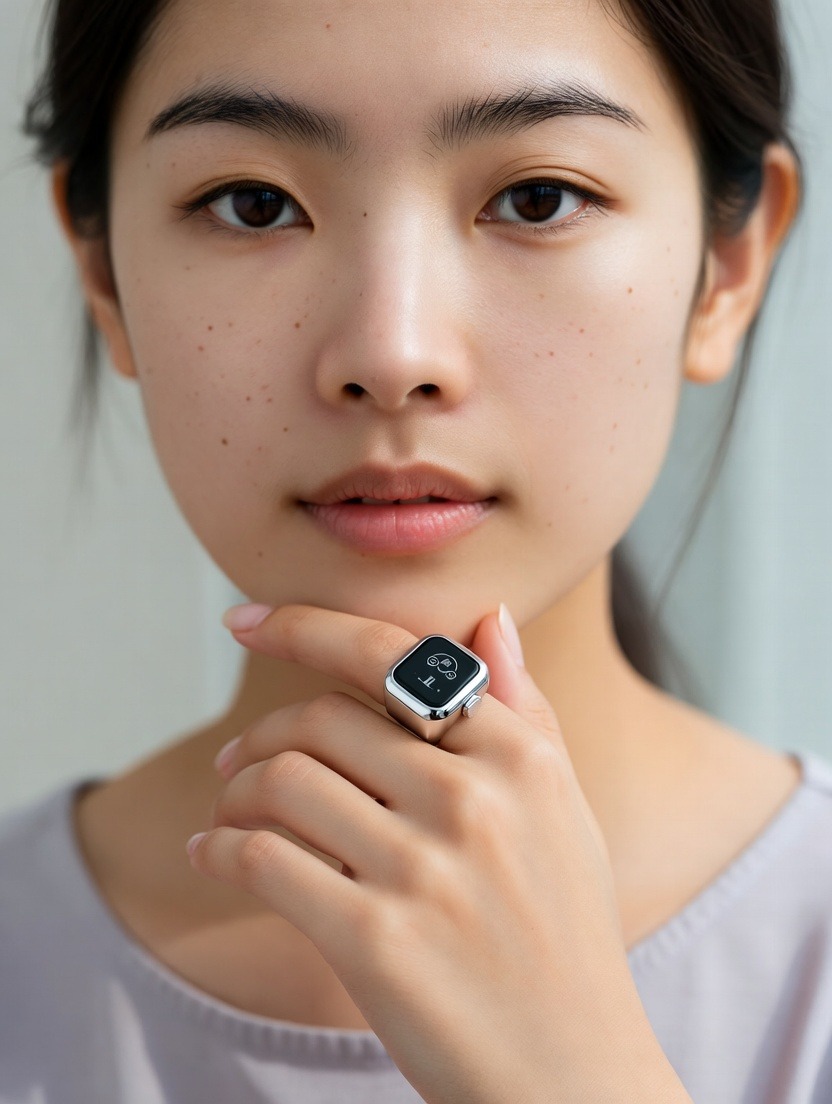
Enter the smart ring: a device that redefines the wearable experience by prioritizing discretion and continuous, passive data collection. A smart ring like the Oura Ring, or those developed with a senior-specific focus, shifts the paradigm from active interaction to silent vigilance. Its greatest strength is its form factor and 24/7 wearability.
By moving technology to the finger, the smart ring eliminates many physical and cognitive barriers. It is incredibly lightweight, often weighing just a few grams. It doesn't snag on clothing, rarely interferes with daily tasks, and is comfortable to wear both day and night—critical for capturing accurate sleep data. For seniors with arthritis or sensitivity on the wrist, a well-fitted ring can be a non-issue where a watch band might cause irritation.
This constant, comfortable wear enables what is arguably the smart ring's superpower: unparalleled biometric accuracy. The arteries in your finger (the palmar digital arteries) are rich with pulse data and are closer to the surface than the radial artery in the wrist. This often allows for more precise and consistent measurements of heart rate, heart rate variability (HRV), and blood oxygen saturation (SpO2). Because you're likely to keep it on while sleeping, the ring builds a comprehensive, uninterrupted picture of your restorative health, tracking sleep stages, disturbances, and nighttime vitals with high fidelity.
The trade-off, of course, is the lack of a screen. A smart ring does not show you your heart rate in real-time. You cannot read a text on it. All data is synced to a companion smartphone app for review. This makes it a "set it and forget it" device for the wearer, shifting the burden of interaction to a separate, larger screen (the phone). For some, this is a drawback; for others, it's a relief from yet another screen demanding attention. To see how this data translates into actionable wellness insights, you can explore our blog for deeper dives on biometric tracking.
The first impression a piece of technology makes is often the most lasting. A frustrating setup process can lead to immediate rejection, no matter how beneficial the features may be. Let's compare the initial experience of a smartwatch versus a smart ring.
Smartwatch Setup: Typically involves unboxing, attaching the band, powering on, and pairing via Bluetooth with a smartphone. This process requires navigating menus on a small touchscreen, often logging into accounts (Apple ID, Google), and granting numerous permissions for notifications and health data. For a senior new to smartphones, this can be a daunting multi-step process that may require assistance. The customization that follows—choosing watch faces, arranging app grids, setting up emergency contacts—adds further layers of complexity, though also potential for personalization.
Smart Ring Setup: The physical setup is simpler: you select your size (often via a free sizing kit mailed to you), place the ring on your finger, and charge it. The complexity lies almost entirely in the smartphone app. You must download the companion app, create an account, pair the ring via Bluetooth, and configure your health goals and notifications. The ring itself has no buttons or screens to configure. The challenge here is not in manipulating the device, but in ensuring the user is comfortable with the smartphone app that serves as its control panel and dashboard.
The clear differentiator is the locus of interaction. A smartwatch requires you to learn its own interface. A smart ring requires you to be (or become) proficient with a smartphone app. For a senior who already uses a smartphone confidently, adding a ring's app is a minor step. For one who avoids their phone, a smartwatch's self-contained interface, while initially complex, might ultimately feel more direct and independent. Our FAQ page offers detailed guidance on setup for both types of devices to help smooth this initial hurdle.
How you interact with your wearable dozens of times a day defines its true usability. Is it a help or a hassle? This daily dance of glances, taps, and commands is where the philosophical difference between a watch and a ring becomes most apparent.
With a smartwatch, interaction is active and immediate. You raise your wrist to see the time or a notification. You tap the screen to dismiss an alert or open an app. You press a button to access shortcuts or emergency SOS. You speak to it using a voice assistant like Siri or Google Assistant to set reminders or send messages. This constant feedback loop can be engaging and convenient. Want to log a glass of water or start a workout? Two taps and it's done. This proactive style suits individuals who enjoy managing and interacting with their data and notifications in real-time.
Conversely, a smart ring is almost entirely passive in its daily operation. There is no screen to glance at, no interface to tap. It collects data silently in the background. Your primary daily interaction is likely just ensuring it's charged every 5-7 days. Notifications, if configured, are delivered through your paired smartphone, not the ring itself. Some rings may have a single, subtle tap notification for alarms, but the core value is in its absence of demands.
This presents a critical question for the senior user: Do you want a dashboard or a guardian? A smartwatch is a dashboard on your wrist—a tool you actively use. A smart ring is more like a guardian angel on your finger—working silently in the background, compiling a report for you to review when convenient. The former offers control; the latter offers simplicity and a reduction in digital friction. For those feeling overwhelmed by technology, the ring's passive nature can be a significant mental relief.
Visual clarity is a non-negotiable aspect of accessibility. Age-related changes in vision, such as presbyopia (difficulty focusing on close objects) or reduced contrast sensitivity, can make interacting with small screens a significant challenge.
The smartwatch has a clear advantage here due to the mere presence of a screen. Modern senior-friendly smartwatches address visual needs with features like:
A well-configured watch face can show the time, date, heart rate, and weather in a large, clear format at a glance. This transforms the device into an accessible information hub.
The smart ring, having no display, completely sidesteps the issue of visual accessibility on the device itself. This is a double-edged sword. For a user with significant vision impairment, not having to squint at a tiny screen is a benefit. All the rich data the ring collects is accessed via the smartphone app, which can leverage the phone's much larger screen and its own robust accessibility features (like the iPhone's Zoom or VoiceOver). However, this creates a dependency: to gain any insight from the ring, you must be able to navigate a smartphone. The ring itself offers no immediate, glanceable feedback.
Therefore, the choice heavily depends on the user's relationship with their phone's screen. If they are comfortable using their phone's accessibility tools, the ring's lack of a display is not a barrier. If they prefer a self-contained, glanceable source of information, the smartwatch's adaptable screen is the only viable option.
A device can only be helpful if it is worn. Discomfort is the fastest path to a wearable ending up in a drawer. The physical experience of wearing a ring versus a watch is profoundly different and can be deciding factor.
Smartwatch Considerations:
Smart Ring Considerations:
The comfort winner is highly individual. A person with a sensitive wrist or who sleeps with their hands curled will likely find a ring more comfortable for 24/7 wear. Someone with significant finger arthritis may find a watch with an easy magnetic clasp the only viable option. Reading real user testimonials can provide invaluable insights into how these comfort factors play out in everyday life for people of similar age and lifestyle.
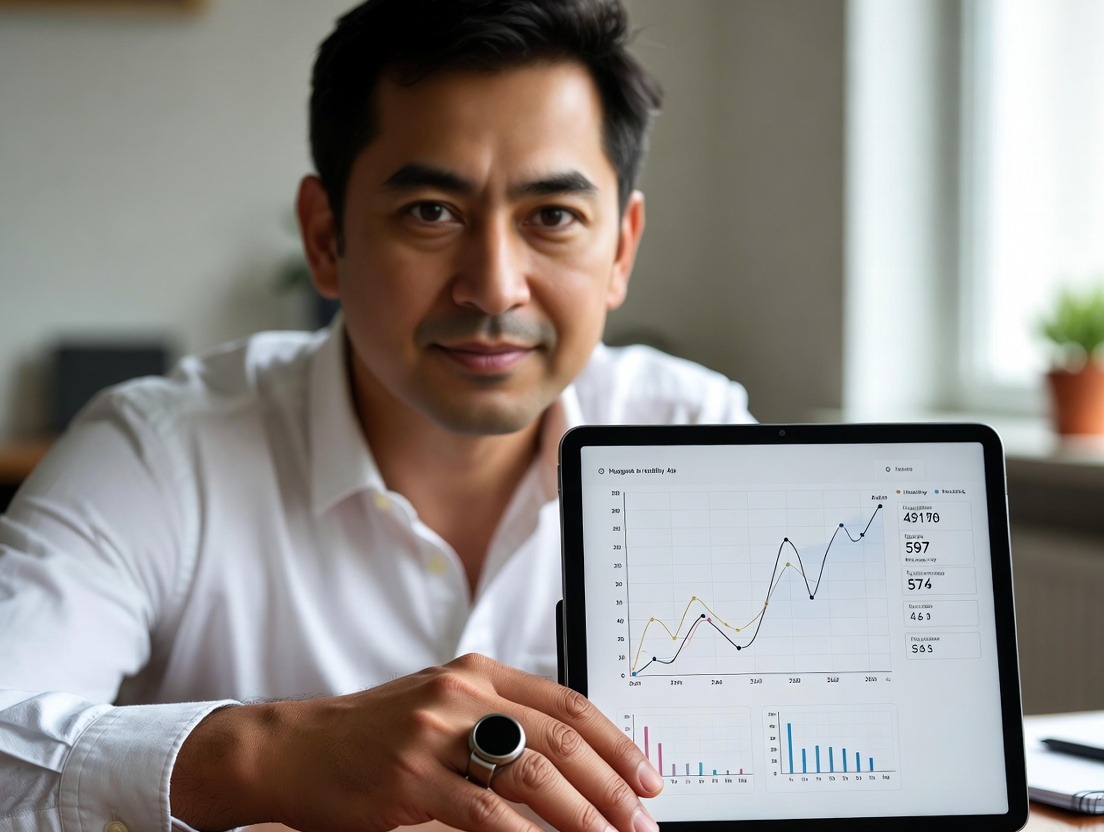
Few things erode the usability of a tech device faster than frequent charging. For seniors, the act of plugging in a small device, aligning magnetic connectors, and remembering to do so can be a significant point of friction.
Smartwatch Battery Life: This is the Achilles' heel of most full-featured smartwatches. Models with vibrant always-on displays, cellular connectivity, and active GPS typically require daily charging. While some simplified models or those with power-saving modes may last several days, the industry standard is "charge every night." This ritual can be integrated into a bedtime routine, but it also means the device is not tracking your sleep unless you charge it at another time of day.
Smart Ring Battery Life: Here, the smart ring shines. Due to their small, efficient sensors and lack of a power-hungry screen, most smart rings boast a battery life of 5 to 7 days on a single charge. Some even reach beyond a week. This means charging is a weekly, not daily, task. The charging mechanism is usually a small dock or case where you place the ring. It's simple, but the rings and docks are small and can be easy to misplace.
The impact on data continuity is crucial. A device that must be charged daily is guaranteed to have gaps in its 24/7 data record. If you charge your watch overnight, you miss all sleep and nighttime vitals. A ring with weekly charging allows you to schedule a 1-2 hour top-up during a sedentary activity like watching TV, maintaining an almost unbroken data stream. This consistent tracking is vital for spotting long-term health trends.
For the senior user, the question is: is it easier to remember and execute a daily, brief charging habit, or a weekly, slightly longer one? The ring's less frequent requirement is objectively more convenient, but only if the user can comfortably handle the small ring and dock. A family caregiver can easily assist with a weekly charge, ensuring the device remains functional for safety monitoring.
When we discuss wearables for seniors, safety features move from "nice-to-have" to "essential." Both device types offer powerful tools, but their approaches and effectiveness differ.
Smartwatch Safety Arsenal:
Smart Ring Safety Potential:
The safety conclusion is stark: for immediate, reactive emergency response to a fall, a smartwatch with certified fall detection is currently the superior choice. For proactive, predictive health monitoring that might help prevent a crisis, the smart ring's deep biometric analysis offers a powerful, complementary form of safety. The most robust safety plan might, in fact, involve both. To understand how we integrate safety into our design philosophy, you can learn more about our story and mission here.
Beyond safety, the promise of wearables is to provide a window into one's health, offering data that was once only available in a clinical setting. The depth, accuracy, and actionable nature of this data vary significantly between wrists and fingers.
Smartwatch Health Metrics: A typical senior-focused smartwatch provides a strong suite of metrics:
The data is often presented in a clear, dashboard-style app with daily goals (like standing hours or move rings). It's designed for engagement and motivation.
Smart Ring Health Metrics: The ring doubles down on restorative health and physiological baselines:
The ring’s app focuses less on gamified activity and more on readiness and recovery scores. It might tell you, "Based on your elevated nighttime heart rate and low HRV, your body is stressed; consider a lighter day." This shift from "how much did I do?" to "how well is my body recovering?" is a profound one for senior health, focusing on balance and prevention rather than sheer activity.
For a senior managing chronic conditions, wanting to understand sleep quality, or monitor for early signs of illness, the ring's detailed, continuous dataset is incredibly valuable. It facilitates more informed conversations with doctors. As one dives deeper into this topic, our blog offers extensive analysis on interpreting these health metrics.
The true value of health data lies not just in its collection, but in its accessibility and its power to foster connection. For seniors, this often means sharing information with family members, caregivers, or healthcare providers to build a support network. The ease with which data can be viewed, understood, and shared is a critical differentiator between device types.
Smartwatch Data Ecosystems: Smartwatches are typically integrated into larger, well-established platforms—Apple Health for iOS or Google Fit for Android (with many brands also having their own apps). This offers distinct advantages:
The process, however, can involve navigating complex privacy settings and requires all parties to be within the same ecosystem (e.g., an Apple Watch user sharing data with an Android-using child can be problematic).
Smart Ring Data Portals: A smart ring’s data lives primarily within its dedicated companion app. The depth of analysis here is often superior, with detailed charts, trend lines, and explanatory notes. Sharing this data, however, follows a different model:
The Caregiver’s Perspective: For an adult child checking on an aging parent, the experience differs. A smartwatch with fall detection provides urgent, event-based alerts: "Mom has taken a hard fall and emergency services have been notified." It's reactive and critical. A smart ring share provides a continuous, ambient view: "Dad's resting heart rate has been trending upward for three days, and his sleep score has dropped. Maybe it's time to check in." It's proactive and observational.
The choice hinges on the desired type of connection. Does the support network need immediate emergency alerts or a daily window into overall wellbeing? Ideally, a combination provides the most complete safety net. For families navigating these decisions, our FAQ section addresses common questions about data privacy and sharing.
The physical act of using a device—putting it on, taking it off, pressing buttons, navigating interfaces—can be the ultimate barrier to adoption. Age-related changes like arthritis, Parkinson's tremors, reduced grip strength, or diminished fine motor control turn simple tasks into formidable challenges.
Smartwatch Dexterity Demands:
Smart Ring Dexterity Demands:
Adaptive Solutions and Workarounds:
The verdict here is personal and physical. A user with severe wrist arthritis but relatively good finger mobility might find a ring far easier to live with. Another with significant finger joint deformation may find a watch with an adaptive band the only workable option. It’s a decision best made by trying on the form factor or consulting with an occupational therapist.
Budget is a practical concern for many seniors on fixed incomes. The price of a wearable device spans a wide range, and understanding what you’re paying for—and the potential return on investment in health and safety—is crucial.
Smartwatch Pricing Spectrum:
Smart Ring Pricing Structure:
Evaluating Long-Term Value:
When assessing cost, ask: What is the primary goal? Emergency response leans toward a watch. Holistic health insight and prevention leans toward a ring. It's also worth checking if any health savings accounts (HSAs or FSAs) allow for the purchase of these devices with a doctor's letter of medical necessity, as this can offset the cost. For a transparent look at what our own focus brings to this value equation, you can read about our commitment and vision here.
A wearable is a personal accessory, and for many seniors, concerns about appearance, social perception, and self-image are important. A device that feels stigmatizing or clashes with personal style is less likely to be worn consistently.
The Smartwatch: Tech Statement or Medical Alert?
Modern smartwatches are widely accepted as fashionable tech accessories. An Apple Watch is common across all age groups and can be styled with different bands to look sporty, elegant, or casual. This normalcy reduces any stigma. However, there is a fine line. A senior wearing a chunky, obviously medical-looking device with a bright red "HELP" button can feel self-conscious, as if they are advertising their vulnerability. The key is to choose a model that looks like a standard smartwatch while containing the necessary safety features. The ability to change bands allows it to match outfits and personal taste, integrating into one's identity rather than defining it.
The Smart Ring: Discreet Jewelry or Obscure Gadget?
The smart ring excels in discretion. To the casual observer, it looks like a simple, slightly thick band of titanium or ceramic. It does not scream "health monitor" or "senior tracking device." This subtlety can be a massive psychological benefit for those who reject the idea of a visible medical or aging-related device. It preserves dignity and normalcy. On the other hand, some may find its very subtlety a drawback—it offers no visible cue to others (like a first responder) that it is a piece of assistive technology. Stylistically, it is limited; you cannot change its core look, though finishes (brushed, shiny, black, silver) offer some choice.
The Psychology of "Being Monitored":
This is a profound consideration, especially when the device is suggested by adult children. A wearable can feel like a tether or a symbol of lost independence, fostering resentment. The approach matters immensely.
The most successful adoption occurs when the senior user feels ownership and sees a direct, personal benefit for themselves, not just peace of mind for their family. Choosing a device that aligns with their self-perception—tech-savvy, health-conscious, stylish, or private—is half the battle. Hearing from peers can normalize this decision; browsing testimonials from other seniors can provide powerful social proof.
The modern senior's ecosystem often extends beyond a wearable to include other technologies designed to support aging in place. How well a ring or watch integrates with these systems can amplify its usefulness and create a more seamless, powerful support network.
Smartwatch as a Hub: The smartwatch, particularly those running full operating systems like watchOS or Wear OS, has greater potential to act as a control hub.
Smart Ring as a Specialized Sensor: The ring’s role is less about control and more about contributing high-fidelity data to a larger system.
The Connected Caregiver Ecosystem: For remote care, both devices can be part of a solution. A smartwatch’s fall alert can be integrated into a professional monitoring service. A smart ring’s trend data can be viewed on a caregiver dashboard alongside data from motion sensors, door sensors, and smart pillboxes, providing a holistic view of daily patterns and wellbeing without invasive cameras.
The integration landscape favors the smartwatch for active control and direct connectivity. It favors the smart ring for passive, rich data contribution to a broader, app-based health intelligence system. The choice depends on whether the priority is to interact with the environment or to have the environment react intelligently to your physiology.
After this deep exploration, the decision may still feel personal and complex. This guided checklist is designed to translate the nuanced comparisons into clear, actionable questions. Work through it with the primary user's needs, preferences, and lifestyle at the center.
Step 1: Define the Primary Goal (Choose the most important one)
Step 2: Assess Physical & Cognitive Considerations
Step 3: Evaluate Lifestyle & Habits
Step 4: Weigh Practicalities
Scoring the Outcome:
Remember, the perfect device is the one that will be worn and used. It's better to have a slightly less feature-rich device that is always on than a powerhouse that sits on a nightstand. For personalized guidance, our support team is always ready to help you navigate these questions.
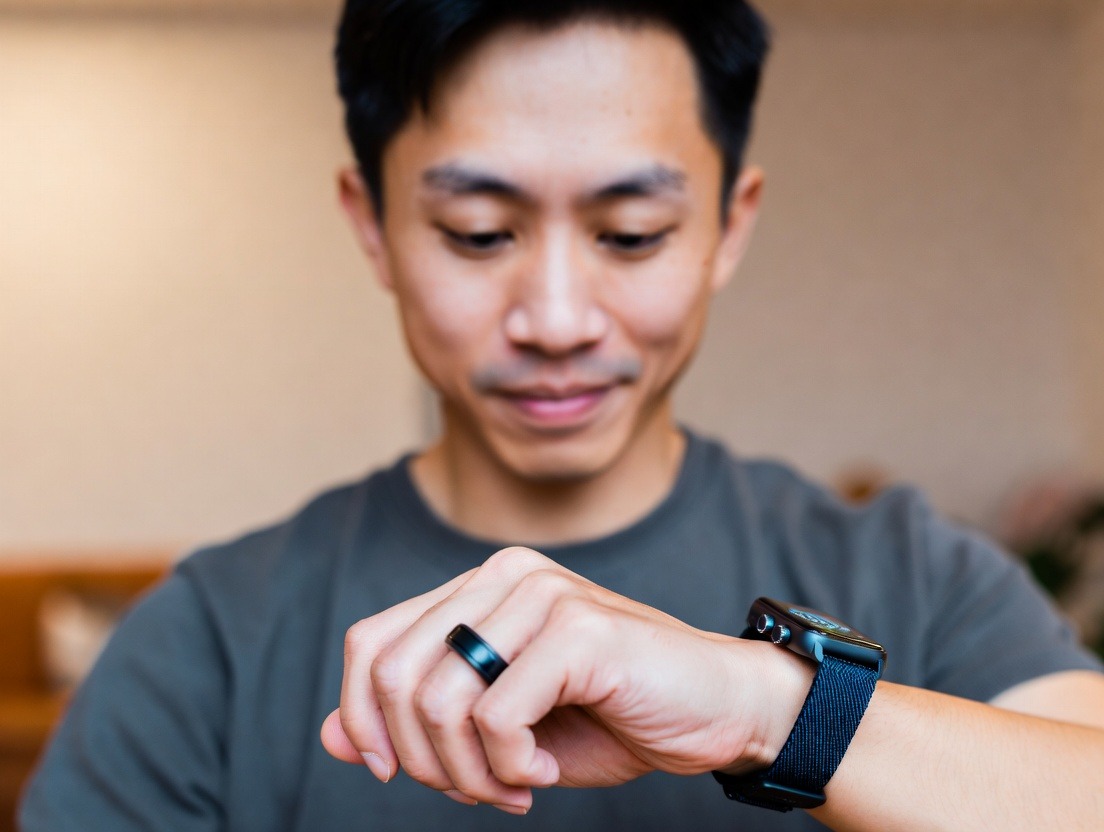
Theory and feature lists only tell half the story. To truly understand which device might work, we need to step into the daily life of a senior user. Here, we examine three categories of smartwatches through the lens of ease of use, focusing on real-world interaction rather than technical specifications.
Category 1: The Mainstream Powerhouse (Apple Watch SE/Series 9)
The Apple Watch is arguably the gold standard for integrated safety and health. But is it “senior-friendly”?
Category 2: The Purpose-Built Senior Watch (Simplified Models like the Lively Flip, Consumer Cellular ConnectPro)
These devices strip away the smartwatch complexity to focus on core safety and communication.
Category 3: The Android Alternative (Samsung Galaxy Watch6, Fitbit Sense 2)
The Android/Wear OS landscape offers compelling options, often at more accessible price points.
The Common Thread in Success: Across all smartwatch types, success stories from users on platforms like our testimonials page share a common theme: the device was set up with the senior’s specific capabilities in mind. The buttons were labeled, the watch face was simplified, and the family practiced using the SOS feature together. The watch wasn’t just given; it was integrated.
Smart rings are a newer category, so the “senior-friendly” lens is even more critical. We evaluate them not as tech gadgets, but as health tools meant for 24/7 wear.
Category 1: The Health & Wellness Leader (Oura Ring Generation 3)
Oura is synonymous with the smart ring category, famed for its sleep and recovery analytics.
Category 2: The Emerging Contender with Broader Goals
Newer entrants in the ring space (like devices from RingConn, Circular, and others) are competing by offering features Oura lacks, often without a subscription.
Category 3: The Future-Focused & Medical-Grade
This includes rings moving toward FDA clearance for specific metrics (like the Movano Ring) and concepts from companies exploring deeper senior safety.
The Ring Reality Check: For a senior, the smart ring’s success depends almost entirely on two factors: 1) A perfect, comfortable fit achieved through careful sizing, and 2) A supportive family member or caregiver who can help interpret the app data and turn insights into actionable conversations (“Your sleep data shows you’re restless; let’s talk to the doctor about it.”). The ring is a partnership device.
Fall detection is the killer app for senior wearables. But it’s not magic. Understanding its mechanics, limitations, and real-world performance is critical for setting realistic expectations and ensuring trust in the device.
The Sensor Suite: More Than Just a Thud
Both watches and (potentially) rings use a combination of sensors:
The Watch Sequence: Impact to Help
Limitations and False Alarms: Setting Realistic Expectations
No system is perfect. Understanding the pitfalls prevents frustration:
The Ring Dilemma: Why Fall Detection is Harder on a Finger
This explains why rings lack this feature currently. The physics are different:
The Bottom Line for Seniors: A watch with fall detection is a proven, reliable safety net for high-impact, incapacitating falls. It is not an omniscient guardian that will catch every stumble. Its value is in covering the worst-case scenario. For a comprehensive look at how different safety features are implemented, our blog features ongoing analysis and updates. Families should have a conversation: “This watch can call for help if you have a bad fall and can’t get up. But you still need to be careful, and if you ever feel unwell, press and hold this side button.”
Data is only as good as your ability to understand it. For seniors and their families, the flood of information from a wearable can be confusing or even anxiety-inducing. This section is a translator’s guide, focusing on the key metrics that matter most for aging well.
Heart Rate (HR): The Body’s Engine
Heart Rate Variability (HRV): The Measure of Resilience
Blood Oxygen Saturation (SpO2): The Breath of Life
Sleep Stages: The Architecture of Restoration
Body Temperature: The Silent Sentinel
How to Have the “Data Talk” with a Doctor:
The goal is not to become your own doctor, but to become a more informed partner in your healthcare. Wearables provide the evidence to have more productive conversations. For more resources on turning data into action, our blog is a dedicated resource.
The wearable landscape is evolving at a breakneck pace. The devices of tomorrow will make today’s rings and watches look like rudimentary tools. For seniors and families planning for the long term, understanding these trends is exciting and empowering.
1. Multi-Sensor Fusion and “Contextual Awareness”
Future devices won’t just measure metrics in isolation. They will fuse data from multiple sensors to understand context. Example: A future ring might detect a fall signature combined with a sudden spike in heart rate and a cry for help (via built-in microphone analysis). This multi-factor confirmation would drastically reduce false alarms and increase detection accuracy for non-stereotypical falls. Similarly, understanding that an elevated heart rate occurred during a walk (via GPS/accelerometer) vs. while sitting still gives completely different meaning to the data.
2. Non-Invasive Continuous Glucose Monitoring (cgM)
This is the holy grail. Several major companies are racing to develop optical sensors that can estimate blood glucose levels without finger-prick blood samples. For the millions of seniors managing Type 2 diabetes or prediabetes, this would be transformative. Imagine a ring or watch that could alert you to rising or crashing glucose levels in real-time, allowing for dietary adjustments and better overall management, reducing the risk of dangerous hyperglycemic or hypoglycemic events.
3. Advanced Biomarkers: Hydration, Blood Pressure, and Cortisol
4. True Medical-Grade Validation and Integration
The gap between “wellness” devices and “medical” devices will narrow. We will see more wearables receiving FDA clearance or CE marking as Class II medical devices for specific indications, like atrial fibrillation detection or sleep apnea screening. This will give doctors more confidence in the data and could lead to direct integration with Electronic Health Records (EHRs), where a patient’s longitudinal wearable data flows seamlessly into their official medical chart for review during appointments.
5. AI-Powered Predictive Health and Personalized Coaching
Beyond tracking, the next frontier is prediction and prescription. Artificial Intelligence will analyze the massive longitudinal dataset from a wearable to identify subtle, individual patterns that precede a health event. It could alert: “Based on the combination of your elevated temperature, decreased HRV, and restless sleep, you have a 75% likelihood of developing a cold in the next 48 hours. Suggested action: Rest, increase fluid intake, and consider taking Vitamin C.” This moves from reactive to truly preventive care.
6. Enhanced Haptics and “Smarter” Alerts
Haptic feedback (vibrations) will become more sophisticated. Instead of a generic buzz, devices could use patterned vibrations to convey specific information—a gentle pulse for a medication reminder, a distinct pattern for a fall alert to a caregiver, or even navigational taps to guide someone with dementia back to a safe location.
The Senior-Centric Design Revolution: Crucially, all this technology will be packaged with senior needs at the forefront. This means even more intuitive interfaces, automatic and wireless charging solutions (like charging pads you simply place your hand on), and designs that are not just discreet, but also stylish and personal. Companies that succeed will be those, like us at Oxyzen, who embed empathy into engineering from the start. You can follow our journey in embracing these future trends here.
Your Trusted Sleep Advocate: Sleep Foundation — https://www.sleepfoundation.org
Discover a digital archive of scholarly articles: NIH — https://www.ncbi.nlm.nih.gov/
39 million citations for biomedical literature :PubMed — https://pubmed.ncbi.nlm.nih.gov/
Experts at Harvard Health Publishing covering a variety of health topics — https://www.health.harvard.edu/blog/
Every life deserves world class care :Cleveland Clinic - https://my.clevelandclinic.org/health
Wearable technology and the future of predictive health monitoring :MIT Technology Review — https://www.technologyreview.com/
Dedicated to the well-being of all people and guided by science :World Health Organization — https://www.who.int/news-room/
Psychological science and knowledge to benefit society and improve lives. :APA — https://www.apa.org/monitor/
Cutting-edge insights on human longevity and peak performance:
Lifespan Research — https://www.lifespan.io/
Global authority on exercise physiology, sports performance, and human recovery:
American College of Sports Medicine — https://www.acsm.org/
Neuroscience-driven guidance for better focus, sleep, and mental clarity:
Stanford Human Performance Lab — https://humanperformance.stanford.edu/
Evidence-based psychology and mind–body wellness resources:
Mayo Clinic — https://www.mayoclinic.org/healthy-lifestyle/
Data-backed research on emotional wellbeing, stress biology, and resilience:
American Institute of Stress — https://www.stress.org/