


The Wearable Wellness 101 Guide to Troubleshooting Issues
A guide to solving common technical problems or issues with wearable devices.
A guide to solving common technical problems or issues with wearable devices.
%402x.svg)
In the quiet hum of the modern pursuit of health, a silent revolution sits on our fingers. The smart ring, a minimalist piece of unassuming technology, has become a vault for our most intimate data: the rhythm of our heart, the depth of our sleep, the silent story of our stress. It promises a quantified self, a path to better living through awareness. But what happens when the data seems wrong? When your ring claims you slept soundly through the baby’s 3 a.m. cry, or your heart rate graph looks more like a frantic EKG during a meditation session? The promise of wellness can quickly curdle into frustration.
This guide is your compass through that frustration. Consider this not just a troubleshooting manual, but a foundational course in becoming an empowered partner to your wearable. We will move beyond simple “turn it off and on again” solutions and dive into the why behind the common issues plaguing smart ring users. From mysterious battery drains and baffling biometric readings to the existential crisis of syncing failures, we’ll unpack the science, the software, and the human factors at play. By understanding the intricate dance between sensor, skin, and circumstance, you’ll transform from a passive data recipient into an active, informed analyst of your own wellbeing. Let’s begin by resetting our expectations and laying the groundwork for a flawless wearable experience.

Before we diagnose a single problem, we must establish what “normal” actually looks like. A smart ring is a marvel of miniaturization, but it is not medical-grade hospital equipment. It’s a wellness tool, designed for trends and insights over absolute, clinical precision. Expecting it to match the accuracy of a chest-strap ECG or a polysomnography sleep study in a lab is like expecting a weather app to predict the exact minute rain will fall on your porch. It provides incredibly valuable patterns, not infallible point-in-time truths.
The core principle is relative accuracy. Your ring excels at showing you how your heart rate variability (HRV) last night compares to your 30-day average, or if your resting heart rate is trending upward during a stressful work week. A sudden 10-bpm spike during a tense movie is expected; the same spike while reading a book might warrant a note. The value is in the longitudinal dataset—the story of you over time.
Furthermore, these devices operate on a principle of intelligent estimation. Sleep staging (light, deep, REM), for instance, is algorithmically derived from movement, heart rate, and temperature data. It’s a highly educated guess. If you lie perfectly still while awake, the algorithm may interpret that as sleep. This isn’t a “bug” in the classic sense; it’s a limitation of non-invasive, consumer technology. Embracing this reality is the first step to using your ring effectively. Instead of asking, “Was I really in REM sleep for 92 minutes?” ask, “How does my reported sleep architecture tonight compare to nights after I exercised, or nights I didn’t have blue light before bed?”
Setting this baseline of understanding prevents unnecessary alarm and helps you focus on the ring’s true power: revealing impactful lifestyle correlations. For example, you might discover that your reported deep sleep dips after late dinners, a valuable insight regardless of the exact minute-by-minute sleep stage accuracy. This foundational acceptance allows us to move forward and tackle the real, solvable issues that can obscure these powerful insights.
Few things are as disappointing as reaching for your wellness insights only to find a blank screen where your ring’s app should be displaying data, all because the battery died prematurely. Promised battery life is often given under ideal laboratory conditions, but your real-world experience depends on a symphony of settings and habits.
The Primary Culprits: Frequent Syncing and High-Resolution Data
Every time your ring syncs with your phone, it uses a burst of energy. The default setting for many rings is continuous or very frequent syncing. This is great for near real-time data but terrible for battery longevity. Adjust your sync frequency to a few times a day (e.g., morning and evening). Manual syncing when you open the app is the most battery-efficient method.
Secondly, certain high-fidelity features are power-hungry. Continuous SpO2 (blood oxygen) monitoring, all-night skin temperature measurement at the highest sampling rate, and workout mode with live GPS tracking from your phone will dramatically reduce battery life. Use these features intentionally. Enable SpO2 monitoring for specific nights if you’re investigating sleep apnea concerns, not necessarily every night.
Environmental and Usage Factors
Cold temperatures are a known enemy of lithium-ion batteries. A winter run can sap battery life faster than a summer stroll. The fit also matters. A ring that’s too loose may struggle to maintain a consistent sensor connection, causing it to search for a signal and use more power. A proper fit ensures efficient operation.
The Optimization Checklist:
By treating your ring’s battery not as a given, but as a resource to be managed based on your personal data needs, you can easily stretch its life to meet or exceed advertised claims. This proactive management ensures your device is alive and collecting data when you need it most.
If battery life is the fuel, a stable connection is the highway for your data. When syncing fails, it feels like your wellness journey has hit a dead end. The data is trapped on the ring, growing stale, while the app shows yesterday’s—or last week’s—information. This breakdown usually occurs in the handshake between ring, phone, and cloud.
The Bluetooth Blues
Bluetooth is a low-energy protocol, but it’s also finicky. The most common fix is the simplest: toggle your phone’s Bluetooth off and on. This refreshes the connection stack. Next, ensure your phone’s OS and the ring’s companion app are updated. An outdated app is a frequent source of persistent sync failure.
Ring Re-Pairing Ritual
If toggling Bluetooth doesn’t work, the nuclear option is to remove the ring from your phone’s Bluetooth device list and within the app itself, then re-pair it as a new device. Think of this as reintroducing two friends who have had a minor misunderstanding; it resets the relationship with a clean slate.
The Phantom App Kill
On iOS and Android, battery-saving features can aggressively close background apps. If your ring’s companion app is “killed” in the background, it cannot receive data. Go into your phone’s settings, find the app under “Battery” or “App Management,” and disable battery optimization for it, allowing it to run in the background.
Cloud Congestion and Account Conflicts
Sometimes, the issue isn’t local. Try logging out of the app and back in. This refreshes your session with the cloud servers. Also, ensure you’re not accidentally logged into multiple accounts across devices, which can cause data conflicts that halt syncing.
A consistent sync is the lifeblood of the wearable experience. By methodically working through this checklist—Bluetooth toggle > App/OS update > Re-pair > Background permissions > Cloud re-login—you’ll resolve the vast majority of connectivity gremlins and ensure your data flows freely from your finger to your insights dashboard.
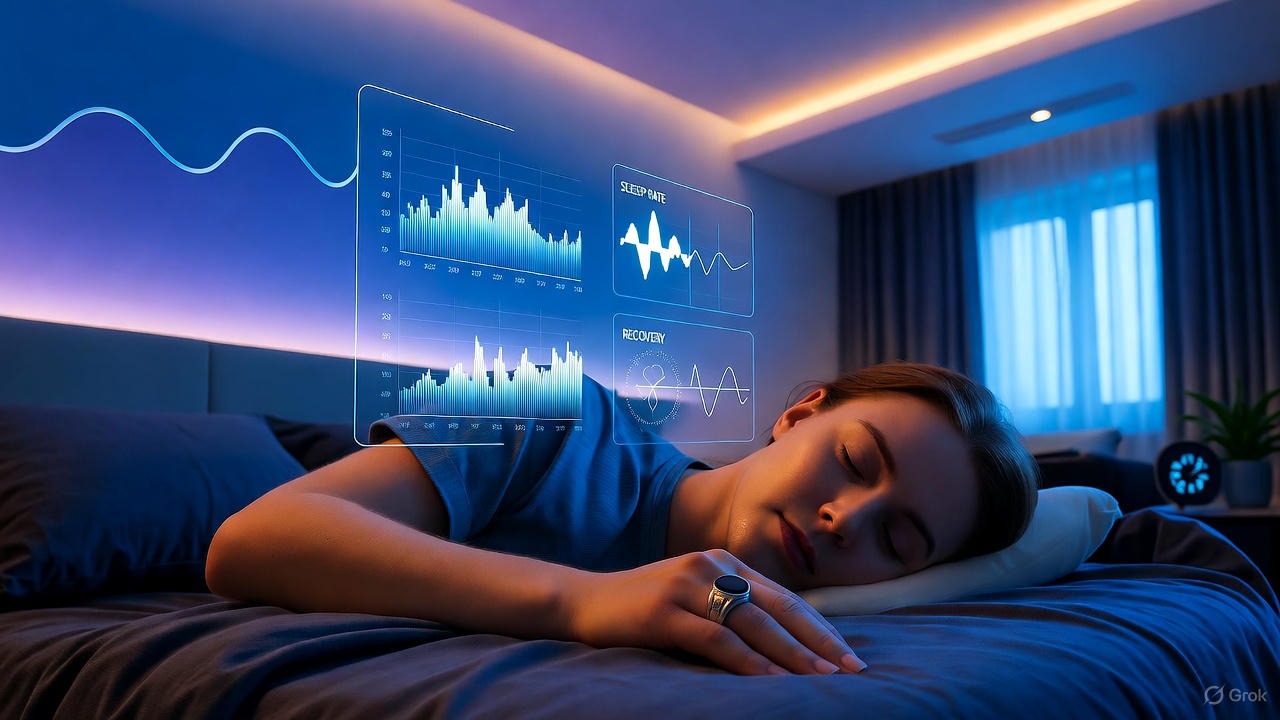
This is the core of the trust crisis. You feel exhausted, but your ring gives you a “Sleep Score” of 92. You’re lounging on the couch, and it shows your heart rate at 120 BPM. These moments make you want to toss the device out the window. But before you do, let’s explore the myriad reasons biometric data can go astray.
The Sensor-Skin Interface: The First Law of Wearables
All optical heart rate sensors work by shining LED light into your skin and measuring how much light is absorbed by blood flow. Any gap between the sensor and your skin is catastrophic for accuracy. This is why fit is paramount. A ring that spins easily or can be rocked side-to-side on your finger will produce noise, gaps, and “motion artifacts”—false signals caused by movement. The ring should be snug enough that removing it requires a gentle, deliberate pull over your knuckle with a bit of soapy water, but not so tight that it leaves a deep indentation or causes discomfort.
Environmental Noise
Cold fingers mean reduced peripheral blood flow. The sensor has to work harder, and readings can become erratic or drop out entirely. Intense hand or arm movements (typing, cooking, weightlifting) can flood the sensor with motion noise, making it impossible to discern your true pulse. During these times, the data may be flagged as unreliable or show wild, implausible spikes.
The Algorithm’s Guess
Remember, sleep stages and HRV are not directly measured; they are calculated. The algorithms that derive these metrics are trained on large datasets, but they are not you. They make assumptions. A high resting heart rate during sleep could be interpreted as light sleep or an awake period. An unusually still awake period might be labeled as sleep. This is where the journaling feature becomes your most powerful tool. Note down that you had a late, heavy meal, took cold medicine, or had an argument before bed. Over time, you’ll be able to cross-reference these notes with your data, teaching you how your body’s signals manifest in the app’s metrics, thereby transforming apparent inaccuracies into profound personal insights. For instance, you might see that even if your sleep score is high, your deep sleep percentage is low after stressful days, prompting you to explore nighttime wellness rituals that take less than 30 minutes to proactively manage stress.
We’ve mentioned fit in passing, but it deserves its own commanding section. The fit of your smart ring is the single greatest determinant of data quality, battery life, and overall user experience. It is the bedrock.
Finding the "Goldilocks Zone"
A perfect smart ring fit is different from a conventional jewelry ring fit. It must be:
Finger Selection and Physiology
Not all fingers are created equal. The index and middle fingers often have better blood flow and less dexterity-related motion than the ring finger, making them prime candidates for consistent readings. Finger size can fluctuate dramatically throughout the day due to temperature, hydration, salt intake, and hormonal cycles. It’s common to need a slightly larger size for summer or for the dominant hand, which tends to be slightly larger.
The Impact of Poor Fit:
Pro Tip: Get professionally sized at a jeweler later in the day, when your fingers are at their largest. Consider the seasonal variation and, if possible, use a sizing kit from the ring manufacturer over several days, testing the fit during different activities and times. A proper fit transforms the device from a quirky gadget into a reliable wellness partner. This physical foundation is as crucial to your data as a consistent nighttime routine is to your sleep quality, setting the stage for all other metrics to be meaningful.
For many, the addition of continuous body temperature tracking is a game-changer, offering clues for ovulation cycles, illness onset, and sleep quality. However, it’s also one of the most misunderstood and context-dependent metrics.
Skin Temperature vs. Core Temperature
This is the critical distinction. Your smart ring measures the temperature of the skin on your finger, not your core body temperature (like an oral thermometer). Skin temperature is a proxy that is influenced by core changes, but it is also wildly sensitive to your environment. It’s the difference between measuring the temperature inside your house (core) versus on your front porch (skin).
Establishing a Personal Baseline
The ring doesn’t care if your baseline skin temperature is 90°F or 85°F. It cares about deviations from your normal. This is why it takes at least 2-3 weeks of consistent wear (especially overnight) to establish a reliable baseline. During this period, ignore absolute values and focus on letting the algorithm learn you.
Common Causes of "False" Shifts:
Interpreting the Data Correctly
A sustained elevation in your nightly average skin temperature (over several hours) is a more reliable signal of potential illness or hormonal shift than a momentary spike. Always cross-reference temperature data with other metrics. A high temperature reading coupled with an elevated resting heart rate and low HRV is a much stronger indicator of your body fighting something than any one metric alone. Learning to separate the environmental noise from the true physiological signal is key to using temperature data effectively, much like learning to distinguish between nighttime routine mistakes that ruin your sleep and harmless variations in your evening habits.
You’ve crushed a spin class or logged a long run, only to find your ring recorded a "walk" or, worse, completely missed the activity. When it comes to dynamic movement, the limitations of a finger-worn device become more apparent, but they are not insurmountable.
The Manual Start/Stop Imperative
For any structured workout where you want accurate calorie burn, heart rate zones, and activity classification, always manually start a workout session in the app. This tells the ring to shift into high-frequency data capture mode, prioritize heart rate accuracy, and, if you carry your phone, integrate GPS for pace and distance. Relying solely on the auto-detection feature is a recipe for missed or mislabeled activities.
Understanding Auto-Detection Limits
Auto-detection algorithms look for sustained patterns of movement and elevated heart rate. A 45-minute weightlifting session with periods of rest between sets may not trigger an auto-detect, as the heart rate may fluctuate too much. A brisk walk with your arms swinging likely will. Use auto-detect as a helpful backup for spontaneous walks, not as your primary workout logger.
The Location Matters: Finger vs. Wrist
During activities like cycling, rowing, or weightlifting where you grip equipment, the sensors on your finger can be occluded, cutting off blood flow and causing heart rate dropouts. The ring may also interpret the pressure and vibration from gripping a barbell as noise. For these activities, a manual start helps, but recognize that a finger-based device may never be as reliable as a wrist-based optical sensor or a chest strap for pure, peak athletic accuracy. Its strength lies in 24/7 readiness and recovery metrics, not necessarily in being the ultimate high-intensity interval training (HIIT) coach.
Optimization Tips:
By understanding the ring’s strengths and weaknesses in an active context, you can leverage it to complement, rather than replace, your existing fitness tracking habits.
You’ve solved the hardware issues, but now the software itself is speaking a language you don’t understand. Why is your "Readiness Score" low when you feel great? Why does the app show conflicting information on different screens? Navigating the app’s logic is the final step to mastery.
Decoding the Composite Scores
Most apps boil your data down into simple scores: Sleep Score, Readiness Score, Stress Score. These are proprietary algorithms that weigh various metrics. You must find the "why" behind the score. Dig into the sub-scores. A low Readiness Score might be driven solely by a poor "Sleep Balance" sub-score because you got fewer hours than your personal target, even if your HRV and resting heart rate were excellent. Don’t take the top-line number at face value; use it as a prompt to investigate the contributing factors.
Data Latency and "Finalized" Scores
Sleep data, in particular, often takes time to process. The score you see upon waking might be a preliminary estimate. It may adjust slightly an hour later as the algorithm completes its full analysis. Avoid the morning ritual of fixating on the immediate score; check back later for the finalized version.
Navigating Conflicting Interpretations
Sometimes, the trend graph on the homepage might tell a different story than the detailed breakdown in the sleep analysis page. This is usually a matter of timeframes (7-day average vs. single night) or metric focus. When in doubt, trust the raw data graphs (heart rate, HRV, temperature) over the interpreted scores. They are less prone to algorithmic quirks.
Personalization is Key
Go deep into the app settings. Can you set your own sleep duration goal? Can you adjust which metrics are prioritized for your Readiness Score? The more you tailor the app’s goals to align with your personal physiology and priorities, the more meaningful its guidance will become. An app telling you to "take it easy" based on a generic algorithm is annoying. An app suggesting recovery because it knows your baseline HRV is 15% below your normal is invaluable insight. This process of personalization turns a confusing dashboard into a clear report on your wellbeing, much like how building a nighttime routine that actually sticks requires tailoring general advice to your specific life and preferences.
Your smart ring is measuring you, not a generic human. Therefore, anything that affects your autonomic nervous system, circulation, or sleep architecture will be reflected in the data. Often, we blame the device for "inaccuracies" when it is, in fact, accurately capturing a real perturbation caused by our own choices or biology.
Common Influencers:
Becoming Your Own Biologist
This isn’t a problem to solve, but an opportunity to deepen your self-knowledge. Use the journal feature religiously. Log that you had two glasses of wine, started a new medication, or are in your luteal phase. When you later see a spike in resting heart rate or a dip in HRV, you can reference your notes. Instead of thinking, "My ring is broken," you’ll think, "Ah, this is how my body responds to that."
This understanding fosters self-compassion and data-driven decision-making. You’ll learn which lifestyle factors have the most significant impact on your metrics, allowing you to experiment with changes, like implementing a science-backed nighttime routine for better sleep, and quantitatively observing the results. Your ring becomes a mirror reflecting the consequences of your choices, filtered through the lens of your unique biology.
A smart ring is a sophisticated piece of electronics exposed to sweat, lotion, soap, and dirt. Proactive care prevents a multitude of common performance issues before they start.
The Cleaning Ritual
Daily: Wipe the ring gently with a soft, lint-free cloth, paying attention to the sensor bump on the inside. This removes oils and sweat.
Weekly: Use a cotton swab lightly dampened with isopropyl alcohol (70% or higher) to carefully clean the sensors. Let it air dry completely before wearing. Never submerge the ring in alcohol or use harsh chemicals.
Crucially: Remove your ring when applying lotion, sunscreen, or insect repellent. These substances can coat the sensors and are difficult to remove.
Charging Best Practices
Use only the charger provided by the manufacturer. Ensure the charging pins on the ring and dock are clean and making good contact. Charge on a hard, stable surface, not a soft bed or couch where the dock can overheat. As mentioned, avoid full 0-100% cycles constantly; partial charges are healthier for long-term battery life.
The Critical Role of Firmware Updates
When a manufacturer releases a firmware update, it often includes:
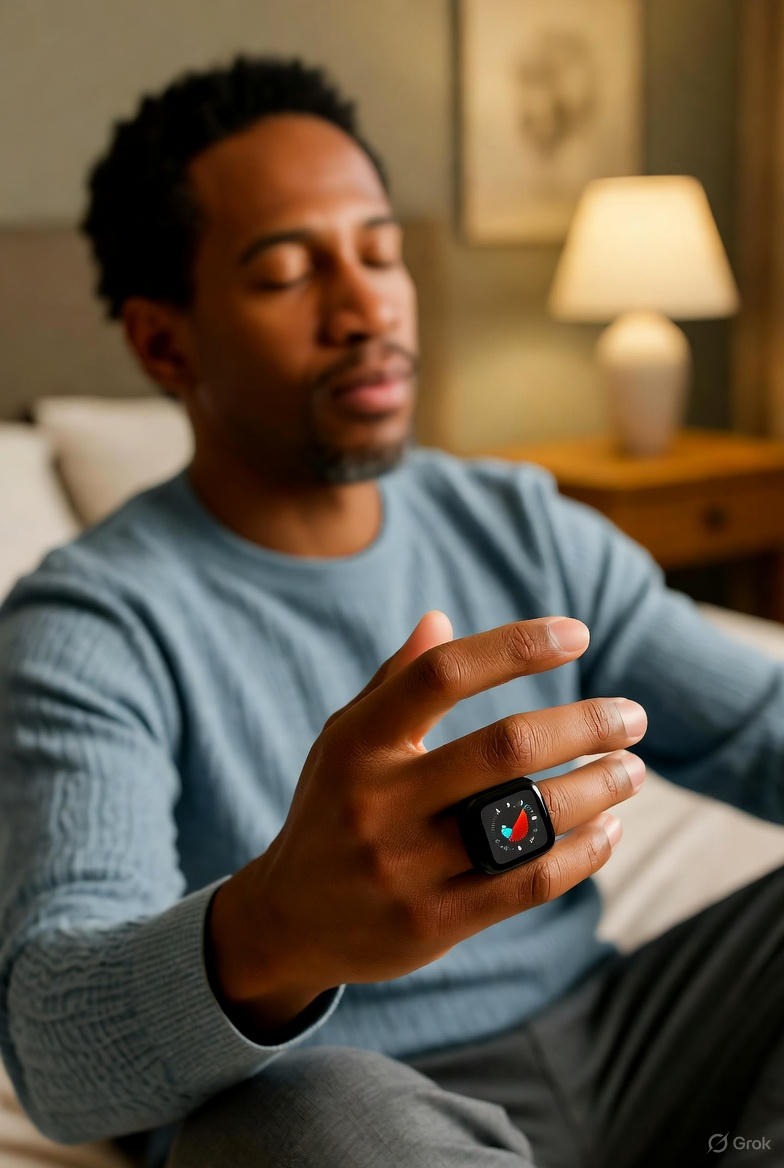
We’ve established the groundwork, tackled the common technical hiccups, and begun to appreciate the profound influence of our own biology on the data we see. Now, we move beyond reactive problem-solving into the realm of proactive mastery. This portion of the guide is dedicated to transforming you from a passive wearer into an active interpreter and strategist. We’ll dive into the nuanced world of data trends, explore advanced features, understand the ecosystem your ring operates within, and ultimately, learn to use this tool not just to track your life, but to thoughtfully and effectively change it for the better.
The single greatest mistake a smart ring user can make is obsessing over last night’s sleep score or this morning’s HRV in isolation. These devices are not designed for daily report cards; they are designed for longitudinal analysis. The magic—and the true troubleshooting of your wellness—lies in the trends.
The Power of the Weekly & Monthly View
Shift your primary focus from the “Today” tab to the “Weekly” or “Monthly” overview. Here’s what to look for:
Correlation Over Causation (At First)
The ring reveals correlations, not proven causes. Your job is to be the detective. Use the tagging or journal feature to note events: “Intense Leg Day,” “Business Trip,” “Social Event with Alcohol,” “Started Meditation,” “Felt a Cold Coming.” When you later view a trend, you can overlay these tags. You might discover that “Social Event” tags consistently precede a 3-day dip in HRV, or that “Meditation” tags often correlate with a higher sleep consistency score. This turns vague feelings into actionable intelligence.
Establishing Your Personal “Normal” Range
Forget population averages. What’s normal for a 25-year-old athlete is irrelevant to a 50-year-old executive. Your ring’s baseline is your normal. Once you have 60-90 days of data, you can identify your personal healthy ranges. For example, you might learn that your HRV typically fluctuates between 45-65 ms. A reading of 35 ms is a significant deviation for you, even if it’s “average” for someone else. This personalized baseline makes the data profoundly more meaningful and alerts you to times when your body is genuinely signaling for rest, perhaps prompting you to explore a nighttime routine for anxious minds to help downregulate your nervous system.
Actionable Insight: Spend 10 minutes every Sunday reviewing your weekly trends. Don’t judge; observe. Ask: “What patterns do I see? What lifestyle events coincided with my highs and lows?” This habit shifts you from a state of daily reactivity to one of strategic, weekly planning for your wellbeing.
Most modern smart rings offer some form of stress or recovery scoring, often based on Heart Rate Variability (HRV), resting heart rate (RHR), and sometimes respiratory rate. Understanding these metrics is key to avoiding burnout and optimizing performance.
Heart Rate Variability (HRV): The King of Recovery Metrics
HRV measures the subtle variations in time between each heartbeat. A higher HRV generally indicates a more resilient, adaptable autonomic nervous system—your body is ready for challenge. A lower HRV suggests your system is fatigued, stressed, or possibly fighting illness.
Resting Heart Rate (RHR) and Its Rebound
Your RHR is a straightforward but powerful metric. A downward trend over months indicates improved fitness. An acute spike (5+ bpm above your baseline) upon waking can be a strong early sign of impending illness, dehydration, or insufficient recovery from training.
Respiratory Rate: The Silent Messenger
The number of breaths you take per minute during sleep is remarkably stable in healthy adults. A sustained increase in your nighttime respiratory rate (even by 1-2 breaths per minute) can be an early, non-specific sign of physiological stress, from the onset of a respiratory infection to metabolic strain or anxiety.
Integrating the Signals for a Holistic Picture
Never rely on one metric. Cross-reference them:
Learning to listen to this symphony of data allows you to honor your body’s need for rest, making proactive choices rather than pushing through until you crash. It empowers you to tailor your day, perhaps swapping a high-intensity workout for gentle movement and ensuring you follow the minimal nighttime wellness routine with 5 essential steps to secure quality recovery.
Your smart ring holds a vital piece of your health puzzle, but it’s not the only piece. Its data becomes exponentially more powerful when combined with other streams of information. Most rings offer integration with major health ecosystems like Apple Health, Google Fit, and Strava.
The “Central Hub” Strategy
Use Apple Health (iOS) or Google Fit (Android) as your central, agnostic health database. Grant your smart ring app permission to write data to this hub. Then, grant other specialized apps permission to read from it.
Fitness and Training Integration
Syncing your ring with Strava or TrainingPeaks is a game-changer for athletes. This allows your daily readiness/recovery score to sit alongside your planned workouts. A savvy athlete might see a low recovery score and decide to adjust a planned intense session to a Zone 2 endurance day, thereby following a true body-guided training approach and reducing injury risk.
The Limits of Integration
Be aware that not all data transfers perfectly. A “Sleep Score” is a proprietary algorithm and may not sync; instead, the underlying raw data (heart rate, time in bed) will flow through. Stress scores also often don’t transfer. The value is in getting the foundational biometrics into a common repository.
Troubleshooting Sync Between Apps
If data isn’t flowing from your ring app to Apple Health/Google Fit:
This is a critical, often overlooked chapter in wearable wisdom. The relentless quantification of self can, paradoxically, become a source of stress—a condition sometimes called “orthosomnia” (an unhealthy preoccupation with perfect sleep data) or more broadly, “wearable anxiety.”
Recognizing the Signs of Data Anxiety
The Primacy of Subjective Feeling
Your lived experience is the ultimate metric. If you wake up feeling refreshed and energized, but your ring says you got only 6 hours of light sleep, trust your body. The data may be incomplete or misinterpreted. Conversely, if you feel groggy and drained but your score is a 90, you are still groggy and drained. The ring is a tool to inform your feelings, not override them.
Implementing “Data Sabbaths”
Consider taking regular breaks from checking the data. This could mean:
Reframing the Goal
The goal is not to achieve perfect scores every day. The goal is to use the data to make small, sustainable improvements that enhance your quality of life. The ring should be a helpful advisor, not a tyrannical scorekeeper. If it’s causing more stress than it’s alleviating, it’s time to step back and recalibrate your relationship with it. This balanced approach is the hallmark of a sustainable practice, whether in data tracking or in establishing nighttime wellness for busy professionals with realistic routines.
Despite your best care and correct fit, you may encounter issues that suggest a deeper problem. Here’s how to systematically diagnose a potential hardware fault.
The Isolation Test
To rule out environmental and phone-based issues:
Identifying Specific Hardware Failures
Documenting for Support
Before contacting customer support, document the issue:
A methodical approach here separates a legitimate warranty claim from a solvable user-error issue, ensuring you get the right help quickly.
You likely use only 20% of your ring’s companion app. A deep exploration of the settings menu can unlock customization that makes the device truly yours.
Notification Customization
Beyond calls and texts, can you set haptic alerts for:
Data Display Preferences
Research & Beta Features
Many developers release new metrics or algorithms as “beta” or “labs” features. These might include:
Enabling these features lets you be on the cutting edge of your own biometrics, though they may come with a note about reduced battery life or being “experimental.” Tinker with these settings to build an app experience that delivers the information you find most valuable, in the way you want to see it. This is the digital equivalent of customizing seasonal nighttime routines to adapt to your body’s needs—a personalization that yields greater relevance and impact.
Travel disrupts routines and, by extension, your biometric data. It also introduces technical challenges for your wearable. Managing this proactively keeps your data meaningful.
The Time Zone Conundrum
If you cross time zones, your ring’s interpretation of your sleep can become scrambled. A 6-hour flight might be logged as a daytime nap and then a fragmented night’s sleep.
Managing Expectations During Travel
Expect your metrics to be “noisy.” Jet lag, dehydration from air travel, unfamiliar beds, changed diets, and altered activity patterns will all affect your HRV, RHR, sleep, and temperature. Do not panic. View travel as an experiment. You can tag these days and later observe how long it takes your body, according to the data, to fully adapt to a new time zone. This is invaluable personal insight for future trips.
Keeping the Ring Charged and Connected
Remember to pack your proprietary charger. In-flight mode or periods without your phone (e.g., on a hike) will cause data to be stored locally on the ring until it can sync later. This is normal. Just ensure you give it a good sync and charge once you’re back near your phone and a power source.
The “Reset” Upon Returning Home
Don’t expect your metrics to normalize the day you return home. It can take 3-7 days for your body’s circadian rhythms and your data to fully settle back into your home baseline. Grant yourself—and your data—this grace period. This understanding helps you avoid misinterpreting post-travel disturbances as illness or fitness loss, allowing you to gently reintegrate your normal habits, including your trusted family nighttime wellness routine for adults and kids.
Sometimes, the most specific and ingenious solutions don’t come from the official support page, but from fellow users who have encountered—and solved—the exact same obscure problem.
Where to Find Your Tribe
How to Engage Effectively
Caveats and Curation
Remember that community advice is unofficial. Take any suggested “hacks” or firmware modification ideas with extreme caution, as they could void your warranty. Use the community for troubleshooting ideas and moral support, but rely on official channels for warranty claims and critical safety issues. The collective intelligence found here can be the key to solving those one-off, perplexing issues that aren’t covered in any manual.
The wearable on your finger today is not static. Its capabilities evolve through software. Embracing this change is key to long-term value.
Adopting a “Growth” Mindset with Your Device
View major firmware updates as free upgrades to your hardware. A new sleep staging algorithm isn’t a critique of the old one; it’s an improvement based on millions of hours of new data. When a new metric (like “Temperature Trends” or “Nighttime Movement”) is released, take time to learn about it. Read the company’s blog post explaining the science behind it.
The Update Process Itself
Staying Informed
Subscribe to your ring manufacturer’s official newsletter or blog. Follow their official social media for update announcements and educational content. This proactive learning ensures you’re always getting the maximum potential from your investment and can quickly understand new features designed to help you, such as insights into how nighttime routines reduce morning grogginess.
The Long Game
Your first month with a smart ring is about novelty. Your first year is about establishing baselines. Years two and beyond are where the profound insights live: seeing how your metrics shift with major life changes, aging, different training blocks, or sustained lifestyle interventions. By committing to adapt with the software and interpret with wisdom, you build a multi-year, objective diary of your health—an asset of incalculable personal value.
You have journeyed from troubleshooting technical glitches to interpreting nuanced biometric trends. You’ve learned when to heed the data’s warning and when to trust the wisdom of your own body. Now, we arrive at the culmination: weaving this powerful stream of self-knowledge into the very fabric of your daily life. This final portion of the guide is about transcendence—moving beyond the ring as a distinct tool and allowing its insights to become an intuitive, empowering layer of your consciousness. We will explore strategic life planning based on data, address the unique needs of specialized populations, consider the long-term journey, and finally, envision a future where wearable wellness is a seamless part of human flourishing.
Data is inert without action. The ultimate value of your wearable is its ability to inform and optimize your real-world decisions—from your workout schedule to your project deadlines. This is where you transition from observer to architect.
Periodization for Life, Not Just Athletics
Athletes use periodization—cycling through phases of stress and recovery—to peak for competition. You can apply this same principle to your life using your readiness or recovery score.
The “Data-Informed Negotiation”
Use your trends as an objective tool for self-advocacy. Seeing a predictable dip in recovery every fourth week can help you plan a lighter workload in advance. If you know travel disrupts your sleep for three days, you can block your calendar for deep work upon return instead of scheduling back-to-back meetings. Your biometrics become a non-negotiable piece of evidence in planning a sustainable life.
Goal Setting with Feedback Loops
Instead of setting arbitrary goals (“exercise more”), set process goals informed by your data (“achieve an average HRV of 60ms for the month” or “increase my weekly sleep duration by 30 minutes”). The ring provides the immediate feedback loop. Did your new nighttime routine for athletes maximizing recovery move the needle on your deep sleep percentage? The data will tell you, allowing for rapid experimentation and iteration. This turns vague aspirations into measurable, achievable experiments in living better.
While the principles of wearables apply to all, certain populations have unique needs and must interpret data through a specialized lens.
For the Athlete:
For Those Managing Chronic Illness or Fatigue:
For the Shift Worker:
For all these groups, the wearable is less about achieving perfect scores and more about navigating unique physiological challenges with greater awareness and agency.
As your dataset stretches into years, it transforms from a wellness log into a powerful health narrative. This longitudinal view offers insights no annual check-up can provide.
The Annual Review Ritual
Once a year, spend time with your year-in-review feature or simply scroll through your monthly trends for the past 12 months. Look for:
Empowering Healthcare Conversations
Your long-term data is a powerful tool for your doctor.
This transforms you from a passive patient into an engaged, data-equipped partner in your own health, with a continuous stream of personalized biomarkers.
As we invite these devices deeper into our lives, we must consciously address the stewardship of our data. Your sleep, heart rate, and location patterns are a profoundly intimate digital portrait.
Understanding the Data Economy
Read the privacy policy. Know the answers to these questions:
Proactive Privacy Hygiene
The Philosophical Question:
What is the trade-off between insight and exposure? For many, the personal health benefits far outweigh the abstract privacy risk, especially with a reputable company. However, being an informed consumer means making that choice consciously, not by default. Your biometric data is your property; manage it with the same care you would your financial information.
Your smart ring is the cornerstone, but true wellness is multi-dimensional. The final step of mastery is integrating its insights into a broader system of tools and practices.
Complementary Tech Synergies:
The Analog Essential: The Journal
No app can capture nuance like prose. Pair your quantitative data with qualitative notes on mood, gratitude, social interactions, and creative output. Over time, you may find that your highest HRV scores correlate not with perfect nutrition, but with days filled with connection and purpose. This holistic view prevents a reductionist, numbers-only approach to wellbeing.
Creating Your Personal “Wellness Dashboard”:
This can be a physical notebook, a note-taking app, or a dedicated wellness planner. Each week, synthesize:
We began this guide in a place of frustration, addressing the blinking red lights and baffling data points that can make a smart ring feel like a foe. We have journeyed through the layers of technical understanding, biological nuance, and strategic application, arriving here, at a place of profound empowerment.
The transformation is this: Your wearable is no longer a mysterious oracle issuing scores you must obey. It is a trusted advisor, a translator of your body’s silent language. The troubleshooting steps are no longer frantic searches for a fix, but methodical diagnostics you perform with confidence. The data on your screen is no longer a source of anxiety, but a fascinating conversation with your physiology.
You have learned that the “perfect” data does not exist. What exists is your data—a unique, fluctuating, and honest reflection of your life in all its complexity. You now possess the skills to:
This is the promise of wearable wellness fulfilled: not a path to a quantified, optimized, sterile existence, but a deeper, more compassionate, and more informed relationship with the one constant in your health journey—yourself. The ring on your finger is a tool. The mind that interprets its data, the body that generates it, and the spirit that decides what to do with the insights—that is the masterpiece. You are not troubleshooting a device anymore; you are mastering the art of listening to yourself. And that is the most powerful wellness technology of all.
Your Trusted Sleep Advocate: Sleep Foundation — https://www.sleepfoundation.org
Discover a digital archive of scholarly articles: NIH — https://www.ncbi.nlm.nih.gov/
39 million citations for biomedical literature :PubMed — https://pubmed.ncbi.nlm.nih.gov/
Experts at Harvard Health Publishing covering a variety of health topics — https://www.health.harvard.edu/blog/
Every life deserves world class care :Cleveland Clinic - https://my.clevelandclinic.org/health
Wearable technology and the future of predictive health monitoring :MIT Technology Review — https://www.technologyreview.com/
Dedicated to the well-being of all people and guided by science :World Health Organization — https://www.who.int/news-room/
Psychological science and knowledge to benefit society and improve lives. :APA — https://www.apa.org/monitor/
Cutting-edge insights on human longevity and peak performance:
Lifespan Research — https://www.lifespan.io/
Global authority on exercise physiology, sports performance, and human recovery:
American College of Sports Medicine — https://www.acsm.org/
Neuroscience-driven guidance for better focus, sleep, and mental clarity:
Stanford Human Performance Lab — https://humanperformance.stanford.edu/
Evidence-based psychology and mind–body wellness resources:
Mayo Clinic — https://www.mayoclinic.org/healthy-lifestyle/
Data-backed research on emotional wellbeing, stress biology, and resilience:
American Institute of Stress — https://www.stress.org/