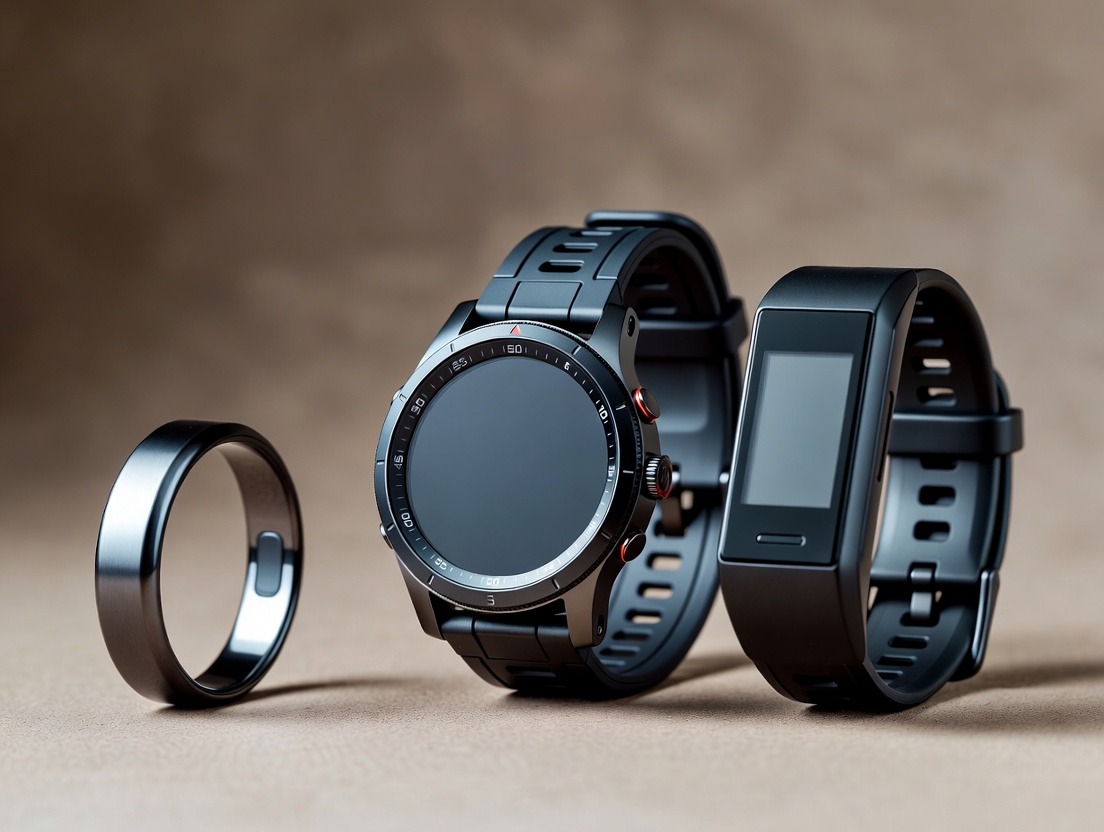
Wellness Ring Basics: Privacy Settings and Data Security
Outlines the privacy controls and security measures in place to protect users' sensitive health data.
Wellness Ring Basics: Privacy Settings and Data Security
In the hushed, pre-dawn glow of your bedside lamp, you slip on a sleek, unobtrusive ring. It’s a piece of jewelry, a fashion-forward accessory, and a silent guardian of your most intimate biological secrets. With every beat of your heart, every dip into deep sleep, and every subtle fluctuation in your stress levels, this device—your wellness ring—collects a continuous stream of personal data. This data has the power to transform your health, offering insights that were once locked away in specialized labs. But as this stream of information flows from your finger to the cloud, a critical, modern question emerges: Who else is listening?
Welcome to the essential, often-overlooked foundation of wearable wellness: Privacy Settings and Data Security. This isn't just a technical footnote; it's the bedrock of trust between you and the technology you invite into your life 24/7. A wellness ring is unique. Unlike a phone you can set aside or a smartwatch you charge nightly, it is designed to be a constant companion, gathering data during your most vulnerable, unguarded moments: while you sleep, recover, and live.
The promise is profound—a quantified self, empowered. The peril, however, is a privacy breach that exposes not just your step count, but the nuanced rhythms of your physiology, potentially to advertisers, insurers, or malicious actors. Understanding how to configure your ring’s privacy settings and grasp the fundamentals of its data security isn't about paranoia; it’s about informed empowerment. It’s about ensuring that the journey to a healthier you doesn’t come at the cost of your digital autonomy.
This guide will serve as your comprehensive manual. We will move from the broad philosophical landscape of data in the wellness age down to the specific checkboxes and toggles in your companion app. We’ll decode encryption standards, demystify data sharing policies, and equip you with the knowledge to take full, confident control. Because true wellness isn't just about sleeping better or managing stress—it’s about achieving peace of mind, knowing that the data revealing how you achieve that peace is securely and respectfully held.
The Invisible Diary: What Your Wellness Ring Actually Knows About You
Before we can secure something, we must understand its value. The data collected by a modern wellness ring is far more intimate and comprehensive than most users initially realize. It’s not merely a pedometer on your finger. It’s a biometrical scribe, compiling a vivid, continuous diary of your body’s inner workings.
At its core, the technology relies on photoplethysmography (PPG)—tiny LEDs that shine light into the capillaries in your finger and measure the reflected light to detect blood volume changes. This simple-sounding mechanism unlocks a stunningly detailed portrait:
Cardiac Rhythm & Heart Rate Variability (HRV): It logs every heartbeat, calculating not just your resting heart rate, but your HRV—a key metric of your nervous system balance and recovery status. A consistently low HRV can be a canary in the coal mine for chronic stress and burnout.
Sleep Architecture: It doesn't just track "time asleep." It maps your journey through light, deep, and REM sleep stages, identifying disturbances and estimating overall sleep quality. This data is the foundation of your nightly sleep score, a crucial benchmark for health.
Body Temperature: Continuous peripheral temperature monitoring can reveal trends related to ovulation, illness onset, and metabolic changes.
Blood Oxygen Saturation (SpO2): Overnight SpO2 tracking can help identify potential sleep apnea events or respiratory issues.
Activity & Movement: It measures steps, active minutes, and calories burned, but also infers periods of stillness and non-activity, which are equally important for a holistic view.
Contextual Data: When synced with your phone, it can correlate this biometric data with your self-reported moods, stress levels, workout logs, and even your geographic location.
The Narrative This Data Creates Individually, these are data points. Collectively, over weeks and months, they form a powerful narrative. This narrative can reveal:
The impact of a late-night coffee on your deep sleep.
How a high-stress work project suppresses your HRV.
The precise onset of a seasonal cold through temperature and resting heart rate deviations.
Your personal, optimal bedtime based on physiological readiness, not just the clock.
Long-term trends, like how a new meditation practice slowly improves your sleep consistency, which you can see by tracking improvement over months.
This is the incredible value proposition. But this intimate narrative is also what makes the data so sensitive. It could indicate private health conditions, lifestyle choices, and daily routines. In the wrong hands, this information could be used to infer pregnancy, mental health states, or sleep disorders—details most of us consider strictly private. Recognizing the depth and sensitivity of this "invisible diary" is the first, crucial step in understanding why its security is non-negotiable.
Why Privacy is a Feature, Not an Afterthought: The New Wellness Mandate
In the early days of fitness trackers, privacy was often a trade-off. Users eagerly exchanged data for functionality, with little transparency about where that data traveled or how it was used. Today, the paradigm has shifted. For the discerning wellness seeker, robust privacy and transparent security are primary features, as important as sensor accuracy or battery life. Here’s why this shift is fundamental to the future of personal technology.
1. The Sensitivity of Biometric Data Biometric data is uniquely personal. Unlike a password you can change, your heartbeat pattern, sleep stages, and temperature trends are immutable identifiers of you. Laws in many jurisdictions, like the Illinois Biometric Information Privacy Act (BIPA) and the EU's GDPR, classify this data as highly sensitive, granting it special protections. A wellness ring company that treats this data with the gravity it deserves isn't just complying with the law; it's demonstrating respect for the user.
2. Beyond Fitness: The Mental & Emotional Layer Modern wellness rings are increasingly focused on stress, recovery, and mental readiness. This means the data isn't just physical; it’s psycho-physiological. Your ring’s data can reflect an anxious day, a period of grief, or the calming effect of a vacation. Protecting this layer of data is about safeguarding not just your physical health information, but the story of your emotional and mental landscape.
3. The Insurance and Employer Liability While most reputable companies have strict policies against selling personal health data, the fear of this data being used for insurance premiums or employment decisions is real. Could a future insurer request access to your sleep score history? Could an employer question your readiness for a project based on your recovery data? A wellness ring provider with a clear, user-owned data policy and strong encryption acts as a vital firewall against these potential abuses, ensuring your health journey remains a tool for self-improvement, not external judgment.
4. The Foundation of Trust and Long-Term Use Trust is the currency of the wearable ecosystem. If you doubt the security of your data, you will inevitably disengage. You might stop wearing the ring at certain times, input false information, or abandon the device altogether. This breaks the very value chain the device is built on: continuous, accurate data for meaningful insights. A company that prioritizes privacy is investing in a long-term partnership with you. It signals that their goal is your wellness, not just your data.
5. The Rise of the Restful, Secure Mindset True wellness encompasses digital peace of mind. The philosophy of restful living isn't just about physical calm; it's about creating an environment—digital and physical—free from low-grade anxieties. Knowing your sensitive health data is secure eliminates a subtle but pervasive modern stressor. It allows you to fully embrace the benefits of the technology, integrating it into a lifestyle focused on less hustle and more health without a nagging worry in the back of your mind.
In essence, a wellness ring without robust privacy is like a lock on a diary that uses a universal key. The diary exists, but its contents are perilously exposed. Choosing a device—and configuring it—with privacy as a core feature is the first active step in taking control of your holistic well-being.
Data 101: Where Your Information Lives and How It Travels
To effectively manage your privacy, you need a basic mental map of your data’s journey. From the moment it’s sensed on your finger to when it appears as a chart on your phone, your information passes through several stages, each with its own security considerations. Let’s demystify this pipeline.
Stage 1: On the Ring (The Edge) The ring itself is a miniature computer. It collects raw sensor data (PPG signals, temperature readings, accelerometer data). Initially, this data is stored temporarily in the ring’s small onboard memory. Key Security Aspect: Is this local data encrypted? High-end rings use on-device encryption, meaning the data is scrambled even before it leaves your finger. This is a crucial first line of defense if the ring were ever lost or stolen.
Stage 2: The Transfer (Bluetooth Syncing) Periodically, the ring connects to your smartphone via Bluetooth Low Energy (BLE) to sync data. This wireless transfer is a potential vulnerability point.
Security Check: Reputable devices use BLE with secure pairing protocols. This means the connection between your ring and your phone is a unique, encrypted link that prevents "eavesdropping" by nearby devices. Always ensure your initial pairing is done in a private setting.
Stage 3: On Your Smartphone (The App) Once synced, the companion app on your phone processes the raw data. It uses algorithms to turn PPG signals into heart rate, identify sleep stages, and calculate your readiness score. The app stores a copy of this processed data.
Security Check: Does the app have its own security features? Look for options to require a passcode, fingerprint, or face ID to open the app. This prevents someone with physical access to your phone from viewing your health dashboard.
Stage 4: The Cloud (Remote Servers) For most features—like long-term trend analysis, multi-device access, and backup—your data is uploaded from the app to the company’s cloud servers. This is the most critical juncture for data security.
Encryption in Transit: Data should be encrypted using strong protocols (like TLS/SSL) during upload, creating a secure "tunnel" that looks like gibberish to any interceptors.
Encryption at Rest: Once on the servers, your data should be encrypted again. This means even if someone breached the server's physical hardware, the data files would be unreadable without unique decryption keys.
Stage 5: Third-Party Services (The Optional Highway) Many apps allow you to connect your wellness data to other platforms like Apple Health, Google Fit, Strava, or MyFitnessPal. This is incredibly useful for a unified health view.
Critical Privacy Control: This is a user-controlled gateway. You must explicitly grant permission for this sharing. It’s vital to understand what data you’re sharing and review the privacy policy of the third-party service. Remember, once data leaves your wellness app’s ecosystem, its security is governed by the receiving service’s policies.
Visualizing the Journey: Your Body → Ring (Encrypted) → Bluetooth (Secure Link) → Phone App (Local) → Internet (Encrypted Tunnel) → Cloud Server (Encrypted) → Your Eyes (via App)
Understanding this flow empowers you. You can see that security isn't a single wall, but a series of gates and protective layers. A breach would require defeating multiple, independent security measures—a concept known as "defense in depth," which is the hallmark of a well-designed system. Your role is to ensure each gate you control—your phone’s lock, your app permissions—is properly secured.
Decoding the Jargon: Encryption, Anonymization, and Ownership
When you dive into a privacy policy or a product spec sheet, you’re met with a flood of technical terms. Let’s translate the three most important concepts that define how your data is protected and who controls it.
1. Encryption: The Digital Lock and Key Encryption is the process of scrambling data into an unreadable format (ciphertext) using a complex algorithm and a "key." Only someone with the correct key can decrypt it back to readable information (plaintext).
In Transit: As your data moves (e.g., from phone to cloud), it’s protected by protocols like TLS (Transport Layer Security). You can think of this as a secure, armored courier truck for your data packets.
At Rest: When stored on a server, your data should be encrypted using robust standards like AES-256 (Advanced Encryption Standard with a 256-bit key). This is the digital equivalent of storing the contents of your diary in a bank vault, inside a locked safe, with the combination known only to you (through your password/key).
Why it Matters: Even in the event of a server breach, encrypted data is functionally useless to thieves without the keys. It’s the most fundamental technical safeguard.
2. Anonymization & Aggregation: The Power of the Crowd This refers to how companies use pooled data for research and improving their algorithms.
Anonymized Data: Personal identifiers (like your name, email, device ID) are stripped from your dataset. The remaining data (e.g., "a 35-year-old male slept 7 hours") is then mixed with millions of other anonymized records. True anonymization is very difficult to reverse-engineer.
Aggregated Data: This is data summarized across large user groups. For example, "Oxyzen users in North America saw a 12% average improvement in sleep score after adopting a consistent bedtime." This reveals trends, not individual stories.
Why it Matters: This practice is generally positive. It allows companies to conduct large-scale health research, discover new insights (like how sleep score reflects total body recovery on a population level), and refine their features—all without exposing your personal information. Check your company’s privacy policy to see if they allow you to opt-out of contributing your data to these anonymized pools.
3. Data Ownership: Who Holds the Title? This is the legal and philosophical core of your privacy.
You Own Your Data: The most user-centric policy states unequivocally that you own your personal health data. The company is merely a "custodian" or "processor" that you grant a license to use the data to provide you with services. This means you should have the right to access all your raw data, export it, and, crucially, delete it permanently from their servers if you stop using the service (the "Right to Be Forgotten" under GDPR).
Licensing for Service: By using the service, you typically grant the company a license to process your data to give you sleep scores, readiness insights, etc. Be wary of policies that grant themselves overly broad licenses to "use, modify, or create derivative works" from your data for unspecified commercial purposes.
Why it Matters: Ownership gives you control. It affirms that the data is an extension of you, not a product to be mined. Before purchasing a ring, locate the "Data Ownership" or "Your Rights" section of the privacy policy. A clear, user-friendly statement here is a strong indicator of the company’s overall ethos.
By understanding these pillars—encryption (how it’s protected), anonymization (how it’s ethically used for good), and ownership (who ultimately controls it)—you move from being a passive user to an informed participant in the data relationship. This knowledge is the toolkit you’ll use to audit the settings we will explore next.
Your First Line of Defense: Mastering In-App Privacy & Permission Controls
The theory is essential, but control is practical. Your most direct power lies within the companion app on your smartphone. This is your mission control for data privacy. Let’s walk through the critical settings you must locate, understand, and configure. (Note: Menu names may vary by brand, but the functions are generally consistent.)
1. Account Security: Fortifying the Front Door
Strong, Unique Password: This is non-negotiable. Do not reuse a password from another service. Use a password manager to generate and store a complex password.
Two-Factor Authentication (2FA): If the app offers it, enable it immediately. 2FA adds a second step to logging in (like a code from an authenticator app or SMS), making it exponentially harder for anyone to access your account, even if they have your password.
App-Specific Lock: Find the setting to require Face ID, Touch ID, or a PIN to open the wellness app itself. This prevents "shoulder surfing" or casual access if your phone is unlocked.
2. Data Sharing & Visibility Controls
Profile Visibility/Sharing: Some apps have social or community features. Ensure your profile and activity are set to "Private" unless you explicitly want to share with friends.
Research & Anonymized Data Contribution: Look for a setting often called "Data for Research," "Help Improve Our Algorithms," or "Anonymous Usage Data." Read the description carefully. Decide if you are comfortable contributing your anonymized data to the pool. There is no right or wrong answer; it’s a personal choice between contributing to collective scientific progress and maximizing personal data minimization.
Marketing Communications: Control whether the company can email you newsletters, product updates, or offers. These are often managed under "Communication Preferences" or "Email Settings."
3. Third-Party App Permissions (The Most Important Section) This is where you manage the connections between your wellness app and other services like Apple Health, Google Fit, or Strava.
Audit Existing Connections: Regularly review the list of apps and services that have access. Remove any that you no longer use or recognize.
Granular Permissions: When connecting a new service, see if you can choose what data is shared. For example, you might want to share your activity data with Strava but not your sleep data. Choose the minimum data necessary for the integration to function.
Understand the Downstream Policy: Remember, once data flows to a third party, its security is governed by their privacy policy. Only connect to services you trust.
4. Data Management & Retention
Data Export: Locate the "Export Data" function. Good services allow you to download a complete archive of all your raw and processed data. This is your right as the data owner and is essential for your own records or to share with a healthcare professional.
Automatic Data Deletion: Some apps offer settings to automatically delete older raw data after a certain period (e.g., 30 days), keeping only the summarized trends for long-term viewing. This can be a privacy-enhancing option.
Account Deletion: Know how to permanently delete your account and all associated data. A trustworthy company will make this process clear, though they may ask you to confirm it multiple times due to its irreversible nature.
Actionable Checklist:
Set a strong, unique password.
Enable Two-Factor Authentication (if available).
Enable biometric lock for the app.
Set profile to "Private."
Make a conscious choice on anonymized data contribution.
Review and prune third-party app connections.
Locate the Data Export and Account Deletion options.
Taking 15 minutes to configure these settings transforms your app from a passive portal into an active fortress, putting you in command of your data’s first layer of privacy. This conscious setup is itself a form of restful living for busy professionals—a small, decisive action that creates peace of mind.
The Cloud Conundrum: Assessing Your Provider’s Security Posture
You’ve secured your local device and app. Now we look outward, to where your data spends most of its time: the cloud. As a user, you can’t audit server farms, but you can assess a company’s security posture through its public commitments and transparency. Here are the key indicators to look for when evaluating a wellness ring provider.
1. Public Privacy Policy & Terms of Service: A Close Reading Don’t just scroll to the bottom and click "Accept." Skim these documents for crucial clauses:
Data Ownership Language: Does it clearly state that you own your data?
Data Use Limitations: What does the company say it will do with your data? Look for narrow, specific purposes like "to provide the service," "to improve our algorithms," and "for customer support." Be wary of broad, vague language like "for business purposes" or "to develop new products."
Third-Party Sharing: Under what circumstances will they share your data with other companies? It should be limited to essential service providers (e.g., cloud hosting partners like Amazon AWS or Google Cloud, who are bound by strict contracts) and only with your explicit consent for other types of sharing (like research partners).
Data Retention & Deletion: How long do they keep your data after you delete your account? A reputable policy will specify a timeline (e.g., 30-60 days for complete purging from backups).
2. Security Certifications & Audits (The Gold Standard) Independent verification is the strongest signal of trust.
SOC 2 Type II Certification: This is a rigorous audit performed by an independent accounting firm. It certifies that a company’s information security controls are properly designed and operating effectively over a period of time. A company that invests in a SOC 2 audit is seriously committed to security.
ISO 27001 Certification: An international standard for information security management systems (ISMS). It demonstrates a systematic, process-driven approach to managing company and customer data.
HIPAA Compliance: If a wellness company explicitly offers tools for healthcare providers or states it is "HIPAA-ready," it means they have implemented even stricter physical, network, and process security measures for protecting health information. This is a very strong positive indicator, even for general consumers.
3. Transparency Reports & Bug Bounty Programs
Transparency Reports: Does the company publish regular reports on government data requests (like subpoenas)? A commitment to transparency about legal demands shows they take user privacy seriously in the face of authority.
Bug Bounty Programs: These are programs where the company invites and pays ethical hackers to find and report security vulnerabilities in their systems. This proactive approach is a sign of a mature security culture that constantly seeks to improve, rather than hiding flaws.
4. Data Residency & Jurisdiction
Where are the servers physically located? Data stored in certain countries may be subject to specific laws (like the US Cloud Act) that could compel a company to hand over data. Some companies offer "data residency" options, allowing EU users, for example, to have their data stored exclusively on servers within the EU, subject only to GDPR.
How to Find This Information:
Look for a "Security" or "Trust Center" page on the company’s main website, separate from the product pages.
Search their press releases or blog for announcements about security certifications.
Check the footer of their website for links to "Privacy," "Security," and "Compliance."
Choosing a provider that is transparent about these advanced security measures is like choosing a bank with a proven track record and federal insurance. You are placing your valuable asset—your health data—in their custody. Their public commitment to protecting it is a direct reflection of their respect for you as a customer and their understanding of the profound responsibility they hold.
The Human Factor: Physical Security and Social Engineering Risks
The most sophisticated encryption in the world can be undone by a simple human mistake. A significant portion of data breaches stem not from digital hacking, but from "the human factor"—physical loss, carelessness, or manipulation. Protecting your wellness data requires extending your security mindset beyond the digital realm.
1. Physical Security of the Ring and Paired Phone
The Ring Itself: If lost or stolen, a stranger has a device that contains your recent biometric data. While this data should be encrypted, the physical loss is a privacy risk.
Action: Use the "Find My Device" or ring-locking feature in your app if available. This can help locate it or remotely wipe its stored data.
Habit: Treat the ring like a key—be mindful of where you take it off (gym locker, public restroom).
Your Smartphone: This is the gateway. If your phone is unlocked, a thief has immediate access to your wellness app dashboard.
Action: Use a strong passcode (6 digits minimum) and enable automatic lock after 30 seconds. Never disable the lock screen for convenience.
Action: As covered earlier, use the in-app biometric lock for an added layer.
2. Social Engineering: The Art of Digital Manipulation Social engineering is the psychological manipulation of people into performing actions or divulging confidential information. It preys on trust, urgency, or helpfulness.
Phishing Emails/Texts: You may receive a message that appears to be from your wellness ring company ("Urgent: Your Account Will Be Suspended!"). It contains a link to a fake login page designed to steal your credentials.
Defense: Never click links in unsolicited messages. Always navigate to the app or official website directly by typing the URL or using your bookmarks. Legitimate companies will never ask for your password via email or text.
Fake Support Calls: A scammer might call, claiming to be from tech support, and ask for remote access to your computer or for you to "verify" your account details.
Defense: Hang up. Initiate contact yourself through the official support channels listed in the app or on the company's verified website.
3. Wi-Fi and Bluetooth Hygiene
Public Wi-Fi: Avoid syncing your ring or accessing its data dashboard on public, unsecured Wi-Fi networks (airports, cafes). These are hunting grounds for "man-in-the-middle" attacks where data can be intercepted.
Defense: Use your cellular data, or better yet, wait until you are on a trusted, password-protected home or work network. Consider using a reputable Virtual Private Network (VPN) if you must use public Wi-Fi.
Bluetooth Awareness: While BLE is generally secure, be conscious of your environment when initially pairing your ring. Don't do it in a crowded, public space.
4. The Shared Device Dilemma Do you let a family member or partner use your tablet or computer? If your wellness app is logged in on a shared device, your data is exposed.
Defense: The best practice is to avoid logging into sensitive health apps on shared devices. If you must, use "Private Browsing" modes and be absolutely certain to log out completely after each session.
Securing the human element is about cultivating mindful habits. It’s the practice of restful living spaces applied to your digital behavior—creating intentional, calm, and controlled environments for your technology interactions. By combining strong technical settings with vigilant personal habits, you build a comprehensive privacy shield that is far more resilient.
Connecting the Dots: The Privacy Implications of Third-Party Integrations
The true power of a wellness ecosystem often lies in its connections. Sharing your ring’s data with Apple Health, Google Fit, or a specialized training app like Strava can create a magnificent, unified picture of your health. However, each connection you authorize is a bridge to another kingdom with its own rules. Understanding the privacy implications of these integrations is critical for maintaining control.
1. The Data Flow: What Leaves Your Primary App? When you tap "Connect to Apple Health," you are not just opening a read-only window. You are typically granting permission for a continuous, automated export of specific data categories. Common exports include:
Heart Rate
Sleep Analysis
Steps
Resting Energy
Heart Rate Variability (HRV)
Blood Oxygen
Mindfulness minutes (if logged in the app)
2. The Receiver's Policy Becomes Your Policy Once your data lands in Apple Health or Google Fit, its use is governed by their privacy policies, not your ring company’s.
Apple Health: Apple has a strong privacy-centric reputation. Data in the Health app is encrypted on your device and, if you use iCloud, in transit and at rest. Apple states it does not use Health data for marketing or advertising.
Google Fit: Google’s model is different. While they have improved health data protections, it’s crucial to review Google’s privacy settings. Understand how data in Google Fit might be used within the broader Google ecosystem.
Niche Fitness Apps (Strava, TrainingPeaks, etc.): These often have social and community features. Extreme caution is required. A fitness app might publicly post your activities by default, which could inadvertently reveal your home location (starting/ending points of a run), daily routine, or even when your house is empty. Always set these apps to "Private" initially and configure sharing settings with great care.
3. The Aggregation Risk A significant, often hidden, risk is profile enrichment. A third-party app that receives your heart rate and sleep data might combine it with other data they have (from your IP address, other app usage, etc.) to build a shockingly detailed advertising or behavioral profile. While wellness ring companies may pledge not to sell your data, a third-party app you connect to might have no such restriction in its privacy policy.
4. Best Practices for Safe Integration
Adopt a "Minimum Necessary" Mindset: For each connection, ask: "What is the minimum data this app needs to function?" If a meditation app only needs to know "mindfulness minutes," don’t grant it access to your full sleep stages and HRV.
Audit Regularly: Every few months, go into your wellness app’s settings and review the list of connected applications. Remove any that are dormant.
Read the Fine Print (Briefly): Before connecting a new service, skim its privacy policy. Use browser search (Ctrl+F) for keywords like "sell," "share," "advertising," and "health."
Use the Privacy Labels: On iOS, check the "App Privacy" section on the App Store page. It will show what data the app collects and whether it’s used to track you or linked to your identity.
Consider a "Hub" Strategy: Use a trusted, privacy-focused hub like Apple Health as your primary aggregator. Then, let other apps read from the hub, rather than giving your ring app permission to write to many different destinations. This gives you a single point of control.
Managing third-party integrations is an ongoing practice of digital curation. It’s about being intentional with your connections, just as you might be intentional about creating a restful home environment. Each connection should serve you, not expose you. By taking a mindful, minimalist approach to these digital handshakes, you preserve the integrity of your private health narrative.
Beyond the Ring: How Your Overall Digital Hygiene Impacts Wellness Data
Your wellness ring does not exist in a vacuum. It’s a node in your larger digital life. The security of your email account, your smartphone’s operating system, and even your home router all play a role in the overall safety of your health data. Strengthening your general digital hygiene is like improving the neighborhood in which your data lives.
1. The Foundation: Your Email and Password Manager
Your Email Account: This is the master key to your digital life. It’s used for password resets and two-factor authentication (2FA) recovery. A breached email account can lead to a cascade of other account takeovers, including your wellness app.
Action: Secure it with a very strong, unique password and enable 2FA (using an authenticator app like Google Authenticator or Authy, not just SMS).
Password Manager: Reusing passwords is the single greatest digital security failing. A password manager generates and stores strong, unique passwords for every site and service you use.
Action: Adopt a reputable password manager (e.g., Bitwarden, 1Password, LastPass). Use it to create a unique password for your wellness ring account and every other account.
2. Device Security: Your Smartphone and Computer
Operating System Updates: These updates often contain critical security patches for vulnerabilities that hackers exploit. Delaying updates leaves you exposed.
Action: Enable automatic updates for your phone (iOS/Android) and computer.
App Updates: Similarly, keep all apps, especially your wellness ring app, banking apps, and email, updated to the latest version.
Antivirus/Malware Protection: On computers, use a reputable security suite. On modern iOS and Android, the built-in protections are robust, but avoid sideloading apps from unofficial stores.
3. Network Security: Your Home Wi-Fi Your home router is the gateway through which all your device data flows, including your synced wellness data.
Change Default Credentials: The default username/password for your router (often admin/password) is public knowledge. Change it immediately.
Use Strong Wi-Fi Encryption: Ensure your Wi-Fi network is using WPA2 or, preferably, WPA3 encryption. Avoid the outdated and insecure WEP.
Router Firmware Updates: Just like your phone, your router needs updates. Log into its admin panel periodically to check for and install firmware updates from the manufacturer.
4. Mindful Sharing and Digital Decluttering
Social Media Oversharing: Be cautious about posting screenshots of your sleep score or workout maps that might reveal personal patterns or locations. This is a form of self-inflicted data leakage.
App Permissions Audit (Phone-Wide): Periodically, go through your phone’s permission settings (Settings > Privacy & Security on iOS, Settings > Permissions on Android). Revoke permissions that apps don’t genuinely need (e.g., a flashlight app doesn’t need your contacts or location).
The Holistic View: Think of your wellness data as a precious document. You’ve put it in a safe (your ring’s encryption), but you’ve also placed that safe in a house (your digital ecosystem). If the house has weak locks (easy passwords), open windows (outdated software), and you give out copies of the key to strangers (risky app permissions), the safe’s security is compromised by its environment.
By practicing good overall digital hygiene, you create a secure, restful living foundation for all your technology, allowing your wellness tools to function in a protected space. This comprehensive approach reduces anxiety and fosters the very sense of calm and control that your wellness ring is meant to support. It’s a virtuous cycle where security enables serenity.
The Future of Privacy: Emerging Threats and Protections in Wearable Tech
The landscape of wearable technology and data privacy is not static. As sensors become more sophisticated and artificial intelligence more pervasive, new opportunities for insight emerge alongside new categories of risk. Being a responsible steward of your data means looking ahead to understand what might be on the horizon.
Emerging Threats on the Horizon
Emotion & Affective Computing: Future sensors may attempt to more directly infer emotional states—stress, focus, even mood—from biometric patterns like micro-changes in heart rate, skin conductivity (EDA), and facial muscle movement (via future wearable cameras). The privacy implications of having one’s emotional inner life quantified and potentially leaked are profound.
Predictive Health Analytics: As algorithms improve, they may move from describing your current state to predicting future health events with increasing accuracy (e.g., "high probability of migraine onset in 3 hours," "elevated risk of infection"). This predictive data is incredibly sensitive. Who has access to these predictions? Could they be used by employers or insurers in discriminatory ways?
Always-On Ambient Sensing: Devices may move beyond periodic measurement to true, always-on environmental sensing (sound, air quality, video). A ring that listens for snoring or a device that scans your surroundings raises significant questions about consent and the privacy of those around you.
Data Brokerage and Inferred Profiles: Even if your wellness company doesn’t sell your raw data, data brokers are becoming adept at combining disparate, anonymized data sets to re-identify individuals and build intrusive profiles. Your de-identified sleep data, combined with public records and other purchased data trails, could potentially be linked back to you.
Emerging Protections and Paradigms
On-Device AI & Federated Learning: The most promising privacy-preserving technology is moving the analysis to the data, not the data to the cloud. With on-device AI, your ring or phone processes the raw data locally to generate insights (like your sleep score). Only the anonymized result or an encrypted summary update might be sent to the cloud to improve the overall model—a process called federated learning. This minimizes the exposure of your raw biometric stream.
Zero-Knowledge Proof & Homomorphic Encryption: These are cutting-edge cryptographic techniques. In simple terms, they allow computations to be performed on encrypted data without ever decrypting it. A server could, for example, calculate a population average for HRV without ever seeing any individual user’s HRV number. This is the holy grail for privacy-preserving cloud analysis but is still computationally intensive.
User-Centric Data Vaults and Solid Pods: Visionary projects like Solid (spearheaded by Tim Berners-Lee) propose a future where you store your personal data, including health data, in a secure personal "pod" that you control. Apps and services request permission to access specific slices of data for a specific time. You are the central gatekeeper, not each individual company.
Stricter Global Regulations: Laws like GDPR and CCPA are just the beginning. We can expect more jurisdictions to enact stringent biometric data laws, potentially creating a global floor for privacy standards that all wearable companies must meet.
Your Role in the Future As a user, you are not powerless. You drive the market with your choices.
Support Companies Leading on Privacy: Give your business to companies that invest in on-device processing, obtain security certifications, and are transparent about their practices.
Demand Transparency and Control: Use feedback channels to ask companies about their roadmap for privacy-preserving technologies like federated learning.
Stay Informed: The field evolves quickly. Following reputable tech privacy news sources can help you stay aware of new threats and tools.
The future of wearable wellness should be one of empowered insight, not intrusive surveillance. By understanding these trends, you can advocate for and choose technologies that align with a vision of health that respects the sanctity of your personal data, ensuring that the quest for wellness enhances your autonomy rather than diminishing it. This forward-looking awareness is the final, critical layer of taking control today.
The Proactive User’s Guide: A Step-by-Step Privacy Audit for Your Wellness Ring
Knowledge is power, but action is control. Now that we’ve explored the landscape, threats, and settings, it’s time to roll up our sleeves and conduct a thorough, proactive privacy audit of your specific wellness ring ecosystem. This is not a one-time task, but an essential ritual—a form of digital self-care—that you should perform upon setup and revisit quarterly. Follow this step-by-step guide to ensure your fortress is fully fortified.
Phase 1: The Foundation Audit (Your Account & Device)
Password & Authentication:
Action: Go to your account settings in the ring’s companion app or website. Change your password to a unique, strong passphrase (e.g., 12+ characters, mixing letters, numbers, symbols). If you haven’t already, enable Two-Factor Authentication (2FA). Prefer an authenticator app over SMS if given the choice.
Why: This is the deadbolt on your front door. A unique password prevents credential stuffing attacks (where hackers use passwords leaked from other sites), and 2FA stops intruders even if your password is compromised.
App-Level Security:
Action: Open your wellness app’s settings. Find and enable the “App Lock,” “Require PIN,” or “Use Biometrics” feature. This ensures that if someone has your unlocked phone, they can’t immediately access your health dashboard.
Why: This adds a room-safe inside your house. It protects against casual, physical intrusions.
Physical Device Security:
Action: In your app, locate any “Find My Ring” or device security features. Understand what happens if your ring is lost. Can you remotely lock it or wipe its stored data? Know the process.
Why: Prepares you for a physical loss, minimizing the data exposure risk from the ring itself.
Phase 2: The Data Flow Audit (Where Your Information Goes)
Review Connected Third-Party Apps & Services:
Action: Navigate to the “Connections,” “Apps,” “Sharing,” or “Integrations” section of your wellness app. You will see a list of all services (Apple Health, Google Fit, Strava, MyFitnessPal, etc.) that have access.
Audit: For each connection, ask:
Do I still use this service? If not, tap “Disconnect” or “Remove Access.”
What specific data am I sharing? Tap into the settings for each connection. Is it sharing only what’s necessary? For example, does your running app need your sleep data? If not, disable that specific data category.
Why: This is you controlling the drawbridges from your castle. Each connection is a potential data leakage point. Minimize them.
Anonymized Data Contribution Setting:
Action: Find the setting often labeled “Data for Research,” “Help Improve Our Service,” or “Anonymous Usage Data.” Read the description carefully.
Decision: Make a conscious choice. Contributing can help advance health science and improve product features for everyone. Opting out maximizes personal data minimization. There is no universally correct answer, only your informed preference.
Why: This controls whether your anonymized data enters the collective pool for research and development.
Phase 3: The Policy & Permission Audit (Understanding the Rules)
Re-skim the Privacy Policy (Focus on Key Areas):
Action: Open the privacy policy from the app or company website. Use “Find in Page” (Ctrl+F / Cmd+F) to search for these key terms:
“Sell” or “Share”: Does the policy explicitly state they do not sell your personal health data? This is crucial.
“Third-Party”: Under what specific scenarios do they share data with third parties? It should be limited to “service providers” (e.g., cloud hosts) under strict contract and with your explicit consent for anything else.
“Retention” or “Delete”: How long do they keep your data after you delete your account? A clear timeline (e.g., 30-90 days) is a good sign.
“Ownership”: Does it state that you own your personal data?
Why: You are reading the rulebook of the company you’ve entrusted with your data. Ensure it aligns with your expectations.
Phone-Wide Permissions Check:
Action: Go to your smartphone’s main settings.
On iOS: Go to Settings > Privacy & Security. Review permissions for Health, Location Services, Bluetooth, and Microphone. See which apps have access and revoke any that seem unnecessary for your wellness ring or its app.
On Android: Go to Settings > Privacy > Permission manager. Review the same categories.
Why: Your wellness app operates within your phone’s ecosystem. Ensuring other apps aren’t overreaching protects the integrity of that ecosystem.
Phase 4: The Hygiene & Habit Audit (Your Personal Practices)
Network Check:
Action: Be mindful of where you sync your data. Avoid performing syncs or viewing detailed health dashboards on public, unsecured Wi-Fi networks. Make it a habit to sync when connected to your trusted home network.
Why: Prevents man-in-the-middle attacks on unsecured networks.
Social Sharing Mindfulness:
Action: Before posting a screenshot of your amazing sleep score or a workout map, pause. Does the image reveal your home address, your daily routine, or other sensitive patterns? Consider cropping or obscuring identifying details.
Why: Prevents self-inflicted data exposure and protects your physical security.
Schedule Your Next Audit:
Action: Put a recurring reminder in your calendar for 3 months from now: “Wellness Ring Privacy Check-up.”
Why: Threats evolve, new app connections are made, and settings can be reset after updates. Regular audits maintain your proactive stance.
Completing this audit transforms you from a passive user into an active guardian. It turns abstract privacy concerns into concrete, managed settings. This process, while detailed, ultimately cultivates the very restful living mindset we seek—a state where you can use your technology fully, without underlying digital anxiety, because you have taken definitive control.
When Things Go Wrong: How to Respond to a Suspected Data Breach or Loss
Even with the best defenses, incidents can occur. Your wellness ring company might announce a data breach. You might lose your ring. You might suspect unauthorized account access. In these moments, a calm, pre-planned response is critical. Panic leads to poor decisions; procedure leads to damage control. Here is your action plan.
Scenario 1: The Company Announces a Data Breach
Don’t Panic, But Take It Seriously: The company’s notification should detail what happened, what data was potentially involved, and what they are doing about it. Read it thoroughly.
Verify the Communication: Be sure the notice is legitimate. Do not click links in an email. Go directly to the company’s official website or app and look for an announcement in a “News” or “Security” section. Watch out for phishing scams that exploit breach announcements.
Follow the Company’s Guidance: They may recommend you change your password immediately, which you should do. They may also offer complimentary credit monitoring or identity protection services if sensitive personal information (like your Social Security Number—which they should not have) was exposed. Consider enrolling.
Change Your Password (And Similar Ones): Immediately change your password for the wellness app. If you have reused that password on any other site—especially email, banking, or social media—change those passwords immediately. This is the most critical step.
Monitor Your Accounts: For the next several months, keep an eye on your financial statements and other critical accounts for any unusual activity. Be extra vigilant for phishing attempts, as your email may now be on a target list.
Scenario 2: You Lose Your Ring or It’s Stolen
Use the “Find My” Feature (If Available): Immediately open your companion app and use any ring-finding feature to see its last known location or play a sound.
Lock or Wipe the Device (If Available): If the app has a “Lock Ring” or “Remote Wipe” function, use it. This will render the stored data on the ring itself inaccessible.
Change Your App/Account Password: As a precaution, change the password for your wellness app account. This severs the lost ring’s ability to sync to your account if found by someone with malicious intent.
Do Not Chase or Confront: If the “Find My” feature shows the ring in a strange location, do not attempt to retrieve it yourself. Contact local law enforcement and provide them with the location information if you wish to pursue it.
Scenario 3: You Suspect Unauthorized Account Access
Signs: Unfamiliar devices listed in your account’s “Active Sessions,” activity or sleep data you don’t recognize, changed settings you didn’t make, or notifications for password resets you didn’t initiate.
Change Your Password Immediately: Do this from a trusted device. Use a brand new, strong password.
Terminate All Sessions: In your account security settings, look for an option to “Log out of all devices” or “Terminate all other sessions.” This boots out anyone who might be logged in.
Review and Revoke Third-Party Connections: An attacker may have added a malicious third-party app to siphon your data. Go to your app connections and remove anything suspicious or unfamiliar.
Enable 2FA (If Not Already): If you didn’t have Two-Factor Authentication enabled before, do it now. This will prevent a simple password compromise in the future.
Contact Customer Support: Inform the company of your suspicion. They can investigate from their end for any unusual activity on your account.
The Golden Rules of Incident Response
Passwords are Critical: In almost every scenario, changing your password is the first, most effective step.
Don’t Reuse Passwords: A breach of one service becomes a breach of many if passwords are reused. This audit is the perfect time to stop this habit.
Stay Calm and Methodical: Follow the steps. Emotional reactions can lead to mistakes, like clicking a phishing link in a panic.
Let This Be a Lesson: Use any incident, however minor, as a catalyst to strengthen your overall security posture. Update all your software, audit other accounts, and recommit to good digital hygiene.
Having a plan transforms a crisis from a chaotic event into a manageable procedure. This preparedness is a cornerstone of a resilient, restful living philosophy, where you have the tools and mindset to handle challenges without being derailed by stress.
Building a Culture of Privacy: Advocating for Better Standards in Wearable Tech
As an individual, you have significant power through your choices and your voice. But the responsibility for a secure and private digital wellness future does not rest on users alone. It is a shared responsibility between consumers, companies, and regulators. By becoming an advocate for better standards, you help lift the entire ecosystem, protecting not just yourself but all users.
How to Be a Privacy-Conscious Consumer (Your Buying Power)
Vote with Your Wallet: Before purchasing a wellness ring or any wearable, research the company’s privacy and security reputation. Look for the indicators we’ve discussed: clear data ownership policies, security certifications (SOC 2, ISO 27001), and a public commitment to privacy. Choose companies that make these features a selling point, not a hidden footnote.
Ask Questions Before You Buy: Use a company’s pre-sales chat or contact form. Ask direct questions:
“Do you have a SOC 2 Type II certification?”
“Where is my data stored, and can I choose its geographic location (data residency)?”
“Do you use on-device processing for sensitive metrics like sleep staging?”
Their willingness and ability to answer these questions clearly is a telling sign.
Support Privacy-First Companies: When you find a brand that aligns with your values, support them. Your purchase signals to the market that privacy is a feature worth paying for.
How to Be an Advocate (Your Voice)
Provide Feedback: Use in-app feedback forms, surveys, or customer support channels to ask for privacy-enhancing features. For example:
“I would love to see an option for automatic local data deletion after 30 days.”
“Could you offer more granular controls for what data is shared with Apple Health?”
“Please consider obtaining a SOC 2 certification.” Companies build roadmaps based on user demand. Let them know privacy is a priority.
Engage on Social Media (Constructively): Publicly praise companies for positive privacy moves (e.g., “Great to see @WellnessCompany achieve ISO 27001 certification!”). Conversely, ask thoughtful questions about their policies in public forums. Public discourse holds companies accountable.
Support Strong Regulation: Be aware of and support legislative efforts that strengthen digital privacy and biometric data rights. Laws like GDPR and CCPA were pushed for by concerned citizens and activists. Engaging with consumer advocacy groups can amplify your voice.
The Ideal Future: What We Should All Advocate For
As a community, we should push the industry toward these standards:
Privacy by Default: Settings should be configured to the most private option from the start. Users should opt-in to sharing, not be forced to opt-out.
Radical Transparency: Companies should provide easily digestible, visual “privacy nutrition labels” that go beyond app store requirements, showing exactly where data flows and for what purpose.
True Data Portability and Deletion: Exporting your data should be easy, in open formats. Account and data deletion should be comprehensive, permanent, and verifiable.
A Shift to Local Processing: The industry should invest in the hardware and software needed to process sensitive biometric data on the device itself, minimizing what ever needs to be sent to the cloud.
Building this culture is a long-term project. It starts with each user taking control of their own data, as we’ve detailed in this guide. It grows as we collectively demand better. By doing so, we shape a technological future where wellness tools are instruments of genuine empowerment, seamlessly supporting a life of restful living, free from the shadow of surveillance or exploitation. The ring on your finger should be a symbol of self-knowledge and autonomy, not a tether to hidden data markets. By being informed, proactive, and vocal, we can make that vision the standard.
Conclusion: Your Privacy, Your Peace, Your Power
We began this journey with a simple, powerful image: a sleek ring on your finger, a silent sentinel in the quest for well-being. We’ve traveled through the intricate landscape of what it knows, where that information goes, and the robust defenses—both technical and personal—that can protect it. We’ve equipped you with an audit checklist and an incident response plan. Now, we arrive at the core truth that underpins it all: Mastering your wellness ring’s privacy isn’t just a technical task; it’s the final, essential step in achieving the holistic peace it promises.
The data from your ring—your sleep scores, your readiness, your stress metrics—are meant to be tools for self-compassion and positive change. They can guide you toward simple daily habits for deeper calm and help you balance productivity with restful living. But this guidance can only be fully received in an environment of trust. If a low-grade anxiety about data security hums in the background, you cannot fully settle into the insights. Configuring your privacy settings is, therefore, a profound act of self-care. It is the digital equivalent of turning off notifications, locking your front door, or creating a restful evening ritual—it creates the conditions for genuine restoration.
Your privacy is the foundation of your peace. When you know your intimate biological narrative is secured with strong encryption, owned by you, and shared only on your terms, you can engage with your wellness journey without reservation. You can wear your ring during your most vulnerable moments, sync your data without second-guessing the network, and explore trends over time with curiosity, not concern. This peace of mind is a tangible health benefit, reducing the very digital-age stress that wearables often seek to measure. It allows the technology to fade into the background as a supportive tool, where it belongs.
Your knowledge is your power. You are no longer a passive consumer accepting opaque terms of service. You are an informed participant. You can decipher privacy policies, demand transparency from companies, and make purchasing decisions that align with your values. You understand that a high sleep score is not just a number, but a piece of sensitive information worthy of protection. This empowerment extends beyond the ring. The principles of minimal data sharing, strong authentication, and mindful digital hygiene apply to your entire online life, creating a more resilient and intentional digital presence.
Ultimately, the goal of any wellness technology should be to support a richer, healthier, more conscious human experience. It should help you connect with your body’s signals, honor your need for rest, and live with greater intention. By taking definitive control of your data privacy, you claim that goal for yourself. You ensure that the path to well-being is yours alone to walk, guided by insights that serve you, protected by boundaries you set.
So, take a moment. Open your app. Run the audit. Make the changes. Then, put it all out of your mind. Let your ring do its job in the quiet confidence that you’ve done yours. That is the true art of modern wellness: leveraging technology to enhance your life, while fiercely protecting the humanity at its center. Your journey to better health, with all its valuable data, deserves nothing less than a fortress of your own design. Now, you have the blueprint.



%402x.svg)